by ComponentArt - Product Type: Component / .NET WPF
ComponentArt Charting for WPF is also available as part of ComponentArt Data Visualization for WPF and ComponentArt Data Visualization for .NET Ultimate.
ComponentArt Charting for WPF by ComponentArt
URLs: componentart-charting-for-wpf, componentart charting for wpf, componentartchartingforwpf, componentart
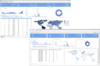
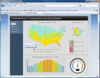
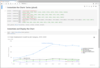
Add feature-packed, interactive, flexible, customizable charts to your WPF applications. ComponentArt Charting for WPF is a comprehensive set of charting components designed to deliver highly interactive visualization of business data. Featuring brilliant rendering, interactive drill-downs, built-in zooming & scrolling, extremely large dataset handling and integration with the CalcEngine data processing control. ComponentArt Charting for WPF includes: XyChart, PieChart, FunnelChart, RadarChart, TreeMap, Legend, DrillDownManager, WcfDataProvider, DashboardLayout, DashboardPanel and DashboardPopup components.
ComponentArt Charting for WPF - Bar & Column Charts
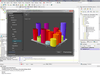
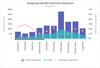
The ComponentArt XyChart control includes a variety of attractive 2D and 3D bar and column chart shapes: 3D Cylinder, 3D Block, 3D Rounded Block, Simple Rectangle, Rounded Rectangle, Double Edged Rectangle, Gradient Rectangle and Double Edged Gradient Rectangle. The control supports an unlimited number of points and series. Series compositions can be: side-by-side, stacked or stacked 100%. Each series and each data point can be customized individually.
ComponentArt Charting for WPF - Pie & Donut Charts
ComponentArt PieChart control includes a variety of 2D and 3D shapes, the ability to customize data point annotations and popups, as well as to shift individual slices.
ComponentArt Charting for WPF - Line Charts
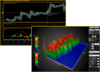
ComponentArt XyChart control includes a variety of attractive line styles, ranging from solid, dotted and dashed, in a number of thickness, border and shadow presets. All line charts have been designed with performance in mind first, so they can handle any number of data points and series. Scrolling and zooming are built into the control, so interactively analyzing large amounts of data is easy.
ComponentArt Charting for WPF - Area Charts
ComponentArt XyChart control features a number effective 3D and 2D area chart styles, including translucent gradient, opaque gradient, solid and with a bordered line. Similarly to line charts, ComponentArt's area charts are capable handling very large datasets. The built-in scrolling and zooming provide easy interactive analysis of data.
ComponentArt Charting for WPF - Bubble & Marker Charts
ComponentArt XyChart includes flexible and visually appealing 2D and 3D bubble charts, with customizable data point annotations and interactive popups.
ComponentArt Charting for WPF - Financial & Stock Charts
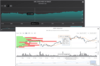
ComponentArt XyChart features interactive candlestick and open-high-low-close chart types, with templated data point annotations and popups. Combined with the extensive financial function library included in the CalcEngine.
ComponentArt Charting for WPF - Funnel Charts
ComponentArt FunnelChart provides attractive 2D and 3D funnel visualizations, with templated strips and data point annotations.
ComponentArt Charting for WPF - Radar Charts
ComponentArt RadarChart delivers effective 2D and 3D radar visualizations through a combination of line, area and marker styles.
ComponentArt Charting for WPF - TreeMaps
ComponentArt TreeMap control provides interactive treemap visualizations, with templated item and group annotations and item popups.
ComponentArt Charting for WPF - Ability to Handle Very Large Datasets
ComponentArt's Charting controls have been designed for handling extremely large amounts of data – measured in millions of records – through a highly effective WCF web service communication layer. In addition, all controls are capable of handling tens of thousands of records on the client.
ComponentArt Charting for WPF - Integration with the Powerful CalcEngine
All Charting controls can directly leverage the powerful data processing capabilities of the CalcEngine control. This enables any number of "computed" series, where statistical, financial or dataset operations can be performed on a dataset through a simple "Calc" expression. Additionally, CalcEngine enables insertion of custom computed XAML fragments into the control's visual tree, delivering another level of client-side flexibility.
ComponentArt Charting for WPF - Interactivity
Providing context through animated drill-downs, enabling data point selection and templated popups, interactive zooming & scrolling have all been developed to take productivity and user experience to a whole new level.
ComponentArt Charting for WPF - Comprehensive Visual Studio 2010 Design Time Support
ComponentArt Charting for .NET offers extensive design-time capabilities within Microsoft's Visual Studio 2010 IDE. All controls include custom design UI panels – enabling quick customization and design-time preview. In addition, ComponentArt is pleased to include single-click license enabling of the application, greatly simplifying the deployment of your solution.
ComponentArt Charting for WPF 2011?
Charting Millions of Records - The Data Visualization suite now handles millions of records out-of-the-box. Dashboard rendering is never a bottleneck with the new sampling system which is enabled automatically when large record sets are used. With the 2011 release, ComponentArt ships an integrated dashboard example showcasing interactive navigation through 1 million records on the client.
Vastly Expanded Charting Features - With the 2011 release ComponentArt introduces a comprehensive set of new features: range highlighting along X or Y axis, delta indicator stripes, target line, logarithmic axis, multiple independent Y axis, automatically adjusted ranges, projected values, unlimited levels of axis annotations, free-form X/Y zooming and scrolling, datapoint and range selection, expanded popup types, context menu, drag & drop integration with the GridView control, dynamic range adjustment when hiding or showing series and many more.
Build digital dashboards and data analysis applications.
Pricing: ComponentArt Charting for WPF — Professional Edition 2011 1 Developer License, ComponentArt Charting for WPF — Professional Edition 2011 3-4 Developer License - price per license, ComponentArt Charting for WPF — Professional Edition 2011 5-9 Developer License - price per license, ComponentArt Charting for WPF — Professional Edition 2011 10-15 Developer License - price per license, ComponentArt Charting for WPF — Professional Edition 2011 16-25 Developer License - price per license, ComponentArt Charting for WPF — Professional Edition 2011 - with Subscription 1 Developer Subscription License - Includes one year subscription, ComponentArt Charting for WPF — Professional Edition 2011 - with Subscription 3-4 Developer License - Includes one year subscription - price per license, ComponentArt Charting for WPF — Professional Edition 2011 - with Subscription 5-9 Developer License - Includes one year subscription - price per license, ComponentArt Charting for WPF — Professional Edition 2011 - with Subscription 10-15 Developer License - Includes one year subscription - price per license, ComponentArt Charting for WPF — Professional Edition 2011 - with Subscription 16-25 Developer License - Includes one year subscription - price per license, ComponentArt Charting for WPF — Professional Edition - Subscription Renewal 1 Subscription Renewal License (for customers with a current Subscription), ComponentArt Charting for WPF — Professional Edition - Subscription Renewal 3-4 Developer Subscription Renewal License (for customers with a current Subscription) - price per license, ComponentArt Charting for WPF — Professional Edition - Subscription Renewal 5-9 Developer Subscription Renewal License (for customers with a current Subscription) - price per license, ComponentArt Charting for WPF — Professional Edition - Subscription Renewal 10-15 Developer Subscription Renewal License (for customers with a current Subscription) - price per license, ComponentArt Charting for WPF — Professional Edition - Subscription Renewal 16-25 Developer Subscription Renewal License (for customers with a current Subscription) - price per license, ComponentArt Support ComponentArt Support - 5 Pack of Rapid Response Support Requests, ComponentArt Support ComponentArt Support - 5 Pack of Priority Support Requests
Evals & Downloads: Read the ComponentArt End User License Agreement, Download the ComponentArt Data Visualization for WPF 2011 evaluation on to your computer - Expires After 30 Days
Operating System for Deployment: Windows 7, Windows Vista, Windows XP, Windows Server 2003
Architecture of Product: 32Bit, 64Bit
Product Type: Component
Component Type: .NET WPF
Compatible Containers: Microsoft Visual Studio 2010, Microsoft Visual Studio 2008, Microsoft Visual Basic 2010, Microsoft Visual Basic 2008, Microsoft Visual C++ 2010, Microsoft Visual C++ 2008, Microsoft Visual C# 2010, Microsoft Visual C# 2008, .NET Framework 4.0, .NET Framework 3.5
Keywords: componentart data charting for wpf
ComponentArt, Component Art, Cyberakt, Cyberact
Chart Charting Charts Graph Graphing Graphs
Part numbers: PC-536636-377803 536636-377803 PC-536636-377838 536636-377838 PC-536636-377839 536636-377839 PC-536636-377840 536636-377840 PC-536636-377841 536636-377841 PC-536636-377798 536636-377798 PC-536636-377808 536636-377808 PC-536636-377813 536636-377813 PC-536636-377818 536636-377818 PC-536636-377823 536636-377823 PC-536636-377842 536636-377842 PC-536636-377843 536636-377843 PC-536636-377844 536636-377844 PC-536636-377845 536636-377845 PC-536636-377846 536636-377846 PC-536636-377828 536636-377828 PC-536636-377833 536636-377833
Publisher
Primary Category
Related Products