Our regular prices are shown below. Please logon to see your discounted prices.
TrendViewer V3.2 Standard Edition
| Add to Cart |
$ 1,023.22 |
1 Developer License (includes 6 months email support) Mfr. Part No: tv3standard |
|
Download (8.8 MB) |
| Add to Cart |
$ 767.41 |
1 Developer Upgrade License from TrendViewer 2 Unlimited - requires TrendViewer 2 license (includes 6 months email support) Mfr. Part No: tv3upst |
Verify |
Download (8.8 MB) |
| Add to Cart |
$ 920.90 |
1 Developer Upgrade License from TrendViewer 2 developer pack - requires TrendViewer 2 license (includes 6 months email support) Mfr. Part No: tv3upst-d |
Verify |
Download (8.8 MB) |
TrendViewer V3.2 Professional Edition
| Add to Cart |
$ 1,279.02 |
1 Developer License (includes 6 months email support) Mfr. Part No: tv3prof |
|
Download (8.8 MB) |
| Add to Cart |
$ 959.27 |
1 Developer Upgrade License from TrendViewer 2 Unlimited - requires TrendViewer 2 license (includes 6 months email support) Mfr. Part No: tv3upprof |
Verify |
Download (8.8 MB) |
| Add to Cart |
$ 1,151.12 |
1 Developer Upgrade License from TrendViewer 2 developer pack - requires TrendViewer 2 license (includes 6 months email support) Mfr. Part No: tv3upprof-d |
Verify |
Download (8.8 MB) |
TrenViewer 3 Support
| Add to Cart |
$ 262.36 |
Renewal of 12 months of email support (post initial 6 months support) Mfr. Part No: tv3supp |
Verify |
Download (20 KB) |
Our prices include ComponentSource technical support and, for most downloadable products, an online backup and a FREE upgrade to the new version if it is released within 30 days of your purchase. All sales are made on our standard Terms and Conditions and subject to our Return Policy. Please contact us if you require any licensing option not listed, including volume licensing and previous versions.
Our regular prices are shown above. Please logon to see your discounted prices.

What's New in TrendViewer V3.20
Note: As the property stream and the GUID changed, the application in which TrendViewer runs, must be recompiled. It is therefore necessary to reembed the TrendViewer OCX into the application.
Bug fixes:
- - Fixed display error from the x-axis (time format) in different time zones.
- - Fixed result value from rotated trend
- - Fixed value from rotated ruler
- - Fixed Rulervalues on stacked scales
- - Fixed Aux-Lines from rotated trend
- - State informations are now included in the propertie stream
- - Fixed parameter settings for flood curves
Extensions:
- - Curvebutton tooltip always display now.
- - Capture for each scale turned on / off
- - New interfaces FindMinMaxXPos and FindMinMaxYPos returns the position of the smallest / largest Value within a region or entire curve
- - Simplified response of a "movable" curve or a curve point (Can be deactivate with Shift key)
What's New in V3.11
Note: As the property stream and the GUID changed, the application in which TrendViewer runs, must be recompiled. It is therefore necessary to reembed the TrendViewer OCX into the application.
Bug fixes:
- Automatic scale management was fixed
- Bug in the scale display, that occurred when more than 10 scales were displayed, was fixed
- Scale for binary curves adapted
- Zooming error fixed. Up till now, zooming only worked as long as the first curve was activated
- Display in the time axis fixed
- Missing event when calling CTVXScale::Capture/CTVYScale::Capture was fixed
- Missing Refresh after calling SetTrendAuxLineStep was fixed
- Display error after resize in SetFixedFont was recovered.
- Erroneous display when calling method CTVXScale: Capture after deleting curves was fixed
- Crash when zooming binary signals was fixed.
- Correction of the return values of method CTVRuler: GetPosition in ruler position outside of the visible range (-1, -1).(-1, -1)
- PreDrawEvent korrigiert (Anzeige der Skalenhilfslinien nun im Hintergrund)
- Linealposition wird nun bei Größenänderungen des Controls wieder mitgeführt
Extensions:
- A ruler window was added (Professional Version)
- Display of the mouse pointer sliding over a curve ruler was changed.
- Undo function f the lasso zoom - last modification can now be made undone using the right mouse key
- Interactive zoom now also enabled even when no curves are activated
- Curve ruler can optionally be activated/deactivated
- Transparent display in fill patterns
- Additional PreDrawCurve/PostDrawCurve Events for each individual curve
What's New in V3.05
- Bug fixed in the display of the auxiliary lines in the trend window
- Correction of the division grid in time scales with large time intervals
- Bug fixed in the display of the time scale with data values outside the displayable limits
- Bug fixed in the display of the time scale when activating the follow mode even when no data existed
- Frame for the LassoZoom was adjusted. Before the change, this frame had been hardly or not all noticeable in dark backgrounds
- Correction in FixCurveWindow-Mode. When all Y-scales were deactivated, the display of X-scales was simultaneously deactivated before the correction. This bug was fixed
- Fire refresh was triggered after setting a FontScaleFactor
- Bug fixed in the display of the tick mark legend in a degree scale without XML-file
- Bug fixed in the Replace-Method
- New functionality "crosshair" was added
- Settings for TrendViewer FollowModeButtons were added to the property pages
What's New in V3.04
- Note: As the property stream has changed, the application, in which TrendViewer runs, should be recompiled. It is therefore necessary to reimbed the TrendViewer-Ocx into the application.
- So far, different return values were generated when using properties "GetYValue" and "GetYDatas": In GetYValue the Gain/Offset was respected, in GetYDatas (SaveArray) it was not respected.
- In this release the two properties "GetYDisplayValue" and GetYDisplayDatas were introduced. These properties now allow to read out the actual values (afflicted with Gain/Offset). Both properties "GetYValue" and "GetYDatas" now return "raw data" exclusively.
- In curves without symbol the curve button was so far drawn "empty" - a filled rectangle is now displayed in the respective curve color.
- CurveMoved Event: This event contains the new parameter "movePoint". This new parameter defines which point of the curve was moved.
>=0 : corresponding curve point was moved
- 1 : the complete curve was moved
- If the XMLformatted file did not exist in the application path, so far a "First-chance exception" message was displayed in the debug window of a development environment.
- Incorrect display when using the circular buffer and the methods XValue/YValue was fixed.
- When several instances of TrendViewer were initialized and one instance was destroyed, the application used to crash in earlier releases.
What's New in V3.03
- The assignment of standard curve inscriptions in the display of more than 10 curves was corrected. In the display of more than 10 curves, the standard curve inscription that was automatically assigned to a curve during initialization, now restarts from the beginning. The curves are now consecutively numbered or labeled.
- The number of the displayed curve buttons was extended such that it is now delimited by the width of the trend display area (Top-Buttons) or the height of the y-scales (Scale-Buttons).
- The standard scale inscription was extended.
- The background color problems between older Windows systems and Windows XP was fixed.
- A bug in the scale inscription after saving a VB6-Project was fixed.
- Printout of the legend in .Net and on some printers may have caused problems that are now fixed.
What's New in V3.02
- Flag for XY-scale corrected.
- Bug in the display of a XY-scale with HorizontalText=TRUE and HorizontalTextAlign=Text fixed.
- Display in a log. scale with values < 1 corrected (incorrect display in AutoScaleGrid=FALSE).
- Bug in the Capture-Function fixed, Capture is now available for function SetValue in the X- and Y-axis.
- Registry entry was extended to allow correct display in the web browser.
- Error message in .Net when calling "GetYData" and without transfer of status values was removed.
What's New in V3.01
- The metafile update was fixed (speed problem e.g. in Excel).
- A redraw-interface was introduced.
- The initialization of the scale colors was fixed.
- "Triggering" of the event XScalePosChanged or YScalePosChanged, when the initialization is performed via method "SetPosition".
- Horizontal scale inscription for XYscale in a rotated control was fixed.
- Scale echo for XY-scale was fixed.
- 2 new events were introduced (XScActualRangeChanging, YScActualRangeChanging)
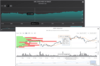
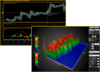
TrendViewer 3, Standard Edition is an ActiveX charting tool that can be integrated into your application for online monitoring or display of archived data (implemented with Visual Basic, VBA or Visual C++, .NET-compatible) as well as an Add-On into SCADA Systems like WinCC, Intouch or iFix).
List of features:
- Scalable display of y/t, x/y and phase diagrams with additional time scale
- Vertical or horizontal display
- Optional strip charts
- Direct zoom of time and value scales that are dockable
- Up to 512 y-scales can be stacked or grouped to which single curves or curve groups can be assigned;
- Linear or logarithmic value scales, cyclic degree-scale
- Easy set up of the scale inscription in XML.
- Up to 2 independent x-scales for the duration of the measurement or absolute time
- Dynamic auxiliary lines that are assigned to the scales
- Overview bar for each scale
- Displays analog and binary trend data and highlights states of measured values
- Flood areas between curves and limit lines
- Value buffers of up to 512 curves with an unlimited number of values;
- Identification of measured points;
- Interactive limit lines for each curve
- Selectable envelope curves
- Selectable line width, color and styles for curves, rulers
TrendViewer 3, Professional Edition offers the same functionalities as the Standard Edition with more interactive features: curves can be moved and modified, scales are dockable.