by ComponentArt - Product Type: Component / ASP.NET WebForms / .NET WinForms
ComponentArt SqlChart for Reporting Services is not longer for sale.
The current ComponentArt product line can be found here: ComponentArt
If you require further information about the current ComponentArt product line, please visit the page above or Contact Us for pricing and availability.
ComponentArt SqlChart for Reporting Services by ComponentArt
URLs: componentart-sqlchart, componentart sqlchart, componentartsqlchart, componentart
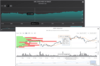
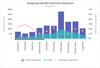
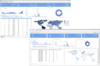
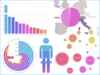
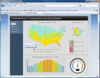
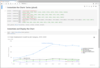
3D Charting for Microsoft SQL Server Reporting Services. ComponentArt SqlChart for Reporting Services provides advanced charting and graphing functionality to your SQL Server Reporting Services applications. Fully control the look of your charts is provided by fine tuning properties of axes, planes, labels and data points. End users can customize the look of charts, highlight series and change series order. Also, a large number of preloaded reusable chart styles enables quick creation of charts with ComponentArt SqlChart for Reporting Services for .NET. ComponentArt SqlChart for Reporting Services includes 2 Rendering engines, a High Speed engine renders images 5 to 10 times faster and a High Quality Rending engine focusing on image quality.
ComponentArt SqlChart for Reporting Services Overview
ComponentArt SqlChart for Reporting Services provides advanced charting and graphing functionality to your Microsoft SQL Server Reporting Services applications.
ComponentArt SqlChart for Reporting Services 3D Rendering
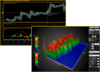
Advanced image quality delivered by ComponentArt's 3D rendering engine.
The engine processes lights, reflection and transparency to produce near ray-tracing quality of graphics in a fraction of a second.
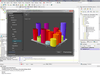
The original 3D rendering engine makes full use of 3D space for additional data presentation (for example variable segment heights in pie/doughnut charts)
Advanced features such as object intrusion produce great looking charts, not possible in traditional 2D rendering.
ComponentArt SqlChart for Reporting Services Flexible Chart Modelling
Tree-like series structure is combined with the API for fine-tuning axes, planes, labels and data points.
Chart contents such as series, axes, coordinate systems, annotations etc. are exposed through both the wizard and property view in design time, as well as through APIs for fine tuning at run-time .The Visual Studio property view provides full access to all chart properties available in design-time. The charting API allows for the finest run-time charting object model tuning, up to the finest detail of individual data points, individual axis labels, etc.
ComponentArt SqlChart for Reporting Services Extensible and Customizable Chart Styles
All visual aspects of any chart are controlled through a concept of reusable styles for individual chart elements. Chart styles are controlled through a set of fully customizable, reusable and extensible style collections for each type of object that may appear in a chart, such as series, data point labels, axis annotations, etc.
Every type of object that may appear in a chart has its own style type including series, data point labels, 2D and 3D lines, markers and gradients. For every style type a collection of predefined styles is provided. Existing styles can be customized and/or new styles may be created and stored into corresponding style collections, making it easy to create a specific design template. Templates can be used to save and reuse chart styles. For example, a unified chart style can be defined on report and company level.
Pre-loaded with Features
A large number of preloaded reusable chart styles enables quick creation of charts.
51 predefined chart types
12 predefined colour themes
Unlimited number of series in a chart
Unlimited number of data points in a series
Multiple legends, title items and axes labels
Date and Time support
Extensive collection of predefined series styles is available in the following categories:
Bar: Cylinder, Block, Hexagon, Paraboloid, Cone, Prism, Pyramid, Rectangle
Area:Simple Area,Smooth Area,Step Area, Simple 2D Area, Smooth 2D Area, Step 2D Area,
Financial: Candlestick,High-Low-Open-Close
Line:Simple Line, Smooth Line,Step Line, Simple 2D Line, Smooth 2D Line, Step 2D Line
Pie/Doughnut Charts: Simple Doughnut, Thin Doughnut, Round Doughnut,Inverted Doughnut,Simple Pie, Thin Pie, Round Pie
Radar: Radar Line, Radar Area, Radar Marker
Marker:Bubble, 2D Bubble,Block,Circle,Diamond,Triangle,Inverted Triangle,Left Triangle,Right Triangle,Cross,X Shape,Arrows
Pie/Doughnut charts can have variable height to present additional data in true 3D
Bar objects can have variable width and/or depth to present additional data in true 3D
Predefined styles may be fully customized
Custom styles can be created and added to the series styles collection
Series styles can be freely combined within a single chart, for data presentation flexibility
Different styles can be applied to data points in the same series independently
ComponentArt SqlChart for Reporting Services Additional Chart Visual Features
Style collections, for various kinds of objects:
Palettes (12 predefined)
Data point label styles (18 predefined)
3D line styles (9 predefined)
2D line styles (10 predefined)
Marker styles (18 predefined)
Gradient styles (10 predefined)
Tick mark styles (4 predefined)
Label styles (2 predefined) and
Text styles (4 predefined)
All predefined styles can be customized
Custom styles can be created and added to all style collections
ComponentArt SqlChart for Reporting Services Chart and Data Organization
Chart can be divided into multiple areas; an area can contain a chart or it can be divided into smaller sub-areas
Series are organised in hierarchies of composite and simple series to represent relationship between data sets
All series properties can be set independently or share common attributes
Composite series can be displayed using the following composition kinds:
Sections (behind each other)
Merged (beside each other)
Stacked (on top of each other)
Stacked 100% (showing relative size on top of each other)
Concentric (for Pie/Doughnut)
Multiple Coordinate System
Multiple Area
Multiple composition kinds possible in a single chart
Integer, double, DateTime and string dimensions handled along both x- and y-axis
Users can define custom hierarchical data dimensions
ComponentArt SqlChart for Reporting Services Data Binding
Binding to Report DataSet (Microsoft.ReportDesigner.RptDataSet)
Free Annotations
Unlimited number of annotations can be added to the chart
Annotations can be attached to a data point, coordinate on an axis or any coordinate in a coordinate plane
Annotations formatting is flexible - you can control colors, fonts, background, etc.
ComponentArt SqlChart for Reporting Services Coordinate System
Multiple coordinate system in a single chart
Standard (vertical) and horizontal system orientation plus other four system orientations allow chart viewing in every possible angle
Reversed direction for all axes
3D Charting for Microsoft SQL Server Reporting Services.
Evals & Downloads: Read the ComponentArt UI Framework for .NET help files, Download the Componentart UI Framework for .NET 2012 evaluation on to your computer - Expires after 30 days
Operating System for Deployment: Windows 7, Windows Vista, Windows XP, Windows Server 2003, Windows 2000
Architecture of Product: 32Bit, 64Bit
Product Type: Component
Component Type: ASP.NET WebForms, .NET WinForms
Built Using: Visual C# .NET
Compatible Containers: Microsoft Visual Studio 2010, Microsoft Visual Basic 2010, Microsoft Visual C++ 2010, Microsoft Visual C# 2010, Microsoft SQL Server 2005, .NET Framework 4.0, .NET Framework 2.0
Keywords: componentart sqlchart, componentart sqlchart reporting services, component art sqlchart
ComponentArt, Component Art, Cyberakt, Cyberact
Chart Charting Charts Graph Graphing Graphs
Publisher
Primary Category
Related Products