by Dapfor - Product Type: Component / .NET WinForms / 100% Managed Code
Dapfor .Net Suite by Dapfor
URLs: dapfor-net-suite, dapfor net suite, dapfornetsuite, dapfor
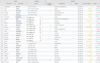
A suite including a .NET grid, a thread-safe tool for application debugging and a system for storing and representing various log messages. Dapfor .Net Suite includes Dapfor .Net Grid, Dapfor .Net Inspector and Dapfor .Net Logger. Dapfor .Net Grid is a hierarchical data presentation grid that features: single or multiple headers, real-time row grouping, sorting, filtration, cell highlighting, rich custom cell editors and standard editors. Dapfor .Net Grid combines high performance (50,000 cell updates/second), thread-safe implementation, no deadlock risks, XML and binary serialization, data binding and more. Dapfor .Net Grid includes standard editors based on UITypeEditor class, advanced cell editors (created over cells - TrackBar, CheckBar, etc.) and row docking features. Dapfor .Net Inspector is a powerful and thread-safe tool for applications debugging. It can be used to inspect the business logic level of an application in real-time mode and to alter various application parameters. Dapfor .Net Logger is a thread-safe system for the storing and representation of various log messages. Besides text messages, a programmer can associate with data any object that can carry extended information.
Dapfor .Net Suite includes: Dapfor .Net Grid, Dapfor .Net Inspector and Dapfor .Net Logger.
.Net technology:
CLR 2.0 and higher
Written entirely in managed C#
Comprehensive documentation with many samples, integrated with Visual Studio
Design time integration
Data binding:
Binding to IList, IBindingList, IListSource and also to any ADO.NET DataSet, DataTable, DataView, or DataViewManager
Hierarchical binding to data objects if they return collections of other objects in one or several properties
Simultaneous binding to multiple data sources
Conditional binding supporting any hierarchies and able to bypass hierarchical levels during binding
Connection to data sources in Rows
Binding to composite objects
Simultaneous data binding and adding objects one by one at any hierarchy level
Sharing the same objects between different grids
Event-driven model:
Binding to objects implementing INotifyPropertyChanged interface
Non-event model enables insertion of data of different types (user defined classes, IEnumerable<T>,IList<T>, IDictionary<string, object> etc.) one by one to any level of the grid hierarchy
Supported data types:
Programmer-defined classes including those that implement the INotifyPropertyChanged interface
object[], string[], IList<> can also be added one by one on any hierarchical level
Composite objects
Objects with hierarchical fields
Binding to IList, IBindingList, IListSource
Real-time features (data processing, changing in real time):
Real-time data updating
Real-time data highlighting
Real-time data sorting
Real-time data filtering
Real-time data grouping
Thread safety:
Thread-safe data binding
Synchronous and asynchronous data processing modes
Thread-safe data adding, removing and updating
Thread-safe sorting, filtering and grouping
Major features:
Clear and easy to use hierarchical architecture. Ability to use single or multiple headers without changing the component.
Any hierarchy can be built easily
Semi-transparent selection that doesn't obscure row and cell background
Highlighting cells with any color for the specified time interval
Cell editing with UITypeEditor. Ability to assign any Windows Forms control as a cell editor.
Data grouping on any hierarchical level
Any combination of data on each hierarchical level.
Drag & drop, data export to Excel, import from Excel
Cell editing validation
Full customization of painting, editing, filtering
Docked rows
Fixed columns
Graphical filters in columns
Tooltips
XML and binary serialization
Sharing same data between multiple grids
Advanced data formatting and parsing
Accurate and precise reaction on user input
Real-time scrolling
Simple and convenient interface to redraw various elements such as rows, cells and columns...
Display, edit, and work with bound or unbound data.
Bound and unbound columns.
Ability to hide the (+/-) symbol.
Ability to pre-generate a list of columns from a type.
Every grid row has its own tag property for custom user data.
Nice look, gradient drawing, scalable images, transparency.
Quality assurance:
370+ NUnit tests, covering all major features of the .Net Grid
Coverage of code with tests: various algorithms (sorting, grouping, etc) > 65%, data level > 65%, threading > 80%.
QA team working on the quality of the products
Bugs discovered by QA team or by clients are systematically covered by new NUnit tests.
Diagnostics tools are available not just to the team - programmers can use them in development of their applications.
Performance:
High insertion rate: > 100 000 rows/second.
High removal rate: > 600 000 rows/second.
High grouping rate: > 60 000 rows/second.
High real-time regrouping rate: > 10 000 rows in a grid of 5 000 rows per second.
High real-time filtering rate: > 7 000 rows in a grid of 5 000 rows per second.
Productive sort algorithms: > 5 000 sorts in a grid of 5 000 rows per second.
High updating speed with highlighting > 50 000 cells/second in a grid of 5 000 rows.
Low memory consumption: The grid of 100 000 rows will consume < 16 MB.
Deployment:
A single assembly Dapfor.Net.dll is needed for application deployment.
Compatibility with ILMerge utility enables merger of multiple assemblies into a single .Net assembly and deployment of the application as a single executable.
Dapfor.Net Inspector
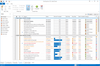
Dapfor.Net Inspector is a thread-safe tool for applications debugging. It can be used to inspect the business logic level of an application in real-time mode and to alter various application parameters. It's a common practice in software development to put break points in certain lines of code to view and alter values of certain variables in the IDE. When a developer inspects values through the IDE, the application is suspended. It is convenient for debugging simple applications. But if your application has lots of threads and timers, the debugging process becomes a really challenging task. .Net Inspector is an additional tool among already existing debugging facilities. Besides displaying values of variables for different objects, .Net Inspector also enables a developer to edit these values via built-in editors at the application run-time. Moreover, a developer can inspect other objects reffered by the inspected object. In other words, a programmer can view the whole business layer logic of the application from the inside. In addition to that, .Net Inspector can be used to inspect graphic controls in the application. The simplest example of its usage is inspecting and altering control appearance. Together with the logging system (.Net Logger), .Net Inspector provides a perfect opportunity to dramatically reduce application debugging time and to conceive the way the application works.
Dapfor .Net Logger
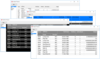
Dapfor .Net Logger is a thread-safe system for the storing and representation of various log messages. Besides text messages, a programmer can associate with data any object that can carry extended information. For example, it can be a price snapshot, quantity value of a product or a pointer to the product object. When a programmer analyzes a log file, he can not only review messages, but also view product characteristics that can be dynamically changed. There are several possibilities of object association:
Creating a hierarchical representation of associated object's properties and its values
Displaying a list of properties with its values in a popup tooltip
Transferring an object associated with message to the .Net Inspector for detailed viewing and editing
It is important to mention, that the logger enables detailed viewing of the state of the whole application or its most important parts at the logging time.
What's new in Dapfor .Net Grid V2.8.0?
RTL support in grid, editors, context menus, tooltips and reports
Merge and combine columns in groups with a common header
Move columns, change column size and sort
Full customization of header appearance including images and background color
Added Grid.Nodes.Insert() method for inserting data in any position
Added Row.Insert() method for inserting data at any hierarchical level
Foreground color blinking method was added
What's new in Dapfor .Net Grid V2.6.2?
Threading model improvements. IDispatcher is no longer shared among all grids. Instead, it uses an individual instances which means you can create grids in different message loops
Added a Grid(IDispatcher) constructor to specify an arbitrary model of cross thread synchronization
Fixed bug when the grid connected to IBindingList and didn't automatically delete rows in groups
Fixed bug where the grid crashed when a user added new rows via a graphical interface while sorting
A suite including a .NET grid, a thread-safe tool for application debugging and a system for storing and representing various log messages.
Pricing: Dapfor .Net Suite V2.8.0 1-2 Developer License - includes 1 Year Subscription (updates and upgrades for 1 year) - price per license, Dapfor .Net Suite V2.8.0 3-9 Developer License - includes 1 Year Subscription (updates and upgrades for 1 year) - price per license, Dapfor .Net Suite V2.8.0 10-19 Developer License - includes 1 Year Subscription (updates and upgrades for 1 year) - price per license, Dapfor .Net Suite V2.8.0 20+ Developer License - includes 1 Year Subscription (updates and upgrades for 1 year) - price per license, Dapfor .Net Suite Subscription Renewals 1-2 Developer License - 1 Year Subscription (updates and upgrades for 1 year) Renewal - price per license, Dapfor .Net Suite Subscription Renewals 3-9 Developer License - 1 Year Subscription (updates and upgrades for 1 year) Renewal - price per license, Dapfor .Net Suite Subscription Renewals 10-19 Developer License - 1 Year Subscription (updates and upgrades for 1 year) Renewal - price per license, Dapfor .Net Suite Subscription Renewals 20+ Developer License - 1 Year Subscription (updates and upgrades for 1 year) Renewal - price per license, Dapfor .Net Suite with Source code V2.8.0 1 Developer License - includes 1 Year Subscription for Binary only (updates and upgrades for 1 year) - with Source code, Dapfor .Net Suite with Source code V2.8.0 1 Developer License - includes 1 Year Subscription for Binary and Source code (updates and upgrades for 1 year) - with Source code, Dapfor .Net Suite with Source code V2.8.0 Site Wide License (up to 100 Developers at a single physical address) - includes 1 Year Subscription for Binary and Source code (updates and upgrades for 1 year) - with Source code, Dapfor .Net Suite with Source code Subscription Renewals 1 Developer License - 1 Year Subscription Renewal for Binary and Source code (updates and upgrades for 1 year) - with Source code, Dapfor .Net Suite with Source code Subscription Renewals Site Wide License (up to 100 Developers at a single physical address) - 1 Year Subscription Renewal for Binary and Source code (updates and upgrades for 1 year) - with Source code
Evals & Downloads: Read the Dapfor .Net Grid help file, Read the Dapfor License Agreement, Read the Dapfor .Net Grid Performance Document - Requires Acrobat Reader, Read the Dapfor .Net Grid Features Document - Requires Acrobat Reader, Download the Dapfor .Net Suite V2.8.0 evaluation on to your computer - Expires After 30 Days
Operating System for Deployment: Windows 7, Windows Vista, Windows XP
Architecture of Product: 32Bit, 64Bit
Product Type: Component
Component Type: .NET WinForms, 100% Managed Code
Compatible Containers: Microsoft Visual Studio 2010, Microsoft Visual Studio 2008, Microsoft Visual Studio 2005, Microsoft Visual Basic 2010, Microsoft Visual Basic 2008, Microsoft Visual Basic 2005, Microsoft Visual C++ 2010, Microsoft Visual C++ 2008, Microsoft Visual C++ 2005, Microsoft Visual C# 2010, Microsoft Visual C# 2008, Microsoft Visual C# 2005, .NET Framework 4.0, .NET Framework 3.5, .NET Framework 3.0, .NET Framework 2.0
Keywords: Dapfor .Net Grid
Product Suites Suite bundles bundle
datagrid controls, datatable controls, datagrid components, datatable components, datagrid, data grid, data table, net gridview, net datagrid, data grid, grid control, net datatable, c# gridview, c# datagrid, asp.net datagrid, grid asp, vb.net datagrid
Debugging debug debugs Testing Test Tests
Part numbers: PC-536970-436803 536970-436803 PC-536970-436805 536970-436805 PC-536970-436807 536970-436807 PC-536970-436809 536970-436809 PC-536970-436811 536970-436811 PC-536970-436813 536970-436813 PC-536970-436815 536970-436815 PC-536970-436817 536970-436817 PC-536970-436819 536970-436819 PC-536970-436821 536970-436821 PC-536970-436823 536970-436823 PC-536970-436827 536970-436827 PC-536970-436825 536970-436825
Publisher
Primary Category
Related Products
Related Categories