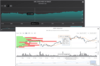
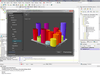
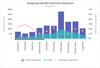
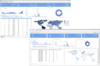
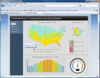
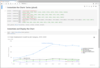
Screenshot Preview

Dundas Chart for .NET OLAP Services

by Dundas Data Visualization - Product Type: Component / ASP.NET WebForms / .NET WinForms

Dundas Data Visualization has announced that Dundas Chart for .NET OLAP Services is "End of Life", due to the acquisition of the codebase by Microsoft. You may buy new licenses for this product up to Oct 31, 2010, after that date new licenses will no longer be available. Dundas will then continue to support this product until Oct 31, 2011. Dundas plan to continue developing and supporting a new product range called Dundas Dashboard.

Make the most of your company's multidimensional data. Dundas Chart for .NET OLAP Services lets you take full advantage of the new features within SQL Server Analysis Services. Use Dundas Chart for .NET OLAP Services to extend the Enterprise Editions of Dundas Chart for .NET and begin analyzing and charting OLAP data in a matter of seconds with just a few lines of code. Dundas Chart for .NET OLAP Services also includes a grid control and a toolbar for added end-user control. The built-in AJAX features offer improved performance and usability with the inclusion of on-demand loading, the elimination of post-backs and more. Easy-to-use, point-and-click user interfaces allow users to build new data queries and immediately chart the results, graphically and numerically, with simple drag-and-drop operations.

What makes OLAP so beneficial?

  • OLAP is an interactive way of viewing data from different points of view, to better understand what that data means.
  • Dundas OLAP Services and Dundas Chart for .NET help users drill down into data to help determine the reasons why certain data appears the way it does.
  • Dundas OLAP Services is easy to use, allowing for the quick transformation of data into valuable, useful information and charts.
  • Complicated database queries are not necessary to get access to complex data.

Dundas Chart for .NET OLAP Services New Features (v6.2)

  • Significant Performance Enhancements   
  • Multi-Language U.I. Localization Support Multi-Language U.I. Localization
  • Customize the language of the OLAP controls in the language you need. Version 6.2 now has the ability to localize items (grid, chart and browser), including titles, dialogues, tooltips and more.
  • Paging Support   
  • Cell-wrapping in OLAP Grid   
  • KPI Support   

Dundas Chart for .NET OLAP Services General Features

  • OLAP Client featuring Chart & Grid. Use the updated Dundas OLAP Client to connect to data cubes and begin detailed analysis right away. Use the built-in Dundas OLAP Grid and Dundas OLAP Chart controls to obtain and visualize the exact views of information required.
  •  The updated Dundas OLAP Client allows users of all skills levels to build and execute complex queries using simple drag-and-drop operations.
  • Perform data manipulations, aesthetic changes and other operations with one-click operations directly from the updated toolbar.
  • Create, manage, and load reports using the user-friendly interface. Maximize the benefit of this data by easily recording and sharing these data views.
  • Display complicated metadata structures in a clear, well-organized tree hierarchy.   
  • Advanced filtering, sorting and drilldown capabilities.   
  • Easily mobilize report data for use in spreadsheets.   
  • Support for AJAX implementations using ASP.NET 2.0 callbacks. (ASP.NET Edition only)  
  • Full integration of all user controls into Visual Studio
  • Comprehensive collection of samples and demos included   
  • Manage and execute all popup dialogs as separate entities.   

Dundas Chart for .NET OLAP Services Data Manipulation and Analysis

  • Intuitive drag-and-drop functionality builds queries without any coding.   
  • Drill up and down to reveal varying abstractions and levels of detail.   
  • Built-in Quick Sort feature allows for one-click sorting and ordering.   
  • Pivot function to give users separate perspectives of the same group of data.   
  • Re-order and re-position categories in queries through drag-and-drop operations.   
  • Analyze multiple cubes with a single control   
  • Support for multi-member selection on the slicer axis for powerful filtering.   

Dundas Chart for .NET OLAP Services OLAP Chart Control

  • Extends Dundas Chart for .NET Enterprise to view and manipulate OLAP Data.   
  • Drill down on the chart using built-in drill down capabilities.   
  • Handle overflow by setting a threshold on the number of points present on the chart before a scrollbar is drawn.   
  • Limit the maximum number of charts drawn before an overflow occurs (for Accumulative chart types)   

Dundas Chart for .NET OLAP Services OLAP Toolbar Control

  • One-click functionality for common grid, chart and OLAP Services tasks.   
  • Built-in commands to save, print, copy or preview OLAP report data, as well as ability to set chart types, customize legends and more.   
  • Modify palettes and appearance properties related to both charts and grids.   
  • Add custom commands to extend toolbar functionality.   
  • Place the report list, and any subset of its UI commands, on the toolbar.   
  • Easily customize toolbar appearance and command layout.   
  • Synchronously update an OLAP Chart and OLAP Grid with a single toolbar action.   
  • Handle any event on the toolbar using the Click event.   

Dundas Chart for .NET OLAP Services OLAP Grid Control

  • Display numerical details about all OLAP queries in a multidimensional table.   
  • Display totals of all returned OLAP information.   
  • Add and remove categories, drill downs, and filters using the built-in context menu.   
  • Automatic scrolling allows for viewing consistency when the grid is a fixed size   
  • Highly customizable appearance properties to meet aesthetic needs.   
  • Ability to print grid.   
  • Ability to add formatted report titles using built-in keywords.   

Dundas Chart for .NET OLAP Services Other Features

  • Support for ADOMD, ADOMD.NET 9.0.   
  • Define and apply templates to fully customize reports.   
  • Load and save reports in a variety of data stream formats.   
  • Create, manage, and arrange reports using the built-in interface.   
  • Ability to revert to the original cached report.   
  • Implement custom data providers to form the underlying data layer.   
  • Ability to manipulate your OLAP data schema to customize what is displayed in the UI controls.   
  • Set session timeouts to optimize performance.  

Product Search

Enter search words: