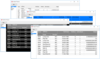
by VIBlend - Product Type: Component / .NET WPF
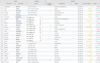
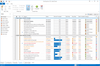
Analyze business data visually. VIBlend DataGrid for WPF is a feature rich data grid control for building Desktop applications using the latest .NET UI technologies. It brings together the functionality of traditional data grid controls, hierarchical grids and pivot tables. VIBlend DataGrid for WPF supports both data bindings and complete unbound mode. You can visualize a database table, bind to a generic collection or populate the grid's content through APIs without using any datasource.
Our regular prices are shown below. Please logon to see your discounted prices.
| Add to Cart | $ 195.02 | 1 Developer License - includes 1 year Subscription (Technical support and free upgrades) | Download (17.0 MB) | |
| Add to Cart | $ 175.52 | 2-3 Developer License, price per developer - includes 1 year Subscription (Technical support and free upgrades) | Download (17.0 MB) | |
| Add to Cart | $ 165.77 | 3-4 Developer License, price per developer - includes 1 year Subscription (Technical support and free upgrades) | Download (17.0 MB) | |
| Add to Cart | $ 146.26 | 4-10 Developer License, price per developer - includes 1 year Subscription (Technical support and free upgrades) | Download (17.0 MB) | |
| Add to Cart | $ 126.76 | 11-49 Developer License, price per developer - includes 1 year Subscription (Technical support and free upgrades) | Download (17.0 MB) | |
| Add to Cart | $ 107.26 | 50+ Developer License, price per developer - includes 1 year Subscription (Technical support and free upgrades) | Download (17.0 MB) |
| Add to Cart | $ 97.51 | 1 Developer Renewal License - extends 1 year Subscription (Technical support and free upgrades) | Verify | Download (124 KB) |
| Add to Cart | $ 87.76 | 2-3 Developer Renewal License, price per developer - extends 1 year Subscription (Technical support and free upgrades) | Verify | Download (124 KB) |
| Add to Cart | $ 82.89 | 3-4 Developer Renewal License, price per developer - extends 1 year Subscription (Technical support and free upgrades) | Verify | Download (124 KB) |
| Add to Cart | $ 73.14 | 4-10 Developer Renewal License, price per developer - extends 1 year Subscription (Technical support and free upgrades) | Verify | Download (124 KB) |
| Add to Cart | $ 63.39 | 11-49 Developer Renewal License, price per developer - extends 1 year Subscription (Technical support and free upgrades) | Verify | Download (124 KB) |
| Add to Cart | $ 53.64 | 50+ Developer Renewal License, price per developer - extends 1 year Subscription (Technical support and free upgrades) | Verify | Download (124 KB) |
Our prices include ComponentSource technical support and, for most downloadable products, an online backup and a FREE upgrade to the new version if it is released within 30 days of your purchase. All sales are made on our standard Terms and Conditions and subject to our Return Policy. Please contact us if you require any licensing option not listed, including volume licensing and previous versions.
Our regular prices are shown above. Please logon to see your discounted prices.

What's New in VIBlend WPF Data Grid V4.0
New controls
New Features:
VIBlend WPF DataGrid Features:
Data Binding and UnBound mode
VIBlend DataGrid for WPF can be bound to a data source or used in unbound mode. It provides a comprehensive set of easy to use APIs that allow you to access and customize almost every little detail. You can even make the DataGrid to look like a spreadsheet.
OLAP Grid - Pivot Table Report
VIBlend DataGrid for WPF features a built-in data aggregation engine which is capable of turning any tabular data source into a wide variety of cross tab views. In a typical data grid, the data is flat and consists of many rows and columns. The data may contain multiple cells with the exact same values. In many of these scenarios working with the raw data may not be the best way to spot patterns and analysize trends. The rows grouping feature allows you to group multiple rows by columns where the corresponding grid cells have the same value. Pivot tables go one step further and enable powerful multidimensional data analysis. A Pivot table usually consits of row, column and data (value/fact) fields.
Embedded Cell Data Editors
Our WPF data grid includes multiple built-in cell editor controls. In addition, you can extend the functionality and use a custom built cell editor control of your choice. You can also configure the mouse and keyboard edit commands, and programmaticly show and hide the editors.
Row Details
VIBlend DataGrid for WPF allow you to specify grid row templates that provide more detailed information. The row details functionality is enabled via standard WPF DataTemplates. This allows you to easily display any type of content. The row details area height is configurable for each individual row.
Rows Grouping
VIBlend DataGrid for WPF allows you to group rows by the value of one or more columns. This feature is very useful in many business applications where the data source contains a larger number of rows. For example, you can group Sales records by Product, by Date or any other data column. You have also a full programmatic control over expanding and collapsing groups.
Sorting by Rows or Columns
VIBlend DataGrid for WPF provides built-in sorting capabilities. The sorting works in both bound and unbound mode. You can sort by columns and by rows. Each column and row has a Sorting property that allows you to enable or disable the sorting functionality. In addition, the data grid control keeps track on the original sort order and you can always see the data in the original (unsorted) order. The sorting algorithm automatically detects if you are sorting numbers, dates, text or other data type, and applies a proper comparison. The sorting APIs are extensible and allow you to plug-in a custom sorting implementation.
Filtering
VIBlend DataGrid for WPF features an advanced and extensible filtering framework. The filtering functionality works in both bound and unbound mode and you can filter by any column or row. VIBlend DataGrid provides built-in filters, and filter expression definition UI for the most common numerical, date/time and text data types. Extensible APIs allow you to build custom filters and filtering expressions for any data type.
Cells Formatting
VIBlend WPF DataGrid allows you to use standard .NET format strings to format the grid cells content. In addition, you can completely replace the default cell template with a custom template. You can also create a custom cell style and easily replace the built-in style. Our DataGrid's cells are true WPF content controls, so they can contain anything.
Cell Images
You can create great looking interfaces with cell images, editable fields, animations and themes. The data grid cells are completely customizable. You can easily change Styles and DataTemplates for entire rows, columns or individual grid cells.
Cells Merge
Our grid is the first WPF data grid on the market supporting cells merge. You can easily merge cells by setting the rows and columns span of any grid cell.
Nested Data Grids
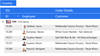
VIBlend DataGrid for WPF allows you to display hierarchical data using nested data grids. You can add a nested grid or any other control within the row details area of the parent grid. There are no restrictions on the levels of nesting.
Themes
VIBlend DataGrid for WPF is shipped with 6 professionally designed themes which will help you deliver a consistent look and feel in your applications. In addition, you can create your own theme and apply it to the DataGrid. The visual appearance of any grid cell, row or column can be easily changed.
Summaries
VIBlend DataGrid for WPF allows you to display summary fields in order to make quick comparisons.