
 (6)
(6)Official Supplier
As official and authorized distributors, we supply you with legitimate licenses directly from 200+ software publishers.
See all our Brands.
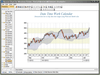
Screenshots: Combo Charts Read more Show more results from this product
Description: boxes. It can be used for display of histograms, bars with custom sizes, 3D ranges etc. Combo Charts- ... Combo Charts are used to combine certain series types within the same chart area. Series types ... Read more

Screenshots: 0 ... Read more
Screenshots: 0 ... Read more Show more results from this product
Release Notes: double-click the container's caption to open an in-place combo box listing available page titles, enabling ... Read more
Description: data. The editors include combo box, which can contain values of your choice; an image picker; ... Read more

Screenshots: 0 ... Read more Show more results from this product
Screenshots: 0 ... Read more

Screenshots: 0 ... Read more Show more results from this product
Screenshots: 0 ... Read more

Screenshots: 0 ... Read more Show more results from this product
Screenshots: 0 ... Read more

Screenshots: 0 ... Read more Show more results from this product
Screenshots: 0 ... Read more


Release Notes: Remote combo needs an explicit load of the store if configured autoLoad false or not configured ... Read more Show more results from this product
Release Notes: Grid Enhancements: Smoother virtual scroller resizing. Now properly supports multi-selection with virtual stores. Improved title binding for full grid customization. Component Stability: ComboBox: Improved filter retention, ensuring consistent results even with empty input fields. Calendar: ... Read more
Release Notes: consistently hidden simultaneously, and vice versa. Incorporating an 'id' field in the combo store ... Read more
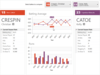
Release Notes: Bars Updated BarComboBox to commit the current previewed item on mouse clicks outside of the popup. Updated control templates to better propagate font family and size to ItemsControls with popups. Updated button click handlers to perform InvocationFocusBehavior logic before processing the click. ... Read more Show more results from this product
Release Notes: Bars Improved UI Automation for BarComboBox. Updated RibbonViewModel to synchronize the SelectedItem property with the Tabs collection by always selecting the first tab when no selection is currently defined or the previous selection is removed. Updated some bar controls to use a new resource brush ... Read more
Release Notes: Bars Added the BarControlService.DefaultImageStretchDirection property that can be set at app startup to alter the default DownOnly image stretch direction used by controls. Added the RibbonViewModel.IsOptionsButtonVisible property. Updated controls that use external headers to remeasure ... Read more

Release Notes: SfComboBox Fixed an issue on Android where the SfComboBox dropdown did not close when pressing the hardware back button. 0 ... Read more Show more results from this product
Release Notes: SfComboBox Fixed an issue where ComboBoxes could overflow or be clipped when their parent was narrower; ComboBoxes now fit the parent width. SfDataForm Fixed the issue on Windows where Tab key navigation did not move the focus correctly from a text editor to a numeric editor in the control. 0 ... Read more
Release Notes: SfCalendar While swiping to navigate to the next month, the incoming month view will now align correctly, providing a smoother transition animation experience. SfComboBox The TokenWrapMode issue has been resolved in iOS platform. 0 ... Read more
Tel: (888) 850 9911
Fax: +1 770 250 6199


