
 (1)
(1)
 (16)
(16)공식 공급 업체
200 이상의 소프트웨어 개발처와 판매 계약을 맺은 공인 디스트리뷰터로서 합법적인 라이선스를 제공합니다.
모든 브랜드 보기.
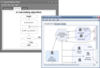
설명: flow-workflow diagrams, hierarchical charts and displays, network layouts, and even your favorite city ... 더 읽기 본 제품에 관한 더 많은 결과 보기
기능: With the FlowChart you can create information flow-workflow diagrams, hierarchical charts ... 더 읽기
설명: flow-workflow diagrams, hierarchical charts and displays, network layouts, and even your favorite city ... 더 읽기
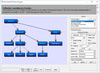
설명: 순서도 / 워크플로 / 조직 다이어그램으로 애플리케이션을 풍성하게 합니다. MindFusion.Diagramming for ActiveX Pro 는 ActiveX 컨트롤이며, ... 지원합니다. VB 및, C++, VB.NET, MFC 등의와 샘플이 포함됩니다. 또 소스코드도 제공합니다. MindFusion.Diagramming for ActiveX 프로그래밍 모델은 ... MindFusion.Diagramming for ActiveX 에서 이용 가능한 모든 객체 유형은 모양과 거동을 제어하는 속성과 메소드를 포함한 COM 클래스로 표현합니다. 이런 클래스를 이용하면 프로그램을 통해 ... 더 읽기 본 제품에 관한 더 많은 결과 보기
설명: Enrich your application with flowchart / workflow / organizational diagramming ... . MindFusion.Diagramming for ActiveX Pro is an ActiveX control that helps you create and present workflow, flowchart ... and process diagrams, database entity-relationship diagrams, organizational, hierarchy and relationship ... 더 읽기
스크린샷: their source to their destination without crossing any diagram nodes. ... 더 읽기
설명: Pivot Grid Gauge Control PDF Viewer Map Control Flow Chart Diagram Editor Org Chart Printing ... 더 읽기 본 제품에 관한 더 많은 결과 보기
설명: Viewer Map Control Flow Chart Diagram Editor Org Chart Printing and Exporting Sparkline Editor ... 더 읽기
릴리스 노트: dialog applies changes to an association, extra association route lines are added to a displayed diagram ... 더 읽기


설명: developers can move faster without abandoning the platform. Stay in flow- Work entirely within RAD Studio; ... 더 읽기 본 제품에 관한 더 많은 결과 보기
설명: developers can move faster without abandoning the platform. Stay in flow- Work entirely within RAD Studio; ... 더 읽기

릴리스 노트: unnecessary interpolation loop in between values of a line diagram if determined upfront that no values would ... 더 읽기
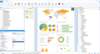
릴리스 노트: unnecessary interpolation loop in between values of a line diagram if determined upfront that no values would ... 더 읽기
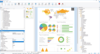
릴리스 노트: further formula evaluation. Prevented unnecessary interpolation loop in between values of a line diagram ... 더 읽기

설명: flow by adding live log-in with CodeSite Logging. Collaborate C++Builder’s collaboration and version ... 더 읽기 본 제품에 관한 더 많은 결과 보기
설명: the integrated DUnit frameworks. Dive into your project without interrupting the application flow by adding live ... 더 읽기
릴리스 노트: Replaced the editor structural flow icons (icons in line with the code indicating when a method returns, ... control flow breaks or moves, etc.) with high DPI versions. The opacity of disabled editor text (ifdef-ed ... designer's hint window has been improved. The icons for SyncEdit and structure flow in the editor have been ... 더 읽기


설명: into your project without interrupting the application flow by adding live log-in with CodeSite ... 더 읽기 본 제품에 관한 더 많은 결과 보기
설명: the integrated DUnit frameworks. Dive into your project without interrupting the application flow by adding live ... 더 읽기
릴리스 노트: Replaced the editor structural flow icons (icons in line with the code indicating when a method returns, ... control flow breaks or moves, etc.) with high DPI versions. The opacity of disabled editor text (ifdef-ed ... designer's hint window has been improved. The icons for SyncEdit and structure flow in the editor have been ... 더 읽기

설명: flow by adding live log-in with CodeSite Logging. Collaborate C++Builder’s collaboration and version ... 더 읽기 본 제품에 관한 더 많은 결과 보기
설명: the integrated DUnit frameworks. Dive into your project without interrupting the application flow by adding live ... 더 읽기
릴리스 노트: Replaced the editor structural flow icons (icons in line with the code indicating when a method returns, ... control flow breaks or moves, etc.) with high DPI versions. The opacity of disabled editor text (ifdef-ed ... designer's hint window has been improved. The icons for SyncEdit and structure flow in the editor have been ... 더 읽기
전화 : 00798 14 800 6332
팩스 : +1 770 250 6199


