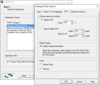
Screenshot Preview

PDF Automation Server - Summary

by Qoppa Software - Product Type: Application

Summary

PDF Automation Server by Qoppa Software

URLs: pdf-automation-server, pdf automation server, pdfautomationserver, qoppa-software, qoppa software, qoppasoftware

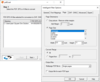
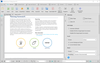
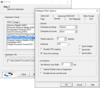
Automate the receiving, processing and routing of PDF documents. PDF Automation Server (PAS) can be used as a tool to streamline your document workflows and circulation in your organization. PDF Automation Server (PAS) can receive PDF documents from multiple sources concurrently, including email, ftp servers and local or network folders. Processes can then be defined independently for each document source to perform a number of functions on the documents, including conversion, assembly, encryption, printing, preflighting and more. After processing the documents, PAS can route the original and modified documents to multiple destinations, including folders, printers, email and ftp servers.

PDF Automation Server Main Features

PDF Processing - PDF Automation Server provides a number of functions to manipulate PDF documents.

Reliability - PDF Automation Server has been produced and tested with the utmost care so that uptime is maximized and your documents are always processed reliably. Intelligent error handling and recovery is done at multiple levels in the software so that the server can recover from transient error conditions. Additionally, different processes are independent, so errors in one process will not affect other processes.

Multiple Sources - PDF Automation Server can receive documents from multiple sources concurrently. Documents from different sources can be handled in the same manner or unique processes can be defined for individual sources.

Multiple Destinations - After processing documents, PDF Automation Server can deliver the documents to multiple destinations. Each process in the server can send the resulting document to multiple destinations and different processes can send output to unique destinations.

Event Logging - PDF Automation Server keeps a complete log of events in the server, including informational, warning and error events. With the event log, users can track document processing and pinpoint causes of problems.

Notification - PDF Automation Server can send notification emails based on a number of criteria, including error conditions as well as successful processing of documents.

Platform independence - PAS is platform independent and can run on Windows, Linux, Mac OSX and several Unix flavors.

PDF Automation Server Functions

Printing - PAS can automatically print incoming PDF documents to single or multiple printers before or after processing the document.

Security - PDF Automation Server has been produced and tested with the utmost care so that uptime is maximized and your documents are always processed reliably. Intelligent error handling and recovery is done at multiple levels in the software so that the server can recover from transient error conditions. Additionally, different processes are independent, so errors in one process will not affect other processes.

Conversion to Images - PAS can convert PDF documents into images in a number of formats, including TIFF, JPEG and PNG.

Form Fields Data Merging /Flattening - PAS can import data in a variety of formats into interactive PDF forms. It is possible to flatten fields into the PDF documents content as an option.

Form Fields Data Extraction - PAS can extract data from interactive PDF forms and output the data in the Adobe standard field data formats, FDF, XFDF, XDP as well as a generic XML format.

Annotations Importing /Exporting/Flattening - PAS can import annotations into PDF documents as well as export annotations from PDF documents. It is possible to flatten the annotations into the PDF documents content as an option.

Text Extraction - PAS can extract text content from documents for storage.

Text to PDF - PAS can create PDF documents from text files.

Assembling - PAS can add header pages or merge documents.

Digital Signatures - PAS can apply digital signatures to PDF documents to certify the content.

Headers and Footers - PAS can add page headers or footers to PDF documents with a variety of options, including setting the position of the header or footer, settings fonts and appearance and using variable data, such as current date and time, page number, document name and bates numbers.

Watermarks - PAS can add watermarks to PDF documents using variable or fixed text or images. PAS provides a number of options to set the appearance, rotation and transparencies of the watermarks and allows control over which pages to add the watermarks to.

Splitting - PAS can disassemble single documents into multiple documents based on page count, page range, bookmarks, blank pages or text search.

Preflight PDF documents - Verify that PDF documents are PDF/X-compliant and add annotations where compliance problems are detected.

Automate the receiving, processing and routing of PDF documents.

Operating System for Deployment: Windows 7, Windows Server 2008, Windows Vista, Windows Server 2003

Architecture of Product: 32Bit

Product Type: Application

Keywords: pdf automation server, qoppa pdf automation server, qoppa pas, pdf automation server pas, pdf automation server licenses, buy pdf automation server, buy qoppa pas, upgrade pdf automation server, upgrade qoppa pas, subscription pdf automation server, subscription qoppa pas, renew pdf automation server, renew qoppa pas, reseller pdf automation server, reseller qoppa pas, distributor pdf automation server, distributor qoppa pas, pdf automation server cost, qoppa pas cost, pdf automation server price, qoppa pas price, pdf automation server purchase, qoppa pas purchase, order pdf automation server, qoppa pas order

pdf

Product Search

Enter search words:

Related News

View All Related News... 

Why buy from ComponentSource?

ComponentSource offers a unique global service, used by over 1,000,000 software developers worldwide.

More Info | About Us