by Qoppa Software - Product Type: Application
You can find current information from the links below
in PDF
If you need to buy a license for this specific version, please contact us for availability and pricing.
Other information on this page is shown for historical reference only and may have changed considerably since.
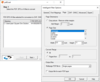
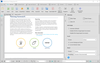
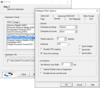
Review, annotate and edit PDF documents in Windows, Mac and Linux. PDF Studio is an easy to use PDF editor that performs a large number of functions on PDF documents. You can review and annotate documents, scan-to-PDF, fill in & save PDF forms, secure documents with passwords and permissions, merge/split/assemble documents, add bookmarks, watermarks, headers and footers, access Google Apps document services, integrate with documents services (Google Apps, Acrobat.com, SharePoint). Perform batch processes on multiple PDFs, splitting & merging of PDF documents, digitally sign PDFs, perform preflight checks on PDFs and more. PDF Studio maintains full compatibility with the PDF Standard.
What's new in PDF Studio V6.50?
PDF Studio Standard Features
PDF Studio Pro Features
Reviewing and Annotating
Working with PDF Forms
Assembling Documents
Adding Security to PDF Documents
Batch Functions
Other Features
ComponentSource offers a unique global service, used by over 1,000,000 software developers worldwide.