par PureComponents - Type de produit : Composant / .NET WinForms / 100% Managed Code
PureComponents Ultimate Suite by PureComponents
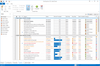
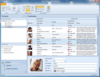
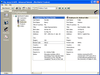
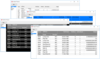
A suite of user interface components including Office 2007 navigation and Ribbon controls. PureComponents Ultimate Suite is set of 79 .NET WinForms components like Grids, Ribbon, Navigation panels, buttons, textboxes, comboboxes, listboxes and much more. PureComponents Ultimate Suite includes PureComponents RibbonUI that is a complete set of component to create user interface in Microsoft Office 2007 style. PureComponents Ultimate Suite also includes VB.NET and C# examples.
Featured Components
PureComponents Ultimate Suite consists of tens of components. Panel on the right side lists set of all of them, below we feature just a selection of them.
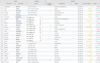
LightGrid Component
Fixed Columns - When there is a higher number of columns it may be very helpful to fix some identifying data to be displayed all the time as you scroll across the columns.
Filters and Sorting - LightGridsupports data filtering and sorting. This you can achieve by clicking the dropdown inside the Column Header.
Progress Bar - The cell can contain the Progress Bar. The Progress Bar appearance can be defined either on the column or on the individual cell.
Total Row - With the Total Row the user can do some easy calculations. By clicking the icon on the left you choose the Column that provides the data for the operation. By clicking the text you can choose the operation.
Filter Row - Rows can be filtered with the Filter Row which is display as a topmost row in a table. When some text is entered into the Filter Row cell, the rows are hidden that do not contain the given text in an appropriate column.
MultiList Component
Image - Each MultiList item can contain an image. The image can be aligned in the item both left and right. Images can be hidden.
Action Item - The Action Item is designed for providing additional information or for running a custom action, for example Switch to simple view or Add new item. It can be used as a button.
Checkbox - When turning the ShowCheck property on, every MultiList item gets its own check box displayed. It can be on the left or the right side of the item depending on the CheckAlign setting.
Flags - Each MultiList item can be marked with a simple graphic sign - the Flag. The bar with flags can be placed in either the left or the right edge of MultiList and its style can be set. Each flag can have its Color and Shape defined.
Ribbon Component
User Interface like Office 2007 - PureComponents RibbonUI is complete set of component to create user interface in Microsoft Office 2007 style.
Full Color Themes - PureComponents is the only company that brings Ribbon control with full colored schemes.
Office Icons Clip Art - PureComponents RibbonUI has integrated image gallery, you can use it to create your user interface.
Predefined Group Panels - PureComponents RibbonUI contains gallery of pre-defined GroupPanels, which simplifies creation of your user interface.
Controls Components
Appearance and Styles - EntrySet Controls offer the developers easy and effective way how to give to the applications professional look&feel. Every visual component can be adjusted according to your idea by means of several properties, which determine the look.
Predefined Styles - EntrySet Controls allow you to set the look as you wish. Many possibilities are available and it depends only on your fantasy, how the user interface of your application will look. If you do not want to waste your time by colors and shapes setting, just use the predefined styles.
Sticky Labels - Sticky Labels is a special function, which connects Label to the control. It causes that the label moves together with control if you move with it in the form as it was its part.
Form Templates - PureComponents EntrySet Controls contain tens of form templates and control parts, which can be used in your applications.
VisualExtender Component
Background Feature - extends container components with Background function.
Title and Subtitle - adds to all container components Title function. This function can draw text in two lines as Title and Subtitle, in top, center or bottom part of a component and also can color the text background.
Caption and Shape - extends all visual components with Caption function. This can draw a text next to the component so it is not necessary to allign a Label control for description.
Hyperlink - can display Caption as Hyperlink.
Required Sign - Identifies that a control is requried and/or requires attention of a user.
Flag - Flag is special visual feature, which is similar to Required Sign.
Shadow - can display a shadow under the control. You can choose shadow color
PartNumbers: PC-517544-157674 517544-157674 PC-517544-157675 517544-157675 PC-517544-157676 517544-157676 PC-517544-157677 517544-157677 PC-517544-157678 517544-157678 PC-517544-157680 517544-157680
PurchaseOptions: PureComponents Ultimate Suite V2008.1 1 Developer License (Source code, support and updates are included free of charge for a period of one year) , PureComponents Ultimate Suite V2008.1 1 Site Wide License (Allows Unlimited Developers at a Single Physical Address) (Source code, support and updates are included free of charge for period of one year.) , PureComponents Ultimate Suite V2008.1 - Renew 1 Developer Subscription Upgrade/Renewal License , PureComponents Ultimate Suite V2008.1 - Renew 1 Site Wide Subscription Upgrade/Renewal License (Allows Unlimited Developers at a Single Physical Address) , PureComponents Ultimate Suite V2008.1 1 Single License , PureComponents Ultimate Suite V2008.1 1 Single License Update
Resources: Read the PureComponents RibbonUI License Agreement, Download the PureComponents Ultimate Suite V2008.1 evaluation on to your computer - Expires after 30 days
Operating System for Deployment: Windows Vista, Windows XP, Windows Server 2003
Architecture of Product: 32Bit
Product Type: Component
Component Type: .NET WinForms, 100% Managed Code
Built Using: Visual C# .NET
Compatible Containers: Microsoft Visual Studio 2008, Microsoft Visual Studio 2005, Microsoft Visual Basic 2008, Microsoft Visual Basic 2005, Microsoft Visual C++ 2008, Microsoft Visual C++ 2005, Microsoft Visual C# 2008, Microsoft Visual C# 2005, .NET Framework 3.5, .NET Framework 3.0, .NET Framework 2.0
Product Class: User Interface Components
Keywords: PureComponents Pure Components User Interface Collections UI Professional Partner PureComponents Ultimate Suite, PureComponents Suite