XLL Plus - for Visual Studio 6 - V5.0

by Planatech Solutions - Product Type: Add-In / Application / Wizard

Create Excel add-ins using C/C++. XLL+ is a toolkit to aid C/C++ programmers in the construction of Excel add-in libraries. XLL+ contains tools and C++ class libraries that make it very easy and safe to produce high-performance Excel add-ins. The XLL+ class library wraps the Microsoft Excel SDK with simple, intuitive C++ classes, and the Wizards create all the code for you. The user needs very little knowledge of Excel or the SDK. Add-ins produced with XLL+ contain no Visual Basic code; they are authored entirely in C and C++.

From
$975.10
Price in

Our regular prices are shown below. Please logon to see your discounted prices.

XLL Plus V5.0 for Visual Studio 6

Add to Cart $ 975.10 1 Developer License Download (18.0 MB)

This product is available on the GSA Pricing ScheduleOur prices include ComponentSource technical support and, for most downloadable products, an online backup and a FREE upgrade to the new version if it is released within 30 days of your purchase.  All sales are made on our standard Terms and Conditions and subject to our Return Policy. Please contact us if you require any licensing option not listed above including volume licensing and previous versions.

Our regular prices are shown above. Please logon to see your discounted prices.

New features in V5.0:

  • Run functions in a background thread and update Excel using RTD
  • XLL Host module allows you to run your XLL within COM or .NET applications, on machines without Excel

New features in V4.3.1:

  • International and localization support
  • COM wrapper generator, so that XLLs can be used by free-standing VB and C# applications
  • Toolbar class
  • New samples

What's New in V4.2

  • Visual Studio .NET support (.NET and Universal Editions) - wizards, help and class libraries are fully integrated into Microsoft Visual Studio.NET, as well as Visual Studio 6
  • New user interface classes - the XLL+ class library now supports user-defined menus and native Excel dialogs
  • Optional arguments - you can now use the wizard to specify arguments as optional, and provide default values for missing arguments
  • Help Generator - the new help module will generate an HLP help project and the code to connect it to your XLL, so that users of your XLLs can access on-line help in Excel
  • Better STL integration - the class library now contains faster and more powerful methods for reading and writing data of any type to and from STL collection classes
  • Event handling - it is now very simple to register functions to be called for any Excel application event, such as opening and closing workbooks, recalculating worksheets and so on
  • New walkthroughs - a selection of walkthroughs to take you through various features of XLL+ has been added
  • More examples - dozens of new examples, from fragments of code to complete projects, have been provided

About XLL+

XLL+ is a toolkit to aid C/C++ programmers in the construction of Excel add-in libraries. If you write add-ins for Excel in C++, then you should be using XLL+. The toolkit helps you with all aspects of creating and maintaining an Excel add-in.

Why use it?

Many programmers who write add-in functions for Excel prefer to do so completely in C or C++ rather than in Visual Basic, for any number of good reasons, including speed, stability and skills. The Microsoft Excel SDK is the only means of doing this without writing Visual Basic code.

XLL+ provides a set of development tools that let the programmer instantly make use of the Excel SDK. The XLL+ toolkit hides the complexity of the SDK environment and allows programmers and designers to concentrate on their core skills, whether these be in financial modeling, in communications, in engineering or elsewhere.

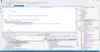
The XLL+ AppWizard generates a DevStudio project containing all the source code for the framework of an XLL add-in. All the programmer needs to do is write the add-in functions themselves.

The XLL+ Function Wizard generates code to register add-in functions with Excel correctly, and to translate data from Excel data structures into standard variables and STL containers.

A class library wraps the Microsoft Excel SDK with simple, intuitive C++ classes. These let you pass data back and forth without needing to learn about the SDK data structures. They also invisibly manage all the memory issues associated with sharing data with Excel.

Users of XLL+ can produce a functioning Excel add-in library in seconds, and start to add useful functions in minutes.


Features:

AppWizard

The AppWizard builds a complete project under Microsoft Developer Studio. The user can decide whether to include various optional features, such as MFC (Microsoft Foundation Classes) integration and version information. The project is immediately ready to compile, link and run. All source files contain helpful comments and are ClassWizard compatible.

All functions required by Excel are added by the wizard. Build the new project and it will immediately be recognized by Excel as an add-in. The user can start writing add-in functions right away.

Function Wizard

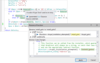
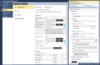
The Function Wizard is a Developer Studio add-in, fully integrated into DevStudio. You can use it to specify an Excel add-in function's signature and help texts. It will write the skeletons of functions for you and make sure that they are properly registered and described to Excel. Later, if you add to or change the function's arguments, you can use the Function Wizard to keep the registration details in sync.

Arguments can be specified to be single cells, 1- or 2-dimensional arrays or free-form. You can also specify that all arguments contain certain data types, such as integers, strings etc. The Function Wizard will generate blocks of code that check all the function's inputs for consistency, and extract them into useful variables, such as STL collections.

The Function Wizard supports a full round-trip. If you change the signature of a function, only the wizard-generated code will be changed. Any code you have added to the skeleton yourself will be unaffected.

If your function contains more than 30 arguments, and is therefore too complex for Excel, you can use the Function Wizard to allow individual arguments to be grouped into arrays, and to generate code to split them up again at run-time.

On-line help is available from the Function Wizard, and several chapters of the User Guide are devoted to learning about its effective use.

Class Library

The class library contains a set of C++ objects which hide the complexity of Excel's data interface. In particular, the classes manage all memory issues. A set of virtual functions is provided so that the programmer can write event handlers for the opening, closing or registration of the add-in library.

MFC Support

Libraries can be built using the MFC build, so that they will be fully integrated with the Microsoft Foundation Classes, which makes it easy to use MFC windows and other classes from within your add-in.

COM Integration

You can implement virtual functions to trap most Excel application events, such as files opening and closing, user input, calculation etc. You don't need to write any COM code: the XLL+ framework handles all the work.

On-line Help

XLL+ on-line help is fully integrated into DevStudio, and appears within MSDN. As well as a full reference to all classes and functions, the on-line help also contains a User Guide and a Tutorial. There is also example code for all important methods.

Sample Code

Sample projects are provided to show you how to use all the features of Excel and XLL+. Walkthroughs take you quickly through the standard features of Excel add-ins. There are also smaller sample functions to illustrate all XLL+ methods and classes.


Product Search

Enter search words:

Award Award