
Official Supplier
As official and authorized distributors, we supply you with legitimate licenses directly from 200+ software publishers.
See all our Brands.

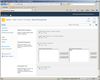
Description: Check in multiple SharePoint documents. Bulk Check In allows you to check-in an entire group of SharePoint documents and change their properties all in one operation. It can also be integrated into the SharePoint Multiple Upload tool making it possible to ... Read more
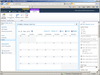
Description: Add calendars with multi-source data support to your SharePoint pages. Calendar Web Part combines events from different SharePoint Lists, from any SharePoint Site, all in one Calendar view. It lets you specify different color sets for different event ... Read more
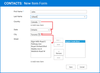
Description: Add lookup functionality to your SharePoint applications. Cascaded Lookup Column is intended to enhance the standard Microsoft SharePoint lookup functionality. The component allows you to build a relationship between parent and child columns. The data ... Read more
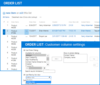
Description: Enhance standard Microsoft SharePoint lookup functionality. Cross-Site Lookup Column helps you get data from any site within a site collection. The component includes the ability to search via lookup lists. This function provides substring matching in the ... Read more
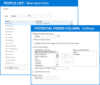
Description: Organize hierarchical relationships in SharePoint lists. Parent Selector Column can be used to display hierarchical data from SharePoint lists using lookups. The included picker dialog allows you to choose data from large lists and you can easily convert ... Read more
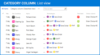
Description: Track, organize and group SharePoint list items by marking them with colored indicators. Category Column allows tracking, organizing and grouping of SharePoint list items. The component uses the Microsoft Outlook approach for element categorization. It ... Read more
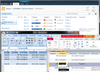
Description: Use Access and Excel to track data from ArtfulBits SharePoint Columns. Column Data Adapter is an add-on that allows you to track data from other ArtfulBits Columns in Microsoft Access and Microsoft Excel. By default SharePoint allows you to connect and ... Read more
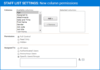
Description: Manage access to SharePoint lists. Column Permissions allows you to manage access to SharePoint list content at column level. Permissions can be assigned for individual users and for SharePoint groups. Column Permissions settings are effective in forms ... Read more
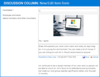
Description: Organize well formatted conversations in SharePoint. Discussion Column helps you to organize text conversations with-in list items without enabling list versioning. The component lets you enter rich text with formatting, images, tables, hyperlinks, etc. ... Read more
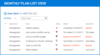
Description: Add due date flags to your SharePoint pages. Follow-Up Column enables due date flags similar to those seen in Microsoft Outlook to be added to SharePoint messages, meeting request, tasks, events, etc. The component derives from the Date and Time column so ... Read more
Tel: (888) 850 9911
Fax: +1 770 250 6199


