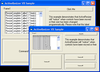
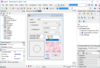
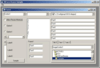
Screenshot Preview

ReSize OCX/.NET - Summary

by Larcom and Young - Product Type: Component / .NET WinForms / 100% Managed Code / ActiveX OCX

Summary

ReSize OCX/.NET by Larcom and Young

URLs: resize-ocx-net, resize ocx net, resizeocxnet, larcom-young, larcom young, larcomyoung

Give your applications resolution independence. ReSize alters the sizes, font sizes, and positions of controls on Visual Basic forms as they are sized, without requiring you to write any code - simply place ReSize on the form. It can even handle controls that are nested inside other container controls. ReSize allows you to specify a minimum form size - both height and width, insuring that the controls on your form will always be visible.

ReSize .NET has been rewritten from the ground up to take full advantage of the new .NET technology. ReSize is now a "component" under the .NET technology. As a component ReSize is an extremely light weight addition to your application consuming less than 60K bytes of memory space.

Differences between ReSize OCX and ReSize .NET

Features only available in the .NET version of ReSize.

Native support for .NET

Native support for .NET tab controls

Support for languages other the Visual Basic and Visual RPG. (Any Windows Forms compatible language.)

Features only available in the OCX version of ReSize.

Support for the SSTAB control. (.NET does not have this control.)

Support for the Sheridan SSIndexTab control

Ability to specify a minimum form size. (Not needed for .NET)

ReSize is one of the easiest controls you will ever use. In most cases you will just place it on each form in your application that you wish to have resize. You do not need to write any code, call any methods or even set any properties. When the dimensions of the form are changed, either by dragging the edge of the frame with the mouse or by setting the width and height properties of the form in your code, ReSize will change the sizes and positions of all of the controls on the form so that everything remains in proportion.

ReSize finds all controls on your form

Even controls that are nested inside other container controls will be sized and positioned properly. ReSize can go as many levels deep into the container structure of your form as it needs to in order to find ALL of the controls

ReSize Handles Fonts

In addition to sizing and moving controls, ReSize keeps the font size of each control in proportion. Even if you change the size or type face of a control at run time, ReSize will detect the change and keep everything in perfect sync

ReSize Handles Graphical Controls

Lines, shapes (i.e. rectangles, squares, ovals, circles, etc.) and labels are no problem for ReSize. Using other resizing products or Visual Basic code can spell trouble when you try to size and move graphical controls, but ReSize handles these just fine

Minimum Form Size

ReSize has two properties, FormMinHeight and FormMinWidth, that allow you to specify a minimum form size. When these properties are set, ReSize will not allow a user to make a form any smaller than this minimum

Center Forms

ReSize OCX has a method called CenterForm that causes a Visual Basic form to be centered on the physical screen. ReSize OCX also has a property called AutoCenterFormOnLoad that performs a similar function automatically each time a form is loaded

Handles Tabs

Tabs are very complex to resize, but ReSize can handle them. ReSize OCX features support for the SSTAB control that ships with VB 4.0/5.0, (other tab controls may not be compatible with ReSize). ReSize includes the non-client areas of a tab in its calculations so that controls are kept in precise proportion. The SSTAB control hides non-visible controls by moving them to negative coordinates. ReSize compensates for this in its placement calculations as well

Size up OR down

Most other resizing solutions require that you design your code at a low resolution (ex: 640 X 480) even though they allow you to run at any resolution. ReSize OCX does not have this limitation. With ReSize OCX you can design at any resolution as well as run at any resolution

Retrofit with Ease

There is no need to put a lot of work into existing applications to add resolution independent capabilities. Just add a ReSize control to each form and you are in business

You do not have to resize everything

Some controls will not look right if they are resized. Other controls should only be resized in one dimension. Vertical scroll bars, for example, need to be kept at a constant width. ReSize allows you to do this by using the "PreResize" event and several lines of code. Ignoring a control altogether is as simple as using a single IF statement and setting one property

Compatibility

ReSize ActiveX includes both a 16 and a 32 bit OCX. It can be used with 16 or 32 bit VB 4.0 and also with VB 5.0. ReSize is not compatible with products (such as Access and C++) other than Visual Basic

Give your applications resolution independence.

Pricing: ReSize OCX/.NET V4.1 1 Developer License, ReSize OCX/.NET V4.1 1 Developer Upgrade License from previous version

Evals & Downloads: Read the ReSize OCX Help file, Read the ReSize .NET Help file, Download the ReSize V4.1 evaluation on to your computer - Displays Nag Screens

Operating System for Deployment: Windows Vista, Windows XP, Windows ME, Windows 2000, Windows 98, Windows NT 4.0, Windows 95, Windows NT 3.51, Windows 3.X

Architecture of Product: 16Bit, 32Bit

Product Type: Component

Component Type: .NET WinForms, 100% Managed Code, ActiveX OCX

Built Using: MFC V4.0

Compatible Containers: Microsoft Visual Studio 2005, Microsoft Visual Studio .NET 2003, Microsoft Visual Studio .NET, Microsoft Visual Studio 6.0, Microsoft Visual Studio 97, Microsoft Visual Basic 2008, Microsoft Visual Basic 2005, Microsoft Visual Basic .NET 2003, Microsoft Visual Basic .NET, Microsoft Visual Basic 6.0, Microsoft Visual Basic 5.0, Microsoft Visual Basic 4.0, Microsoft Visual C++ 2008, Microsoft Visual C++ 2005, Microsoft Visual C++ .NET 2003, Microsoft Visual C++ .NET, Microsoft Visual C# 2008, Microsoft Visual C# 2005, Microsoft Visual C# .NET 2003, Microsoft Visual C# .NET, .NET Framework 2.0, .NET Framework 1.1, .NET Framework 1.0

Product Class: User Interface Components

Keywords: Larcom & Young ReSize Resizing size scale dimension dimensions layout form forms .NET Managed Code Scaling

Larcom and Young

Resizing resize resizes size sizing scaling scale

Part numbers: PC-504576-21969 504576-21969 PC-504576-22035 504576-22035

Product Search

Enter search words:

Quick Links

Publisher

Primary Category