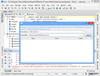
Quick and easy installations that support today's technologies. InstallShield 2012 Express is easy to use and shields setup authors from installation complexities of building a setup. With InstallShield 2012 Express you can rapidly build, test and implement Windows and mobile device installations in record time without any training. InstallShield 2012 Express keeps setup authors up to date with support for the latest technologies and industry standards, including Windows 7, Windows Installer 5 (MSI 5), .NET support. InstallShield 2012 Express is a cost-effective solution that will fit into any budget, making it possible for everyone to create professional looking Windows or mobile device installations.
Deploy your application on any platform. InstallAnywhere Enterprise Edition is designed to install any kind of software -- desktop, enterprise, or multi-tiered Web services - onto any platform, and to configure those applications for optimal performance. Whether you're creating applications written in Java, C++, PERL, or C#, or deploying EJBs or .NET Web services, all of the installation details are handled automatically. InstallAnywhere Enterprise Edition simplifies complex installations and provides maximum developer customization, along with extensive user interaction, client/server features and localization for 31 languages.
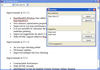
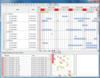
Add Professional Gantt Charts to your Java Applications. FlexGantt is an advanced Gantt chart user interface component for Swing, which allows its users to interact with project plans and scheduling results. Applications using FlexGantt can customize the Gantt component in almost any way. Not only the rendering and editing of timeline related data can be modified but also the behaviour of the entire component. This is accomplished by pluggable policy implementations, where each policy controls the behaviour of a certain aspect of the Gantt chart. FlexGantt uses a very high abstraction level, which allows it to be applied in various and often very different domains such as project planning (resources, people, tasks), ERP systems, production planning and scheduling applications, manufacturing execution systems or project portfolio management applications.
Add grid, schedule, chart, explorer, gantt, tree, UI, editing and server side class charting functionality to your Java applications and browser-based applets. Infragistics JSuite (AWT, JFC and JavaBeans) provides 54 advanced user interface components that are 100% pure JavaBeans and support any version of the Java Developer Kit (JDK). Advanced data connectivity is also included for XML, JDBC, URL, file, sockets. Infragistics JSuite contains JFCSuite functionality. Infragistics JSuite Source Code included.
Publisher: Software FX Primary Category: Charting and Graphing Product Type: Component / ASP.NET WebForms / .NET WinForms / .NET Class / Silverlight / 100% Managed Code / ActiveX OCX / ActiveX DLL / DLL / JavaBean / Java Class
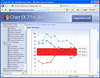
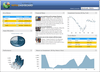
Three platforms, one charting solution. Chart FX Developer Studio is a collection of development only charting solutions for the COM, .NET and Java platforms, as well as most IDEs. Also included in the Developer Studio are the Chart FX Extensions, including OLAP, Maps, Financial, Statistical, Real-Time and Wireless, which add capabilities or provide specific functionality. This allows a developer to only include the functionality that is needed and maintain a high level of stability and performance. These non-expiring, full development versions of the entire Chart FX product line fit into one package that makes for a convenient way to develop for different environments and needs.
Integration made easy. Enterprise Enabler for WSS allows you to visually build connectivity, create relationships across multiple sources, and map them to an ADO.NET object. The “behind the scenes” executables to access and transform the data are handled automatically, and you simply read and write to the EE ADO .Net driver. You have all the data access capabilities in WSS that you would have in SharePoint 2010 through the Business Connectivity Services, including full write-back to data sources with Create, Read, Update and Delete (CRUD) capabilities.
Deploy your application on any platform. InstallAnywhere Standard Edition enables developers to build highly customized deployment solutions. It's intuitive design brings intelligence to the process of deploying software onto any client or server platform. It automatically handles all of the installation details; it creates smaller installers that run faster than many other solutions, minimizes time-to-deployment and increases productivity.
Publisher: Pintexx Primary Category: Text and Word Processing Product Type: Component / ASP.NET WebForms / Java Servlet / Java Class
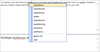
Add a WYSIWYG HTML editor to your browser based solutions or applications. pinEdit is a WYSIWYG HTML editor that runs in your browser without ActiveX, Applet or Plug-Ins or in your application as ActiveX or .Net WinForm. pinEdit offers a lot of interfaces to different technologies. There are rich formatting capabilities like fonts, colors, justifiying etc. Files can be loaded and saved from/to a server by dialogs. Text modules can be created by users and saved on the server.
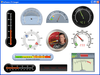
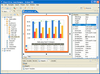
An advanced charting solution for Java. Chart FX 7 for Java provides developers an in-the-box solution for a wide variety of data visualization needs. Chart FX 7 for Java also includes 3 specialized data analysis tools: Chart FX Maps, Chart FX Statistical and Chart FX Gauges and design time plug-ins for both NetBeans and Eclipse IDEs. Adding mapping functionality to your project will enable you to combine cutting edge map representations with the dynamic functionality of Chart FX for Java. Chart FX 7 for Java's statistical capabilities include additional chart types, a myriad of pre-defined statistical studies, new classes for statistical calculations and much more and with Chart FX Gauges you will be able to easily create digital dashboards. Chart FX 7 for Java builds on the enterprise-quality technology base of Chart FX for Java 6.5 by adding a framework-independent, Ajax-based runtime UI which will allow your charts, maps and statistical representations to provide rich user interface elements that have zero footprint or plugin requirements. Chart FX 7 for Java is intended to be used by Java 1.5+ users.
Validate your outgoing SWIFT messages. Use the Swift Message Validator component to validate and construct outgoing SWIFT messages before sending them to the Swift network. No longer is it necessary to know the countless and very complex SWIFT validation rules. Just provide the values and the message type you want to build and it will validate and construct the formatted message. It will check if your values comply with all the SWIFT rules for this message type and highlight any errors.