

 (12)
(12)Official Supplier
As official and authorized distributors, we supply you with legitimate licenses directly from 200+ software publishers.
See all our Brands.

Release Notes: Updates in 2011 Vol 2 V15.3.1 Xtreme CommandBars Fixed unnecessary CommandBars re-draw when ... of message bar Xtreme Ribbon Bar Galleries are now DPI aware Text color selection gallery popup is now DPI ... aware Ribbon backstage is now DPI aware Ribbon toolbar icons are now DPI aware (scaling) Xtreme Property ... Read more Show more results from this product
Description: Give your application a professional, modern appearance with toolbars, menus, docking, property grid, reporting and calendar functionality. Codejock Suite Pro helps you create professional applications that incorporate a full set of highly customizable user interface components including Visual ... Read more
Release Notes: and silver theme support. Visual Studio 2010 Theme Support Visual Studio 2010 themes added for CommandBars ... Software's Xtreme Chart Pro provides Windows developers with a sophisticated charting library that supports ... Read more
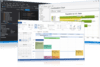
Release Notes: Updates in 2011 Vol 2 V15.3.1 Xtreme CommandBars Fixed unnecessary CommandBars re-draw when ... of message bar Xtreme Ribbon Bar Galleries are now DPI aware Text color selection gallery popup is now DPI ... aware Ribbon backstage is now DPI aware Ribbon toolbar icons are now DPI aware (scaling) Xtreme Property ... Read more Show more results from this product
Description: Give your application a professional, modern appearance. Codejock Toolkit Pro for Visual C++ MFC helps you create professional applications that incorporate a full set of highly customizable user interface components including Visual Studio style docking panes and Office style Ribbons, Toolbars, ... Read more
Release Notes: and silver theme support. Visual Studio 2010 Theme Support Visual Studio 2010 themes added for CommandBars ... Software's Xtreme Chart Pro provides Windows developers with a sophisticated charting library that supports ... Read more
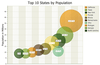
Description: Use popular chart types to visualize your data and create custom dashboards for desktop applications. Codejock Chart Pro for ActiveX COM is easy to use and can be added to your project with only a few lines of code. All charts are fully customizable allowing you to create virtually any charting ... Read more Show more results from this product
Release Notes: Chart freezing when too large or too small values are used has been fixed. Missing error bar chart line color and style setters has been added. ... Read more
Release Notes: Wrong chart axis origin for negative values has been fixed. ... Read more
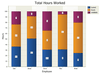
Description: Use popular chart types to visualize your data and create custom dashboards for desktop applications. Codejock Chart Pro for Visual C++ MFC is easy to use and can be added to your project with only a few lines of code. All charts are fully customizable allowing you to create virtually any charting ... Read more Show more results from this product
Release Notes: Chart freezing when too large or too small values are used has been fixed. Missing error bar chart line color and style setters has been added. ... Read more
Release Notes: Wrong chart axis origin for negative values has been fixed. Samples and Utilities: Native Windows theme support has been fixed. ... Read more
Release Notes: Updates in 2009 Vol 4 What's new in Xtreme Command Bars 2009 Vol 4? TTDT_AUTOPOP implemented ... Office2007 dlls Fixed Alt conflict of CommandBars and SkinFramework ... Read more Show more results from this product
Release Notes: for CommandBars Designer to allow move controls inside designer that marked as not movable CommandBars ... Read more
Release Notes: on Popups created with CommandBars.CreateCommandBar method Fixed- PrintPreview crashed with pressing space ... Read more
Release Notes: CommandBars adds the ability close all open tear-off frames. CommandBars ... improved. CommandBars Tear-off frames reflection in the window list has been fixed. Tear-off MDI tab context ... Read more Show more results from this product
Release Notes: Adds CommandBarsOptions.VSStateColor property and SkinSchema.GetColor method. CommandBars ... Read more
Description: Software's most popular products, CommandBars and SkinFramework. SkinFramework will completely skin every ... part of an application with today's most popular themes including Windows themes. The CommandBars ... Read more
Release Notes: CommandBars adds the ability close all open tear-off frames. CommandBars ... improved. CommandBars Tear-off frames reflection in the window list has been fixed. Tear-off MDI tab context ... Read more Show more results from this product
Release Notes: Maintenance release includes improvements and bug fixes. CommandBars Zero width ... control drawing in Office 2013 theme fixed. Fixed scaling custom size of icons in CommandBars/Ribbon (also ... Read more
Description: Software's most popular products, CommandBars and SkinFramework. SkinFramework will completely skin every ... part of an application with today's most popular themes including Windows themes. The CommandBars ... Read more
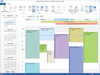
Release Notes: Updates in 2011 Vol 1 (V15.0.1) Added RemindersUpdatePeriod, by default if reminders were enabled it checked every 2 hours, now you can set this period Fixed expand arrow position for all day headers ... Read more Show more results from this product
Release Notes: Updates in 2009 Vol 4 V13.4.1 Fixed- When Calendar marked header as "Out of Office" color it didn't reset it back when event was moved/deleted ... Read more
Release Notes: Updates in 2009 Vol 4 Code change for overlapping multi day event bug fix Fixed DayView printing with 2 pages ... Read more
Release Notes: Updates in V13.4.1 Fixed- ColorPicker problem when some control grab focus when ColorPicker is about to show Popup Fixed- CXTBrowseDialog didn't return Computer if BIF_BROWSEFORCOMPUTER specified Fixed- If user clicked on Button and move out/move in cursor, tooltip not longer showed Fixed- ... Read more Show more results from this product
Release Notes: Updates in 2009 Vol 4 Fixed Radio and CheckBox marks for High dpi modes (125/150) ... Read more
Release Notes: Updates in 2009 Vol 3 (V13.2.0) BackSpace didin't work in XTMaskEdit when whole text was selected. Fixed CXTColorPopup from double EndSelection calls Fixed Windows 7 crash, when user selects "Home Group" folder in CXTShellTreeCtrl CXTResize::Defer bug fixed when initial state smaller ... Read more
Release Notes: Updates in 2011 Vol 1 (V15.0.1) Change in behavior: If you are using a SlideIn Hidden Pane it won't SlideOut if user activats another application. (to allow drag for example) New feature: SelectTabOnDragOver can now be "2" to allow selection after a small delay Added Alpha Splitter ... Read more Show more results from this product
Release Notes: Updates in V13.4.1 New feature- Added Accessibility for DockingPane caption buttons Fixed- Minor fix for xtpPaneNoDockable/Stickers and Dock to Window client case New feature- ShowCloseTabButton option added to show close button on each tab ... Read more
Release Notes: Updates in 2009 Vol 4 Don't show tooltip for items with DT_WORDBREAK draw style- fixed ... Read more
Tel: (888) 850 9911
Fax: +1 770 250 6199


