Rotate Individual Pages to Fit Wider Content
Dr.Explain v7.3 introduces page rotate blocks, allowing authors to accommodate wide tables, screenshots, and images in PDF and DOCX exports.
Dr.Explain by Indigo Byte Systems is a help authoring tool for creating user manuals, online help and software documentation. It automates screenshot capture and annotation from live applications or websites, provides content editing tools, and generates HTML, CHM, PDF and DOCX output from a single project. Developers and technical writers can use it to document application interfaces and maintain user guidance across multiple formats.
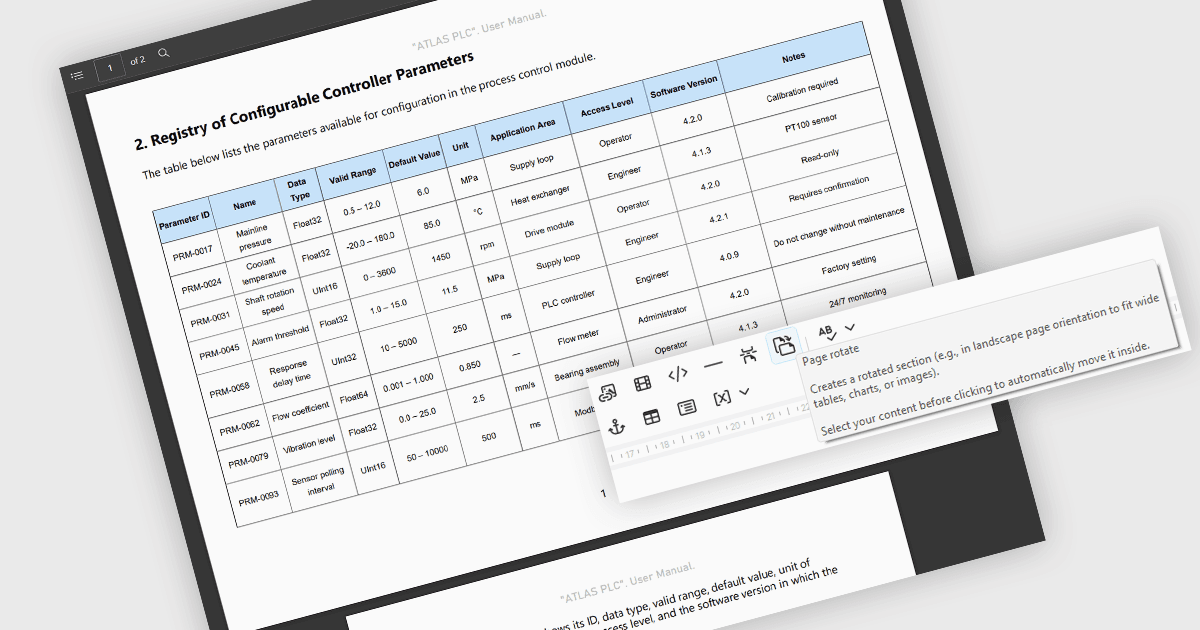
Dr.Explain v7.3 introduces page rotate blocks for changing the orientation of individual pages in PDF and DOCX exports. Authors can select existing content and wrap it in a block using the editor toolbar, allowing wide tables, screenshots and other elements to occupy a page with swapped width and height. This helps accommodate content that does not fit a portrait page without editing the exported document separately. Page rotate blocks have no effect on other export formats.
To see a full list of what's new in v7.3, see our release notes.
Dr.Explain is licensed per user-PC schema and is available as an annual license with Premium maintenance and free updates, or as a perpetual license with only Basic maintenance and minor updates. See our Dr.Explain licensing page for full details.
For more information, see our Dr.Explain product page.