Identify Encoded Text in Hex View
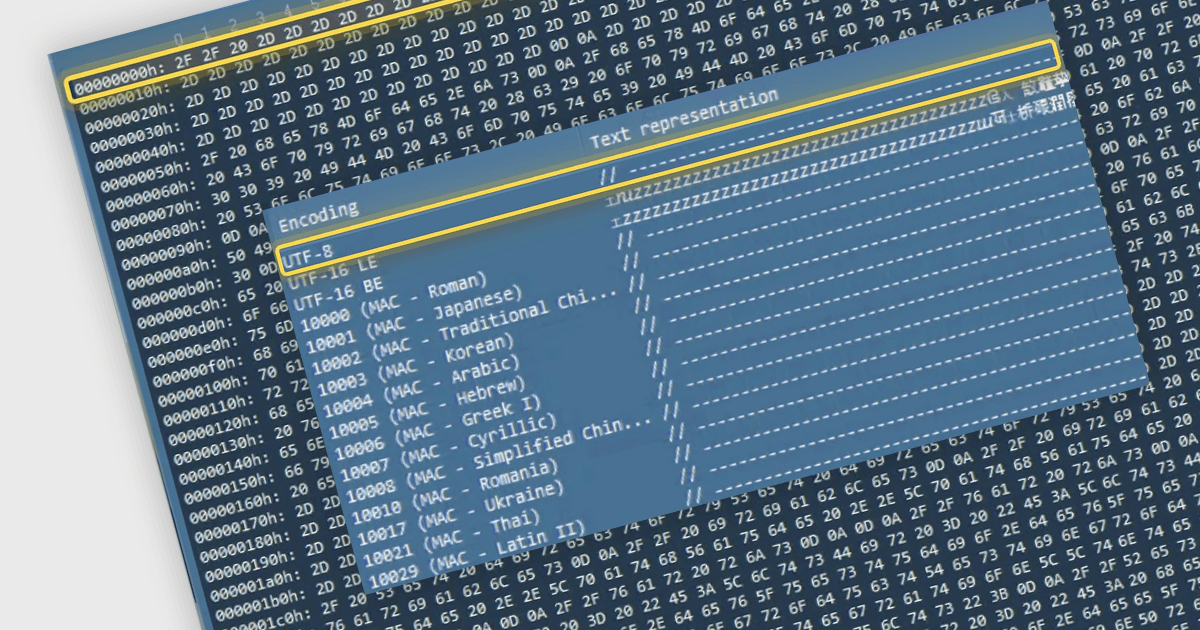
UltraEdit Enterprise 2026.1 adds Hex Encoding Preview to help developers interpret selected bytes and investigate encoding problems within the editor.
UltraEdit Enterprise brings together UltraEdit, UEStudio, UltraCompare, UltraFinder and UltraFTP in a suite for developers, database administrators and IT professionals. It combines text and code editing, file and folder comparison, file searching and secure file transfer, supporting tasks such as maintaining source code, analyzing logs, reviewing changes and managing remote files.
UltraEdit Enterprise 2026.1 introduces Hex Encoding Preview in the included UltraEdit and UEStudio applications for Windows. When users select bytes in hex mode, a new dockable pane displays their decoded representations across all Windows-supported encodings. Developers can inspect these interpretations side by side to identify recognizable text and investigate encoding problems without repeatedly reopening files with different encoding settings. An additional in-editor control adjusts the number of bytes displayed per line, helping users arrange binary data for inspection without restarting the application.
For a full list of what's new in 2026.1, see our release notes.
UltraEdit Enterprise is licensed per user and is available as a Perpetual or Annual Subscription License. See our UltraEdit Enterprise licensing page for full details.
To find out more, visit our UltraEdit Enterprise product page.