
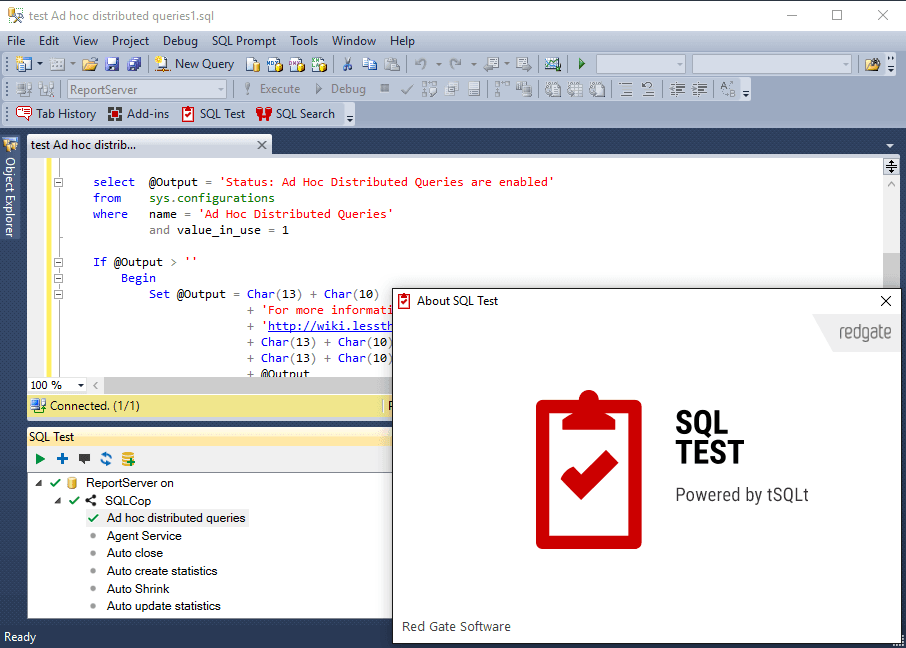
SQL Test
Write and run unit tests for SQL Server databases in SSMS.
- Integrates with SQL Server Management Studio for seamless testing.
- Leverages tSQLt framework allowing tests to be written in T-SQL.
- Includes SQL Cop static analysis tests to enforce best practices.

Prices from:
Loading...
| Available individually | Our Price |
|---|---|
| SQL Test | Loading |
| Also available in | |
|---|---|
| SQL Toolbelt Essentials | Loading |
| SQL Toolbelt | Loading |
Need help choosing? See How to Buy and Specification
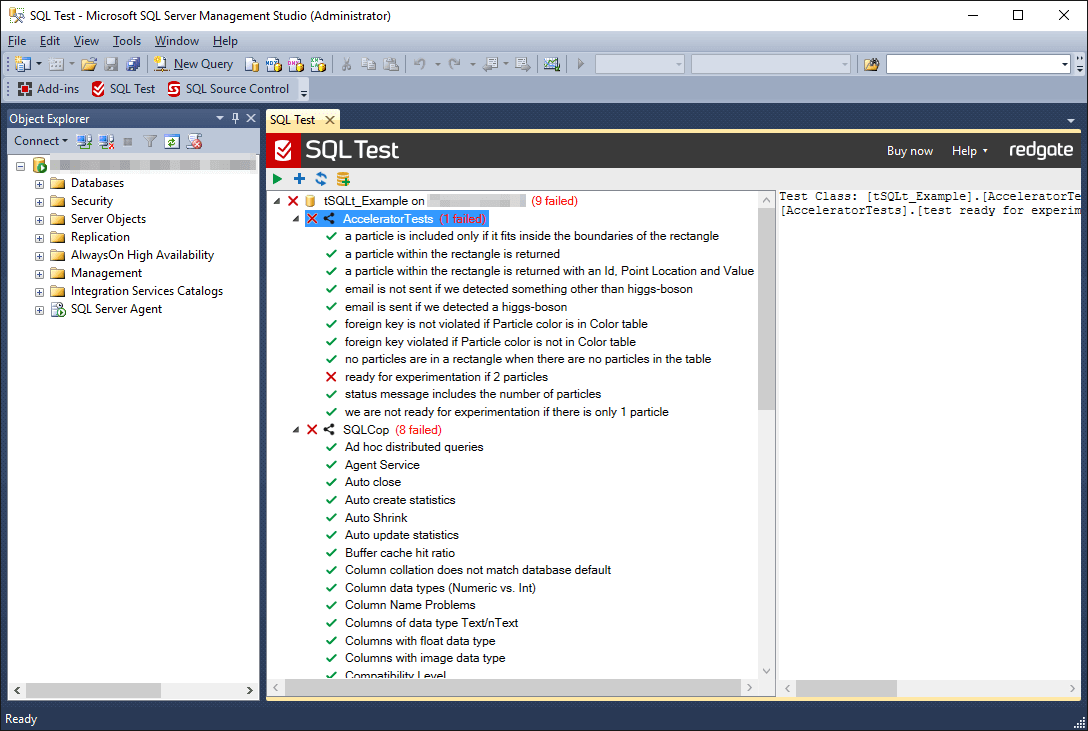
SQL Test enables you to create and manage database unit tests directly within SQL Server Management Studio. Built on the tSQLt framework, it supports writing tests in T-SQL that run in isolated transactions to prevent permanent data changes. Its built-in SQL Cop tests help maintain development standards through static code analysis.
Integration with SSMS
SQL Test installs as a plugin for SQL Server Management Studio, providing an intuitive interface to create, run, and manage unit tests directly inside the SQL Server environment.
T-SQL Based Testing
Tests are written in standard T-SQL using the open-source tSQLt framework, enabling developers to validate stored procedures, functions, triggers, and views with familiar SQL syntax.
Isolated Test Execution
Tests run inside transactions that roll back changes automatically, ensuring the database state is never altered and no cleanup code is necessary after each test.
Separate Schema for Test Objects
All testing objects and procedures are stored in dedicated schemas separate from business schemas to avoid clutter and conflicts with application code.
Mocking and Faking Support
Provides stored procedures to fake tables, triggers, and constraints, allowing tests to isolate targeted database components without relying on dependent data or foreign keys.
Comprehensive Test Management
Users can run individual tests, test classes, or all tests in a database with a single click, and view test results in real-time through the integrated UI.
SQL Cop Static Analysis Tests
Includes a rich set of pre-written static code analysis tests that scan for issues like fragmented indexes, poor data type sizing, and naming conventions to help enforce development best practices.
Code Coverage Insights
Offers code coverage analysis to assess how much of the database code has been exercised by tests, highlighting executed statements within object definitions.
Example Tests Included
Ships with example unit tests and sample databases to accelerate learning and adoption of effective database testing practices.
Product Compatibility
Review the details below to ensure this product is supported within your environment.
Host Application
- SQL Server
How to Buy
Available individually or as part of SQL Toolbelt Essentials.
This Page
- SQL Test Features
- IncludedBuild and run unit tests for SQL Server databases
- IncludedExecute tests quickly with repeatable results
- IncludedOrganize, view, and track test outcomes
- IncludedIntegrate with pipelines for continuous testing
- Additional Products
- Not includedSQL Compare
- Not includedSQL Data Compare
- Not includedSQL Data Generator
- Not includedSQL Dependency Tracker
- Not includedSQL Doc
- Not includedSQL Multi Script
- Not includedSQL Prompt
- Not includedSQL Source Control
- SQL Test Features
- IncludedBuild and run unit tests for SQL Server databases
- IncludedExecute tests quickly with repeatable results
- IncludedOrganize, view, and track test outcomes
- IncludedIntegrate with pipelines for continuous testing
- Additional Products
- IncludedSQL Compare
- IncludedSQL Data Compare
- IncludedSQL Data Generator
- IncludedSQL Dependency Tracker
- IncludedSQL Doc
- IncludedSQL Multi Script
- IncludedSQL Prompt
- IncludedSQL Source Control
About Redgate Software
Redgate Software, founded in 1999 and headquartered in Cambridge, UK, specializes in database management solutions trusted by more than 200,000 customers worldwide. It is recognized for enabling IT professionals and organizations to address the complexities of database DevOps across diverse environments. Popular products such as Redgate Flyway, Redgate Monitor, and Redgate Test Data Manager support efficient development cycles, data security, and high-quality releases. With a global presence and adoption by 92% of the Fortune 100, Redgate stands out for its commitment to simplifying database processes and supporting industry best practices.
Learn more about Redgate SoftwareExplore Redgate Software products

As official and authorized distributors since 2005, ComponentSource supplies you with legitimate licenses directly from Redgate Software.