Screenshot Preview

Gantt Control for .NET - Summary

by Vordruckverlag Weise GmbH - Product Type: Component / .NET WinForms / .NET Class

Summary

Gantt Control for .NET by Vordruckverlag Weise GmbH

URLs: gantt-control-net, gantt control net, ganttcontrolnet, vordruckverlag-weise, vordruckverlag weise, vordruckverlagweise

Add Gantt scheduling to your .NET application. Gantt Control for .NET enables software developers to visualize and schedule tasks, activities and events in their own software applications in a flexible way. Gantt Control for .NET is adaptable to different requirements and is applicable to most scenarios, for example; project management, scheduling and task management, production scheduling and employee scheduling.

Gantt Chart

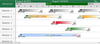
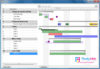
Within the Gantt chart the chronology of activities and tasks is visualized as bars shown under a timescale.

Properties and features:

Different bar types to visualize planned activities and actual activities. It’s possible to apply a hierarchical structure to activities and group them into summary bars that allow collapsing and expanding of tasks

Objects like milestones, textboxes and images can be displayed within the Gantt chart

Connections between two activities can be specified by parameters like the type of connection (start-finish, finish-start, start-start and finish-finish) or a minimal time range between two activities

Buffer time, captions, start-, endpictogram, progress and view style can be applied for each single bar

Bars can be easily moved by the user with drag&drop. New bars and connections can be created comfortable by “dragging them in” with the mouse

The timescale supports the four different viewmodes “day-view”, “week-view”, “month-view” and “year-view”. Furthermore there are a lot of different options for labeling the time scale

The integrated calendar module supports defining and displaying categories for special dates like holiday or vacations. Predefined dates like weekends are already implemented

The critical path, as the connection of activities that would reschedule the finish date of the project when delayed is calculated and displayed within the Gantt chart.

All changes made to the data of the Gantt chart can be recreated by using the integrated undo/redo mechanism

Pert Chart

Within the pert chart the duration of a bar and its earliest start date, the earliest finish date, the latest finish date as well as the latest start date is visualized. Furthermore the pert chart enables structuring projects by modeling main project targets, sub-ordinate targets and work packages.

Properties and features:

Activities of the pert chart can be connected to each other

Activities of a Gantt chart and a pert can share an identical data source. This means that all activities that are created in the Gantt chart are visualized automatically in the pert chart

Activities can be easily moved per drag&drop. New activities can be created by “dragged them in” with the mouse. A magnetically raster enables a clear arrangement of activities

All changes made to the data of the pert chart can be recreated by using the integrated undo/redo mechanism

Table View

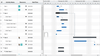
For each Gantt chart and pert chart an editable table view is available, storing any additional necessary information.

Properties and features:

The tree-like structure of the table nesting, collapsing and expanding single rows

User defined columns and rows can be added or deleted at runtime.

For displaying and editing the information stored within the table a lot of different data type editors are supported e.g. (single line text editor, multi line text editor, date editor, time editor, combo box, image combo box, currency edit field, spin edit field and single line text editor linked to a button)

By clicking the header of a column, an ascending or descending sort order can be applied.

Within one nesting level, rows can be swapped per drag&drop. The row height can be changed independently and interactively for each row with the help of the mouse

Various options for formatting the table are available. For each row the height, the color and the text font are applicable. Highlighting single rows is as easy as pie

All changes made to the data of the table chart can be recreated by using the integrated undo/redo mechanism

The predefined column “number” provides the two numbering modes hierarchically and continuously

Printing preview

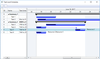
The printing preview provides the professional presentation of your charts and data.

Properties and features:

A legend can be added to a Gantt or pert chart. By adding and formatting columns and rows to the legend the user’s requirements are met. For each legend cell the content (text or image) can be specified

Multipage printing, fitting to pagewidth, defining a title, page header and footer, applying a background image allows high adaptability to fulfill specific requirements

Within the printing preview the layout of the page header and page footer can be defined interactively. Autotext fields like “current page number” or “date” can be inserted

Settings can be stored to a printing profile

Page borders can be adjusted with the mouse

A thumbnail view provides intuitive navigation between different pages

Add gantt scheduling to your .NET application.

Evals & Downloads: Gantt Control for .NET Documentation

Operating System for Deployment: Windows Vista, Windows XP

Architecture of Product: 32Bit

Product Type: Component

Component Type: .NET WinForms, .NET Class

Compatible Containers: Microsoft Visual Studio 2008, Microsoft Visual Studio 2005, Microsoft Visual Basic 2008, Microsoft Visual Basic 2005, Microsoft Visual C++ 2008, Microsoft Visual C++ 2005, Microsoft Visual C# 2008, Microsoft Visual C# 2005, .NET Framework 3.5, .NET Framework 3.0, .NET Framework 2.0

Keywords: Gantt Component for .NET

Vordruckverlag Weise GmbH

planning plan scheduling schedule schedules scheduler

Product Search

Enter search words: