Interactive Project Manager
by SLPSoft - Product Type: Application
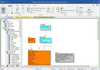
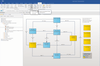
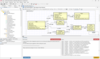
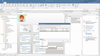
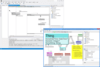
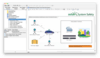
Collaborate with others on software projects. Interactive Project Manager enables you to manage projects using visual models. It enables multiple people to work together on a single project. Managers and employees can have access to the same project model and can monitor the project from their own computers. Using Interactive Project Manager, managers can define a group of employees and assign functions to them, check their progress and monitor the status of the project.
Our regular prices are shown below. Please logon to see your discounted prices.
Interactive Project Manager 2012 Release 2
| Add to Cart |
₩ 482,000 |
1 Developer License |
|
Download (59.6 MB) |
| Add to Cart |
₩ 964,100 |
4 Developer Team License |
|
Download (59.6 MB) |
| Add to Cart |
₩ 1,446,100 |
8 Developer Team License |
|
Download (59.6 MB) |
| Add to Cart |
₩ 2,410,200 |
1 Site Wide License (Allows Unlimited Developers at a Single Physical Address) |
|
Download (59.6 MB) |
Our prices include ComponentSource technical support and, for most downloadable products, an online backup and a FREE upgrade to the new version if it is released within 30 days of your purchase. All sales are made on our standard Terms and Conditions and subject to our Return Policy. Please contact us if you require any licensing option not listed, including volume licensing and previous versions.
Our regular prices are shown above. Please logon to see your discounted prices.
What's new in Interactive Project Manager 2012 Release 2?
- Employee Machine Identification
- Multiple database support including SQLite, Firebird Embedded, SQL Server Compact, Firebird Server, SQL Server and SQL Server Express
- Employee Permission Management
- Security Management
- Employee Status Report
- Employee Time Management
- Employee Schedule Management
- Project Schedule Management
- Separate User Interface for Managers and Employees
- Project Changes Management
- Daily Hour Monitor
- Daily Status Monitor
- Function Lock Security
What's new in Interactive Project Manager 2012?
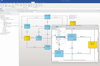
- Version 2012 enables projects and applications to be modeled in both the communication domain and the theory domain.
Interactive Project Manager Features
- Enables managers and employees to view projects differently
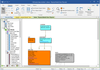
- Projects are viewed as a model driven entity
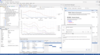
- Each section in the project has its own window
- Identity everybody in a project
- Identify the function of every person in the project
- Identify communication of the people in the project
- Analyze every entity that makes up the project
- Execute test results of the project
- Identify the location of the project execution
- Project schedule and project status
- Employees function schedule and employees status
- Identify a person in a project, where that person has a function
- Analyze entities that make up a project
- Test result capabilities
- Communicate with other employees working on the project
- Monitor employees function status
- Monitor overall project status
- Print project reports in PDF, HTML and others formats
- View questions and answers related to the project
- Analyze test results
- Managers and employees can work together in single model
- Managers have access to the model
- Employees have access to the model
- Mangers can assign functions to employees
- Managers can define a group of employees and assign function to them
- Managers can monitor employees performance
- Managers can monitor functions status and project status
- Project analysis and feedback capability
- Project directory customization capability
SLPSoft product comparision:
Interactive Application Modeling Features
- Ability to model applications
- Ability to define groups
- Test result capabilities
- Analysis capabilities
- Feedback capabilities
- Identify entities that make up projects
Interactive Project Modeling Features
- Ability to model applications
- Ability to assign functions to employees
- Ability to assign functions to groups
- Ability to define groups
- Test result capabilities
- Analysis capabilities
- Feedback capabilities
- Function status capabilities
- Project status capabilities
- Identify entities that make up projects
- Project reports
Interactive Project Manager Features
- Ability to work in a group
- Enable managers to manage employees
- Ability to model applications
- Ability to assign functions to employees
- Ability to assign functions to groups
- Ability to define groups
- Test result capabilities
- Analysis capabilities
- Feedback capabilities
- Function status capabilities
- Project status capabilities
- Identify entities that make up projects
- Project reports