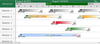
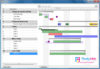
Screenshot Preview

TeamDef - Summary

by Application Aspect (Raverus) - Product Type: Component / Application / .NET WinForms / .NET Web Service / 100% Managed Code / End User Application / Web Service

Summary

TeamDef by Application Aspect (Raverus)

URLs: teamdef, application-aspect, application aspect, applicationaspect

Effectively track working hours consumption on development projects. TeamDef is an application made for operational planning and time tracking of projects based on TeamDef methodology and stored in Microsoft Team Foundation Server. This application provides all members of the development team with valuable information about ongoing projects. It is a significant supplement to the Team Foundation Server in the time tracking and time sheet management area.

TeamDef was created to satisfy a desire to effectively track working hours consumption on development projects. Microsoft Team Foundation Server comes with really great functionality out-of-the-box and Application Aspect realized that their development process was very similar to the Agile methodology however after a while they realized that they still did not have answers to the questions that were of interest to them. So they decided to write an application that extends Team Foundation Server with time-tracking capabilities – TeamDef was the resulting product.

Developing TeamDef was not a straight forward process – Microsoft provided a really good API to work with TFS, but, on the other hand, some design patterns did not meet all the projects requirements: inability to assign more than one resource to a particular work item, links between tasks were not working as expected in order to create real parent-child relations between work items and so on. Since Application Aspect did not want to change the Agile process template in order for users to use TeamDef application, they cut back some interesting features from v1.0.

While on one hand Application Aspect heard many stories about how time tracking does not matter, that it is an overhead for developers, and so forth, they still wanted answers to the following critical questions:

Are we losing money on some project or client?

What can be done more efficiently to make our projects more smoothly?

What is the ratio of billable hours versus total hours on a particular project?

How can we achieve a continuous improvement of future estimates?

When will we have time and resources to do our next project?

Do we have enough resources to finish all contracted projects on schedule?

TeamDef provides answers to the above questions, hopefully you will find it useful in your development process.

Technical overview

TeamDef consists of two parts: the application itself and the web service acting as server. In order to install and use application you will always need to install TeamDef Web Service which serves as a server for the application.

The TeamDef application communicates with the TeamDef Web service to obtain all data stored in the TeamDef database and, therefore, the web service is an important component of the application. Whenever you are using the application, you retrieve, insert or edit data stored in the application database through this web service.

On the other hand, whenever you are trying to communicate with Microsoft Team Foundation Server, TeamDef will use Microsoft Team Explorer (version 2005/2008) component to achieve that.

TeamDef is a Windows Forms application intended for development teams who are using Team Foundation Server in their everyday work. TeamDef is especially intended for Project Managers and Team Leaders because they gain access to project and resource related information in a way that is not possible from the out-of-the box installation of Team Foundation Server.

Special Features:

Ability to handle and track projects, customers and products

Team members can easily track actual work

E-mail notifications are sent to the users when the work items are assigned to them

Resources (team members) can be arranged hierarchically in order to see information related only to them

Advanced filtering of displayed information

Team members can view work items that they added or changed recently

Resources can be imported from Team Foundation Server

Project manager can baseline project plan to view difference in working hours consumption between initial planning and later modifications

Extensive reporting and charting of baseline, schedule, plan and actual work hours consumption

Projects can be archived after they have been finished

Work item reminders

General Features:

See all your projects in side-by-side view with start date, end date, planned and actual duration

Resources (team members) can have a particular role (administrator, project manager, team leader, team member) in order to have access to only specific functionality of the application

Publishing of all the changes to Team Foundation Server (+ publish log)

Refreshing of all the items in TeamDef (+ refresh log)

All changes are logged before actual save operation (“pending changes”)

Print preview and print of work items

Find in calendar and find in work items list

Day view, work week view, week view, month view and time line view of work items

Work items can be displayed without any grouping or they can be grouped by date or by resource

Resources can be organized into groups which simplify task assignment and work item viewing

Support for few different styles and skins for better UI customization

Work item can be exported to Outlook, Excel, PDF, HTML, TEXT, MHT and RTF format

Customizable working hours

Support for default and particular project calendar

Project list with Team Foundation Query browser

Date navigator

Visual Studio 2005/2008 like work item viewer

Effectively track working hours consumption on development projects.

Evals & Downloads: Read the TeamDef Getting Started Guide, Read the TeamDef User Manual, Read the TeamDef help file, Read the TeamDef End User License Agreement

Operating System for Deployment: Windows 7, Windows Server 2008, Windows Vista, Windows XP, Windows Server 2003

Architecture of Product: 32Bit

Product Type: Component, Application

Component Type: .NET WinForms, .NET Web Service, 100% Managed Code

Application Type: End User Application, Web Service

Compatible Containers: Microsoft Visual Studio 2008, Microsoft Visual Studio 2005, Microsoft Visual Studio .NET 2003, Microsoft Visual Studio .NET, Microsoft Visual Basic 2008, Microsoft Visual Basic 2005, Microsoft Visual Basic .NET 2003, Microsoft Visual Basic .NET, Microsoft Visual C++ 2008, Microsoft Visual C++ 2005, Microsoft Visual C++ .NET 2003, Microsoft Visual C++ .NET, Microsoft Visual C# 2008, Microsoft Visual C# 2005, Microsoft Visual C# .NET 2003, Microsoft Visual C# .NET, Microsoft SQL Server 2008, Microsoft SQL Server 2005, Microsoft SQL Server 2000, Microsoft Internet Information Server 6.0, Microsoft Windows SharePoint Services, .NET Framework 3.5, .NET Framework 3.0, .NET Framework 2.0

Keywords: Team Def TeamDef foundation Server track tracking tracks time hours days worktime work workhours manhours man hours development Team Foundation Server, time tracking, time sheet, Agile, CMMI, TFS

Application Aspect (Raverus) ApplicationAspect Raverus

planning plan scheduling schedule schedules scheduler

Product Search

Enter search words:

Why buy from ComponentSource?

ComponentSource offers a unique global service, used by over 1,000,000 software developers worldwide.

More Info | About Us