by NETRONIC Software - Product Type: Component / ActiveX OCX
VARCHART XGantt ActiveX by NETRONIC Software
URLs: varchart-xgantt-activex, varchart xgantt activex, varchartxganttactivex, netronic
Create applications that include interactive Gantt charts. VARCHART XGantt ActiveX is a graphical charting software component for visualizing business activities. It offers clear, concise and detailed process flows, identification, tracking, scheduling and allocation of tasks and resources over time. Give your customers the ability to edit their data quickly and easily, while at the same time controlling which fields can be changed and which are 'read-only'. VARCHART XGantt ActiveX may be used for in-house applications as well as for products or applications to be sold to third parties.
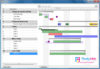
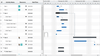
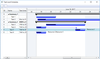
Benefit from the clear-cut and comprehensive display of tasks in the form of Gantt charts. No matter what application area you are in, Gantt charts can be an eye-catcher as well as an intuitive and useful planning tool for your users. For more than a decade VARCHART XGantt has been refined and is a proven component for many application areas, such as production planning and control, logistics, project management, service management as well as scheduling and dispatching.
Main Features Include:
Bars
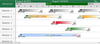
Represent your data, dates, durations, and degrees of completion graphically by bars, symbols or bitmaps that may overlap and can be labelled. Use different bar shapes and colors based on your data by creating and applying filters and assignment tables.
Grouped Layout
Arrange your activities or orders by grouping them based on your own data field(s). Even multi-level grouping is a snap. Summarize groups using group titles and summary bars. Sort groups and their activities by any criteria. Arrange the activities or orders in a group, together with their annotations, in one line in order to save room.
Hierarchical Layout
Use VARCHART XGantt's hierarchical layout option to display activities/orders using a structured code field from your data. Levels are automatically indented, and can be expanded/collapsed with a simple click of the mouse.
Calendar Grid
Visualise non-working intervals with VARCHART XGantt's powerful and unique calendar grid. A different calendar can even be assigned for each group. A special calendar also can be assigned to each activity.
TimeScale
Specify a time scale tailored to your specific requirements. The time units of the timescale can vary between seconds and years. Several different ribbons can be displayed on top of each other. Annotate the ribbons with month or day names in any language. Save room by collapsing nonworking calendar intervals e.g. the third shift for a two-shift operation.
Table
Configure the columns of the table to your needs. Use assignment tables and filters to assign various backgrounds, fonts, and colors based on your data.
Histogram
Graphical display resource loading utilization in a histogram that adapts automatically to your current planning situation. Quickly display current load against actual availability. Overloads and subloads can be shown in several different ways. Different capacities can be graphically displayed all at once in several histograms, or by stacked curves in different colors/patterns in the same histogram.
Resource Scheduling
This module is offered for resource scheduling which will improve the efficiency of your planning process. Automatically it plans orders or tasks taking resources, work in processes well as delivery dates into account. Two optimization strategies are supported: “as soon as possible” for fast delivery and “as late as possible” for low stock.
Intuitive User Interaction for Adjustment of the Visualization
Create powerful and intuitive interactions that allow your customers to adapt the visualization to their needs without editing the data.
Display tooltip texts from the application data
Interactively move the date line or the timenow line
Set and interactively adjust diagram sections for the table, the Gantt graph and the histogram
Scroll diagram sections independently
Enlarge diagram sections continuously
Data Editing
Give your customers the ability to edit their data quickly and easily, while at the same time controlling which fields can be changed and which are "readonly". As the developer, you can take advantage of the many events provided by VARCHART XGantt to react to each user action as you deem appropriate. This gives you more power than most other Gantt products do to interact with the user.
Move activities or tasks by dragging them with the mouse
Change the dates of one or a selection of activities/tasks by moving them horizontally
Move activities vertically between groups, for example a task to a different machine
Move activities or tasks via OLE Drag & Drop into to a different diagram, even of a different application
Create or delete activities/tasks or links
Open a Data Edit dialog via double-click
In-place editing of data in the fields of the table. You may insert a combo-box or a date picker of your own into the table cells.
Printing and Print Preview
Offer your customers extraordinary printing functionality. Let them present their planning results on paper, or online, with polish and professionalism. VARCHART XGantt provides full Print Preview functionality and gives you control over all kinds of print layout features:
which parts of the diagram are to be repeated on each page
the paper format (size, margins...)
how to fit the diagram on the most efficient number of pages
how to export a diagram
Data Interface to VARCHART XGantt
The data exchange between VARCHART XGantt and your application is performed via file or via the application programming interface. You can supply the data as a complete record or field by field. Both, the data table for representing activities and the data table for representing links can have an unlimited number of fields. Datatypes for the data fields can be easily defined on the property page.
Property Pages
The property pages reduce dramatically the amount of code you need to write. You can use property pages for DataDefinition, Node, Sorting, Layers, Table, Title/Legend, Links, TimeScale, Histogram, Time Schedule and General Settings.
Excellent Runtime Behavior
Even with large datasets, your customers will enjoy excellent runtime performance. In close cooperation with our clients tests have been run over long times. Our clients report that VARCHART XGantt still performs well with 20,000 or more records loaded, during the initial built-up of the diagram as well as when working with it interactively.
Language Support
The product documentation is available in English and German. In development mode, VARCHART XGantt adapts to the language of the container (English or German). In runtime mode, the predefinded languages are English and German but each text item can be replaced by a term of your choice in any language. Unicode Characters are also supported.
What's New in V4.4
Fixed Bugs in build No. 4.400.0.299
The scroll position of the horizontal scroll bar in the complete view did not match the Gantt views.
Invoking reset (vcEmptyAllDataTables) after deleting a node would entail error no. 13.
Summary bars were not generated if grouping and some layers were switched off after loading the data.
Creating a histogram with calendar grid resulted in error no. 2, class 109.
In drag&drop actions between two Gantt instances linked tables were not taken into account.
Scrolling caused performance problems when the world view was open.
Performance during the loading process of nodes was enhanced.
An unexpected end of program could occur when creating a project file using the method SaveAsEx, or at runtime when the keys <alt> and <D> were pressed.
Invoking reset (vcEmptyAllDataTables) after deleting nodes would result in Error no. 13, class 2203.
The performance of the loading procedure was enhanced for tables containing a large number of columns
The property page „Tables" and the "about" box occasionally could not be opened when run on Windows 7.
The histogram did not display curves as expected
FitHistogramsIntoView used to scale down the histogram area
What's New in V4.2
Improvements for Groups
Calendar in Histograms
API Enhancements
New Link Routing Layouter
Legend View
Enhanced Interactions in ASP.NET Edition
Extended World View
Further Enhancements
Please read the What's New in V4.2 document in the Evals and Downloads section for more information.
What's New in V4.1
Multi-State Fields
Now Also in German: VARCHART XGantt .NET
VcScheduler Object can be Accessed by the API
Marking Lines
Extended Data Structures
Selecting Columns for Printing
Extended API
Modified Interactions
ASP.NET Edition uses AJAX
Further Enhancements
What's New in V4.0
Extended Data Tables
Support of GDI+
Fiscal Ribbons in the Time Scale
Alternating Row Colors in Diagram Section
Enhancements in Resource Scheduling
Adjustable Matrix Layout of the Legend
Time Scale Resizing for Output
Create applications that include interactive Gantt charts.
Pricing: VARCHART XGantt ActiveX V4.4 (Build 0299) 1 Basic (Viewing Only) License, VARCHART XGantt ActiveX V4.4 (Build 0299) 1 Data Editing License, VARCHART XGantt ActiveX V4.4 (Build 0299) 1 Histogram License, VARCHART XGantt ActiveX V4.4 (Build 0299) 1 Resource Scheduling License, VARCHART XGantt ActiveX V4.4 (Build 0299) Additional License 1 Additional Basic (Viewing Only) License, VARCHART XGantt ActiveX V4.4 (Build 0299) Additional License 1 Additional Data Editing License, VARCHART XGantt ActiveX V4.4 (Build 0299) Additional License 1 Additional Histogram License, VARCHART XGantt ActiveX V4.4 (Build 0299) Additional License 1 Additional Resource Scheduling License, VARCHART XGantt ActiveX V4.4 (Build 0299) Upgrades from V4.3 1 Basic (Viewing Only) Upgrade License from V4.3, VARCHART XGantt ActiveX V4.4 (Build 0299) Upgrades from V4.3 1 Data Editing Upgrade License from V4.3, VARCHART XGantt ActiveX V4.4 (Build 0299) Upgrades from V4.3 1 Histogram Upgrade License from V4.3, VARCHART XGantt ActiveX V4.4 (Build 0299) Upgrades from V4.3 1 Resource Scheduling Upgrade License from V4.3, VARCHART XGantt ActiveX V4.4 (Build 0299) Upgrades from V4.2 1 Basic (Viewing Only) Upgrade License from V4.2, VARCHART XGantt ActiveX V4.4 (Build 0299) Upgrades from V4.2 1 Data Editing Upgrade License from V4.2, VARCHART XGantt ActiveX V4.4 (Build 0299) Upgrades from V4.2 1 Histogram Upgrade License from V4.2, VARCHART XGantt ActiveX V4.4 (Build 0299) Upgrades from V4.2 1 Resource Scheduling Upgrade License from V4.2, VARCHART XGantt ActiveX V4.4 (Build 0299) Upgrades from V4.1 or below 1 Basic (Viewing Only) Upgrade License from V4.1 or below, VARCHART XGantt ActiveX V4.4 (Build 0299) Upgrades from V4.1 or below 1 Data Editing Upgrade License from V4.1 or below, VARCHART XGantt ActiveX V4.4 (Build 0299) Upgrades from V4.1 or below 1 Histogram Upgrade License from V4.1 or below, VARCHART XGantt ActiveX V4.4 (Build 0299) Upgrades from V4.1 or below 1 Resource Scheduling Upgrade License from V4.1 or below, VARCHART XGantt ActiveX V4.4 Maintenance and Support Service 1 Basic (Viewing Only) Annual Maintenance and Support Service License, VARCHART XGantt ActiveX V4.4 Maintenance and Support Service 1 Data Editing Annual Maintenance and Support Service License, VARCHART XGantt ActiveX V4.4 Maintenance and Support Service 1 Histogram Annual Maintenance and Support Service License, VARCHART XGantt ActiveX V4.4 Maintenance and Support Service 1 Resource Scheduling Annual Maintenance and Support Service License, VARCHART XGantt ActiveX V4.4 Runtimes 1 Basic (Viewing Only) Runtime License (price per license 1-9), VARCHART XGantt ActiveX V4.4 Runtimes 1 Basic (Viewing Only) Runtime License (price per license 10-24), VARCHART XGantt ActiveX V4.4 Runtimes 1 Basic (Viewing Only) Runtime License (price per license 25-49), VARCHART XGantt ActiveX V4.4 Runtimes 1 Data Editing Runtime License (price per license 1-9), VARCHART XGantt ActiveX V4.4 Runtimes 1 Data Editing Runtime License (price per license 10-24), VARCHART XGantt ActiveX V4.4 Runtimes 1 Data Editing Runtime License (price per license 25-49), VARCHART XGantt ActiveX V4.4 Runtimes 1 Histogram Runtime License (price per license 1-9), VARCHART XGantt ActiveX V4.4 Runtimes 1 Histogram Runtime License (price per license 10-24), VARCHART XGantt ActiveX V4.4 Runtimes 1 Histogram Runtime License (price per license 25-49), VARCHART XGantt ActiveX V4.4 Runtimes 1 Resource Scheduling Runtime License (price per license 1-9), VARCHART XGantt ActiveX V4.4 Runtimes 1 Resource Scheduling Runtime License (price per license 10-24), VARCHART XGantt ActiveX V4.4 Runtimes 1 Resource Scheduling Runtime License (price per license 25-49), VARCHART XGantt ActiveX V4.4 (Build 0299) - Academic License 1 Basic (Viewing Only) Academic License, VARCHART XGantt ActiveX V4.4 (Build 0299) - Academic License 1 Data Editing Academic License, VARCHART XGantt ActiveX V4.4 (Build 0299) - Academic License 1 Histogram Academic License, VARCH
Evals & Downloads: Read the VARCHART XGantt What's New in V4.4, Read the descriptions for different modules, Read the VARCHART XGantt ActiveX Manual, Download the VARCHART XGantt ActiveX V4.4 (Build 0299) evaluation on to your computer - Expires after 30 days
Operating System for Deployment: Windows XP, Windows ME, Windows 2000, Windows 98, Windows NT 4.0, Windows 95
Architecture of Product: 32Bit
Product Type: Component
Component Type: ActiveX OCX
Built Using: MFC V4.2 / V6.0
General: Includes Digital Signature, Marked as Safe for Scripting, Marked as Safe for Initialization, Supports Apartment Model Threading
Compatible Containers: Microsoft Visual Studio .NET, Microsoft Visual Studio 6.0, Microsoft Visual Studio 97, Microsoft Visual Basic .NET, Microsoft Visual Basic 6.0, Microsoft Visual Basic 5.0, Microsoft Visual C++ .NET, Microsoft Visual C++ 6.0, Microsoft Visual C++ 5.0, Microsoft Visual C++ 4.0, Microsoft Visual C# .NET, Microsoft Visual FoxPro 6.0, Microsoft Visual FoxPro 5.0, Microsoft Office XP, Microsoft Office 2000, Microsoft Office 97, Microsoft Access 2002, Microsoft Access 2000, Microsoft Access 97, Microsoft FrontPage, Microsoft Internet Explorer 6.0, Microsoft Internet Explorer 5.5, Microsoft Internet Explorer 5.0, Microsoft Internet Explorer 4.0, Delphi 7.0, Delphi 6.0, Delphi 5.0, Delphi 4.0, Sybase PowerBuilder 9.0, Sybase PowerBuilder 8.0
Product Class: User Interface Components
Keywords: Gantt Diagram Bar Chart Project Planning Resource Planning Scheduling
Gantt Chart Gantt Diagram Bar Chart Project Planning Resource Planning
planning plan scheduling schedule schedules scheduler
Part numbers: PC-514151-413415 514151-413415 PC-514151-413421 514151-413421 PC-514151-413427 514151-413427 PC-514151-413520 514151-413520 PC-514151-413496 514151-413496 PC-514151-413499 514151-413499 PC-514151-413502 514151-413502 PC-514151-413523 514151-413523 PC-514151-413418 514151-413418 PC-514151-413424 514151-413424 PC-514151-413430 514151-413430 PC-514151-413505 514151-413505 PC-514151-413478 514151-413478 PC-514151-413484 514151-413484 PC-514151-413490 514151-413490 PC-514151-413508 514151-413508 PC-514151-413481 514151-413481 PC-514151-413487 514151-413487 PC-514151-413493 514151-413493 PC-514151-413511 514151-413511 PC-514151-413433 514151-413433 PC-514151-413436 514151-413436 PC-514151-413439 514151-413439 PC-514151-413514 514151-413514 PC-514151-413442 514151-413442 PC-514151-413445 514151-413445 PC-514151-413448 514151-413448 PC-514151-413451 514151-413451 PC-514151-413454 514151-413454 PC-514151-413457 514151-413457 PC-514151-413460 514151-413460 PC-514151-413463 514151-413463 PC-514151-413466 514151-413466 PC-514151-413526 514151-413526 PC-514151-413529 514151-413529 PC-514151-413532 514151-413532 PC-514151-413469 514151-413469 PC-514151-413472 514151-413472 PC-514151-413475 514151-413475 PC-514151-413517 514151-413517
ComponentSource offers a unique global service, used by over 1,000,000 software developers worldwide.