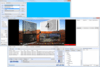
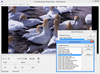
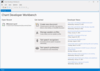
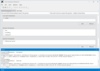
Screenshot Preview

VideoEditX

by Fath Software - Product Type: Component / ActiveX OCX / ActiveX DLL

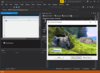
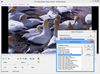
Edit, join or merge video WMV files. VideoEditX allows you to add/remove/enumerate markets,scripts or attributes in WMV files. VideoEditX can create a new video from clips in different WMV video files, preview timeline without creating a new file, add a logo/text on a video, grab video frames and more. VideoEditX includes samples for both Visual Basic 6 and Visual Basic .NET.

From
₩95,200

Our regular prices are shown below. Please logon to see your discounted prices.

Price in

VideoEditX V1.2  

Add to Cart ₩ 95,200 1 Developer License Download (676 KB)
Add to Cart ₩ 66,600 2-5 Developer License - price per license Download (676 KB)
Add to Cart ₩ 57,100 6-10 Developer License - price per license Download (676 KB)
Add to Cart ₩ 47,600 11 and above Licenses - price per license Download (676 KB)

Our prices include ComponentSource technical support and, for most downloadable products, an online backup and a FREE upgrade to the new version if it is released within 30 days of your purchase.  All sales are made on our standard Terms and Conditions and subject to our Return Policy. Please contact us if you require any licensing option not listed, including volume licensing and previous versions.

Our regular prices are shown above. Please logon to see your discounted prices.

VideoEditX Main features:

  • Join video files
  • Merge video and audio files
  • Create new video from clips in different video files
  • Preview timeline without creating a new file
  • Put logo/text on a video
  • Make picture-in-picture video
  • Make SMPTE wipe transitions between video clips
  • Detect clips in video
  • Grab video frames
  • Change video dimensions
  • Manage WM markers/attributes/scripts

VideoEDitX Sample Code

Join video files
VideoEditX.JoinFiles("c:\folder\file1.avi" , "c:\folder\file2.avi" , "c:\new_output.avi")

Split video file
To split "movie.avi" file at 5 second mark, use;

VideoEditX.SplitFile "movie.avi" , "firstpart.avi", "secondpart.avi", 5000

Merge video and audio files
Merge video.avi and audio.wav into new newfile.avi video+audio file:

VideoEditX.MergeFiles "newfile.avi" , "video.avi", "audio.wav"

Create new video from clips in different video files
VideoEditX.AddVideo "start.avi" , 0, 3000

VideoEditX.AddAudio "start.avi" , 0, 3000

VideoEditX.AddVideo "main.avi", 0, GetMediaLen("main.avi")

VideoEditX.AddVideo "end.avi", 0, 5000

VideoEditX.Run ""

Put logo/text on a video
VideoEditX.AddSource "movie.avi"
VideoEditX.AddKeyedVideo "logo.jpg", 0, 1000, 0, GetMediaLen("movie.avi")*1000, RGB(0,0,0)

VideoEditX.Run "output.avi"


Make picture-in-picture video
This code adds "logo.avi" on "movie.avi" in 200,100 position with 32x24 size:

VideoEditX.AddSource "movie.avi"
VideoEditX.AddPictureInPicture "logo.avi",0,GetMediaLen("logo.avi")*1000, 200, 100, 32, 24, 0, GetMediaLen("movie.avi")*1000


Make SMPTE wipe transitions between video clips
VideoEditX.AddSource "file.avi"

VideoEditX.AddVideoWithSMPTEWipe "file2.avi", 0, 10000, 4000, 7, 0, 10, 5

VideoEditX.Run ""


Detect clips in video
Call DetectClips method and enumerate all clips in ClipDetected event handler;

VideoEditX.DetectClips "movie.avi"

Sub VideoEditX_ClipDetected (StartMS As Double, EndMS As Double)
cliplist.Add Str(StartMS/1000) & " - " & Str(EndMS/1000)
End Sub


Grab video frames
Picture1.Picture = VideoEditX.GrabFrame("movie.avi", 0)

- or -

Picture2.Picture = VideoEditX.GrabFrame("test.wmv", GetMediaLen("test.wmv")-1)


Change video dimensions
By default, output video size is same as last added video clip. To change default video dimensions, use SetOutputVideoSize before calling Run method.


VideoEditX.AddSource "oldfile.avi"

VideoEditX.SetOutputVideoSize 320, 240

VideoEditX.Run "resized.avi"


Manage WM markers/attributes/scripts
VideoEditX allows you to add/remove/enumerate markers/scripts/attributes in WMV files


Product Search

Enter search words:

Quick Links

Publisher

Primary Category

Related Products

Why buy from ComponentSource?

ComponentSource offers a unique global service, used by over 1,000,000 software developers worldwide.

More Info | About Us