Wise Installation Studio - Summary

by Wise Solutions, a wholly owned subsidiary of Symantec®/Altiris - Product Type: Application

Summary

Wise Installation Studio by Wise Solutions, Symantec®/Altiris

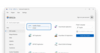
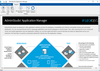
Create high-quality installations for complex environments. Wise Installation Studio provides you with a comprehensive collection of tools and technologies for authoring software installations for Windows devices. Wise Installation Studio supports multiple installation technologies including Microsoft Windows Installer (.MSI) and WiseScript formats. You can also create installations for .NET applications, client-server applications, and mobile device applications. Wise Installation Studio supports both Windows Installer and WiseScript technologies. It features advanced installation authoring technology such as support for virtual packages, mobile devices, and digital rights management.

Wise Installation Studio includes new editors for creating and editing virtual packages and packages for mobile devices:

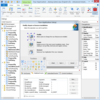
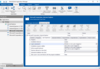
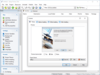
Windows Installer Editor - Create and edit Windows Installer (.MSI) installation packages

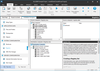
WiseScript Package Editor - Create and edit installation packages based on the WiseScript scripting language

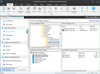
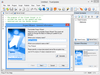
Wise Virtual Package Editor - Create and edit virtual packages for use with Altiris Software Virtualization Solution

Wise Mobile Devices Editor - Create a project file in .INF format and compile it to one or more .CAB files that install a mobile device application

Integration with Altiris Software Virtualization Solution (SVS)

You can create, edit, manage, and distribute virtual software packages by using Wise Installation Studio. The new Virtual Package Editor lets you create and edit a virtual software layer, a virtual software project file (.WVP) , or a virtual software archive file (.VSA)

Users will need a copy of Software Virtualization Solution on their PC to benefit from the advantages of virtualized applications

Users can download a free-for-personal-use copy of SVS from www.download.com or www.tucows.com

Developers can also use SVS to test an application on their development machine before it is released. The application can be installed into a virtual layer which allows testing, including side-by-side testing with another version of the application, without impacting the development machine

Authoring installations for Microsoft Windows Vista

Check for the presence of Windows Vista on target machines

Compatibility with Internet Explorer 7.0

Minimize reboots using the Restart Manager Infrastructure in Windows Vista

Access control for general user and administrator privileges

Enhancements for digital signature support

Validation for Windows Vista logo standards

Support for authoring 64-bit installations

Manage the 64-bit portion of the registry and file system

Create a single .WIS project file that can create separate .MSIs for both the 32-bit and 64-bit versions of an application

Use the Release Settings page to specify components that should not be installed in the 32-bit or 64-bit version of the installation

Support for Nalpeiron trialware software, PRO-Tector SDK Standard

Support for Nalperion's PRO-Tector SDK Standard product, which lets developers electronically generate, track and enforce their software licenses and protect against unauthorized use by implementing a range of patent-pending product activation and software copy protection options. Includes full, Try-Before-You-Buy or Try-Before-You-Die support for metered or time-based trials

Protect Windows applications developed in .NET, C/#, VB, C++, Delphi and Macromedia Director and Microsoft Office files with full API

Every copy of Wise Installation Studio includes a link to download a free copy of Nalpeiron PRO-Tector SDK Standard ($799 value) which lets you trialware-enable your applications. Each copy of Wise Installation Studio enables you to protect a single product

Additional options are hosted activation service and many other types of licensing schemes. The Professional version offers floating network licensing, leasing and selling software as a service

Expanded Mobile Device Support for Windows Installer and WiseScript installations; supports the Microsoft Windows Mobile 5.0 platform for Pocket PC and Smartphone device

Using a familiar interface, the Mobile Device Package Editor supports creating project files in .INF format and compiling to one or more. CAB files

Configure WiseScripts to install files that support a Windows Mobile device application

WiseScript enhancements - WiseScript tool has been enhanced to support creating and editing VBScripts in the WiseScript interface. WiseScripts can also be easily ported among machines

Use VB scripts as include scripts. Create or call COM objects

Utilize all scripting capabilities of VBScripts including arrays and subfunctions

Save time by re-using VBScripts that were authored by another developer

Portability of WiseScripts - Easily move a WiseScript project to another PC by packaging it up as a self-extracting .EXE that contains all files including the source files

Language Pack

You can translate the default dialogs in an installation into any languages. Windows Installer Editor contains 5 pre-translated languages in addition to English; the optional Language Pack contains translations for 20 additional languages.

5 Pre-translated text strings

French, German, Italian, Portuguese and Spanish

Language Pack - Additional pre-translated languages

Chinese (PRC), Chinese (Taiwan), Czech, Danish, Dutch (Netherlands), Finnish, French (Canadian), Greek, Hungarian, Indonesian, Japanese, Korean, Norwegian, Polish, Portuguese (Brazil), Russian, Spanish (Basque), Spanish (Catalan), Swedish and Turkish

Note: For more details for feature comparison with Wise Installation Studio, please refer to Wise Installation Studio Comparison Table and Wise Installation Studio Feature Grid from the Evals & Downloads page.

PartNumbers: PC-517460-146356 517460-146356 PC-517460-146377 517460-146377 PC-517460-146383 517460-146383 PC-517460-146386 517460-146386 PC-517460-146393 517460-146393 PC-517460-146395 517460-146395

Publisher PartNumbers: 48801-01 48801-99 48821-01

PurchaseOptions: Wise Installation Studio V7.0 (Includes Nalpeiron Licensing Service Standard) 1 User License , Wise Installation Studio V7.0 - Language Pack 1 User License , Wise Installation Studio V7.0 - Annual Upgrade Protection 1 Annual Upgrade Protection - you must purchase this AUP option within 30 days of purchasing the product , Wise Installation Studio V7.0 (Includes Nalpeiron Licensing Service Standard) 1 User License , Wise Installation Studio V7.0 - Language Pack 1 User License , Wise Installation Studio V7.0 - Annual Upgrade Protection 1 Annual Upgrade Protection - you must purchase this AUP option within 30 days of purchasing the product

Resources: Read the Wise Installation Studio License Agreement, Read the Wise Installation Studio Release Notes, See the Wise Installation Studio Comparison Table, See the Wise Installation Studio Feature Grid, Read the Wise Installation Studio Getting Started Guide, Download the Wise Installation Studio V7.0 evaluation on to your computer - Expires after 30 days

Operating System for Deployment: Windows Vista, Windows XP, Windows Server 2003, Windows 2000

Architecture of Product: 32Bit, 64Bit

Product Type: Application

Keywords: Wise Solutions Symantec Altiris Installation Installing install installs uninstalling uninstall uninstalls setup MSI msi scripts Professional Partner Altiris Wise Wise for Windows Installer WfWI Wise Installation System WIS

Product Search

Enter search words:

Award Award