by Wise Solutions, a wholly owned subsidiary of Symantec®/Altiris - Product Type: Application
In November Symantec formally announced that development efforts for the Wise Package Studio product family will be discontinued.
If you are an existing Wise Package Studio customer with current maintenance, then you can migrate to a new offering called AdminStudio for Symantec by purchasing a crossgrade license.
If your maintenance has expired you can still benefit from the crossgrade license pricing but you will also need to purchase Maintenance Subscription Renewal options to bring your maintenance back up to date.
To migrate to AdminStudio for Symantec you need to have a current Maintenance Subscription and buy one of the following product crossgrade options:
IMPORTANT NOTE: You must migrate to AdminStudio for Symantec by November 7, 2012 to qualify for crossgrade pricing.
Wise Package Studio Standard by Wise Solutions, Symantec®/Altiris
URLs: wise-package-studio-standard, wise package studio standard, wisepackagestudiostandard, wise
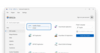
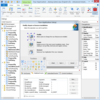
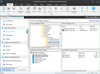
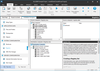
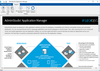
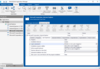
Distribute your software installations with ease. Wise Package Studio is designed for system administrators to streamline the process of preparing software applications for deployment. It combines best practice methodologies with advanced software installation technology, giving system administrators complete control over installations. You can migrate applications to Windows Installer (.MSI) through project and application management, repackaging, customization, validation, testing and dispersing to distribution systems. In return you receive error-free, reliable deployments that cut your packaging efforts.
Overview
Wise Package Studio Standard Edition is a basic packaging tool designed for individuals who prefer an ad hoc approach to packaging. It provides Windows Installer packaging and validation functionality, helping organizations quickly and reliably migrate applications to the .MSI standard using an ad hoc approach.
For differences between editions, please refer to the Feature Grid document from the Evals & Downloads page.
Patch Preparation and Testing
You can quickly prepare patches for error-free deployments with Wise Package Studio 6, using a four-phase process. With Wise Package Studio you can:
Quickly assess the impact the patch will have on the production environment
Create a focused, efficient test plan based on patch impact assessment
Perform lab-based functional testing and "test fly" the patch in production without risk
Perform a risk assessment to see if the deployed patch installed as intended, and quickly remedy any problems
Distributed Computing
Multiple packaging teams need fast, easy access to shared files and common packaging tasks. With distributed computing support, enterprise-level use of Wise Package Studio is much faster and efficient because common packaging tasks, such as compiling and importing, are run from the server.
Preflight Deployment
Preflight Deployment allows you to determine—before deployment — if an application or patch will succeed or fail by testing it in your real-world environment. With Preflight Deployment, you can see why deployments fail on specific machines without disrupting end users or endangering your production environment.
Standard Operating Environment
Now you can include your organization's standard operating environment (SOE) as a protected entity within the Wise Software Repository. By storing your organization's core desktop image in the repository, you can check for conflicts against it during the conflict management process. Applications conflicting with the SOE are highlighted, allowing packagers to easily modify the application to ensure conformance with organizational standards.
Language Pack
Wise Package Studio includes Language Pack.
What's New in Wise Package Studio 8.0
Support for Windows 7, including Windows 7 Migration Toolkit
Support for Windows XP SP3
Support for Windows Vista SP1
Support for Windows Server 2008 R2
Support for Windows Server 2008 SP2
Support for SQL Server 2008
Support for versions 3.0 and 3.5 of .NET framework
Redistributable support for Windows Installer 4.5
Support for new Internal Consistency Evaluation (package validation) rules from Microsoft
What's New in V7.0?
Support for packaging virtual applications - Wise Package Studio 7 utilizes Altiris Software Virtualization Solution technology to create and manage packages for virtual applications
Quality Assurance Enhancements - Wise Package Studio's functionality for assuring quality software packages now utilizes virtualization technology and supports testing of Linux packages
WiseScript enhancements - WiseScript tool, which administrators use to create utilities, has been enhanced
For more details about What's New, please refer to the What's New in V7.0 document from the Evals & Downloads page.
Distribute your software installations with ease.
Evals & Downloads: Read the Wise Package Studio to AdminStudio for Symantec migration document, Read the Wise Package Studio What's New in V7.0, Read the Wise Package Studio Release Notes, Read the Wise Package Studio Overview, See the Wise Package Studio Feature Grid, Read the Wise Package Studio Getting Started Guide, Read the Wise Package Studio Reference, Read the Windows Installer Editor Guide, Wise Package Studio Help files, Read the Wise Package Studio License Agreement
Operating System for Deployment: Windows 7, Windows Server 2008, Windows Vista, Windows XP, Windows ME, Windows 2000, Windows 98, Windows NT 4.0
Architecture of Product: 32Bit
Product Type: Application
Compatible Containers: Microsoft SQL Server 2008, .NET Framework 3.5, .NET Framework 3.0
Product Class: Component Development Tools
Keywords: Wise Installation Package Studio WPS Altiris
Wise Solutions Symantec Altiris
Installation Installing install installs uninstalling uninstall uninstalls setup MSI msi scripts
System Administration Systemadmin admin administrate sysadmin sys
Publisher
Primary Category
Related Products
Related Categories
ComponentSource offers a unique global service, used by over 1,000,000 software developers worldwide.