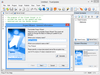
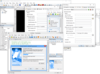
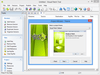
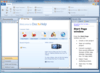
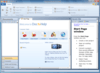
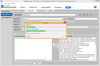
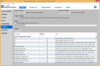
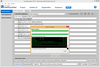
Deploy your application on any platform. InstallAnywhere Enterprise Edition is designed to install any kind of software -- desktop, enterprise, or multi-tiered Web services - onto any platform, and to configure those applications for optimal performance. Whether you're creating applications written in Java, C++, PERL, or C#, or deploying EJBs or .NET Web services, all of the installation details are handled automatically. InstallAnywhere Enterprise Edition simplifies complex installations and provides maximum developer customization, along with extensive user interaction, client/server features and localization for 31 languages.
Deploy your application on any platform. InstallAnywhere Standard Edition enables developers to build highly customized deployment solutions. It's intuitive design brings intelligence to the process of deploying software onto any client or server platform. It automatically handles all of the installation details; it creates smaller installers that run faster than many other solutions, minimizes time-to-deployment and increases productivity.
Deploy your applications and components via diskette, CD-ROM, LAN, or the Internet. Setup Factory offers developers a solution for creating flexible installation systems without needing to learn a proprietary scripting language. Setup Factory provides the customization and advanced control features that developers require, all from within the Setup Factory Visual Design Environment. You can even deploy your applications for Web servers. Setup Factory contains a scripting engine based upon the Lua programming language. Lua offers all the usual programming logic such as loops, functions, and arrays, plus much more. The handy action wizard makes it easy, even for someone with zero programming knowledge, to simply click to add actions. The script editor makes it easy for advanced users to edit code directly.
Start your CD or DVD professionally. ShellRun neatly AutoRuns your chosen file or program as soon as your CD is inserted into a Windows computer, while optionally displaying a splash window or fully configurable popup window. Shellrun can display a menu of command buttons. ShellRun also helps if your CD user has not installed a suitable viewer, for example to view PDF files. ShellRun shows your warning message and tells the user how to get a viewer.
Quick and easy installations that support today's technologies. InstallShield Express is easy to use and shields setup authors from installation complexities of building a setup. You can rapidly build, test and implement Windows and mobile device installations in record time without any training. InstallShield Express keeps setup authors up to date with support for the latest technologies and industry standards, including Windows Vista, .NET 3.0 support and Try and Buy functionality. The Express Edition is a cost-effective solution that will fit into any budget, making it possible for everyone to create professional looking Windows or mobile device installations.
Create strong, reliable Windows Installers. InstallShield allows you to create flexible installations quickly and easily across all Windows operating systems. First-time developers find it easy to create installations, while power users find its depth and flexibility perfect for developing complex software installations. It supports the latest technologies, including Visual Studio 2005, .NET 2.0, .NET 3.0, SQL Server 2005 and Windows Vista. InstallShield also includes MSI 3.0 support, automatic updating of XML file settings and Trialware functionality which allows developers to add more power and flexibility into their setup projects (InstallShield Premier Edition Only).
Create strong, reliable Windows Installers. InstallShield allows you to create flexible installations quickly and easily across all Windows operating systems. First-time developers find it easy to create installations, while power users find its depth and flexibility perfect for developing complex software installations. It supports the latest technologies, including Visual Studio 2005/2008, .NET 2.0, .NET 3.0/3.5, SQL Server 2005 and Windows Vista. InstallShield also includes MSI 3.0 support, automatic updating of XML file settings and Trialware functionality which allows developers to add more power and flexibility into their setup projects (InstallShield Premier Edition Only).
Quickly create advanced windows installers. BitRock InstallBuilder for Windows allows you to create small, easy to use, windows installers with no external dependencies. BitRock InstallBuilder for Windows includes advanced functionality like automatic update that enables you to deliver updates directly to your users, several GUI modes with native look-and-feel for installation in a variety of desktop environments, a text-based installation mode for console-based and remote installations, and a silent/unattended install mode which can be used for integration in shell scripts for automated deployment. BitRock InstallBuilder for Windows can also create Multiplatform CDs and DVDs. BitRock InstallBuilder for Windows License includes 1 year of support and major and minor upgrades.
Quickly create cross-platform installers. BitRock InstallBuilder Professional turns application packaging and deployment into a fast, easy and cost-effective process for developers. BitRock InstallBuilder Professional allows you to quickly create easy to use, multiplatform installers that have a native look and feel across Windows, Mac OS X and Linux (x86/PPC/x64 ) from a single build environment. Multiple installation modes allow installers to be run in servers, workstations, and desktops. Windows, Mac OS X and Linux (x86/PPC/x64 ) also offers RPM integration and DEB generation along with other advanced functionality.
Quickly create cross-platform installers. BitRock InstallBuilder turns application packaging and deployment into a fast, easy and cost-effective process for developers. The development tool allows you to quickly create easy to use, multiplatform installers that have a native look and feel across Windows, Linux, Mac OS X, HP-UX, AIX, FreeBSD, IRIX and Solaris from a single build environment. Multiple installation modes allow installers to be run in servers, workstations, and desktops. InstallBuilder also offers RPM integration along with other advanced functionality.