Screenshot Preview

EzPlan-IT - Summary

by A-Dato Scheduling Technology - Product Type: Component / VCL

Summary

EzPlan-IT by A-Dato Scheduling Technology

URLs: ezplan-it, ezplan it, ezplanit, a-dato-scheduling, a dato scheduling, adatoscheduling

Add scheduling functionality to your applications. EzPlan-IT is a collection of components which can be used to add scheduling and planning functionality to your application. Using the Gantt chart component you can display Gantt bars, predecessor lines, line markers, etc. for your tasks. The components have been developed such that they can easily be implemented in an existing application. Furthermore the components can be effortlessly integrated such that they match the appearance of your application. Full Source code is available.

The EzPlan-IT components offer the possibility to create a complete scheduling application with resource management and more. The components are all data aware and can be connected to virtually any type of database. The following components are included:

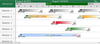
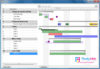
EzGanttChart - The Gantt chart component will display Gantt bars for the records provided by the EzDataset. However, the Gantt chart can also display a number of other items such as; Predecessor lines, Progress lines, Line markers, Images, Condensed views, Labels, etc. In addition the Gantt bars appearance can be individually changed.

EzDataset - Connect to any exiting database with ease. This is a wrapper around a TDataset object which maintains the data in a hierarchical manner. You must use this component to display the records with the correct relationships in an EzDBTreeGrid or EzGanttChart.

EzCalendarPanel - Implements a fully functional rule based calendar control to manage resource availability. This allows the user to easily modify their availability by adding working and nonworking days or periods by selecting dates and adding various types of rules.

EzDBTreeGrid - Displays records in a hierarchical structure. Users can add new records and expand and collapse existing records.

EzScheduler - Used to schedule projects. The scheduler is a powerful tool that can schedule projects using various constraints that can be defined for each individual task. In addition the scheduler will take into account the availability of the resources.

EzGraph - Displays availability graph for a resource.

EzPrinter - Allows the printing and previewing of Gantt charts and Tree grid.

EzTimebar - Time bar used for EzGanttChart.

What's new in EzPlan-IT V6.1.00?

Delphi XE support added

Support for 'group' scheduling - This release adds support for 'group' scheduling, a group of tasks is scheduled as a whole so that resources assigned to these tasks are allocated over the span of the group. This feature was added to support foundry (casting) companies. Here a mold should be allocated during all production steps (Mold - Dry - Laminate - Dry) even when there are gaps between each step.

What's new in EzPlan-IT V5.2.20?

Added new resource graph type to EzProject: Resource allocation (strethched). This graph shows the resource allocation per task instead of per interval.

When printing a project, the title bar is now only displayed on the top pages while the resource graphs are only displayed on the bottom pages.

Support for Delphi 2010

Printer now supports adding multiple controls to be added to the printout.

New graph types added to EzProject.

What's new in EzPlan-IT V4.0?

New: Printer output can now be scaled to values > 100%

New: Printer output can now be scaled horizontally and vertically with different values.

New: TEzGraph now implements event OnGetHint which allows you to pass a hint value whenever the the mouse passes over a line.

Fix: Scheduling a group of child tasks with a parent constraint of 'finish at or before' failed.

What's new in EzPlan-IT V3.6?

Modification: Scheduler now schedules against working hours instead of to duration

New: New Date property in TEzCalendarPanel

Fixed: Selecting a date from the grid located in the TEzCalendarControl did not update the date time selector.

Fixed: Printing the gantt chart sometimes raised an Error 87, parameter incorrect exception

Fixed: OnFilterRecord is not fired when switching cursor

Fixed: Access violation when inserting a record in TEzDataset. When the cursor is some other than the default one, adding/inserting a record generates an AV Exception (it does the same in EzProject as well)

Fixed: There was a problem in the code selecting the applicable rules per day which caused non recurring rules to be ignored

What’s new in EzPlan-IT V3.5.21

Gantt chart drag-and-drop support

Drag-and-drop from one gantt chart to the other

Progressline support - A progressline highlights the progress of a project by drawing a line between the current time and the progress of each task

Automatic scaling in the availability graph - This feature ensures your data is always visible within the current scale

Scheduler now reports failing resource when a task fails to schedule

Summary bars can now be moved like any other gantt bar

Add scheduling functionality to your applications.

Pricing: EzPlan-IT V6.1.00 1 Developer License - with 1 Year Software Assurance, EzPlan-IT V6.1.00 1 Developer License - with 2 Years Software Assurance, EzPlan-IT V6.1.00 1 Developer License - with 3 Years Software Assurance, EzPlan-IT V6.1.00 - with Source code 1 Developer License - with 1 Year Software Assurance, EzPlan-IT V6.1.00 - with Source code 1 Developer License - with 2 Years Software Assurance, EzPlan-IT V6.1.00 - with Source code 1 Developer License - with 3 Years Software Assurance, EzPlan-IT Additional Software Assurance 1 Year Software Assurance, EzPlan-IT Additional Software Assurance 2 Years Software Assurance, EzPlan-IT Additional Software Assurance 3 Years Software Assurance, EzPlan-IT Additional Software Assurance with Source code 1 Year Software Assurance, EzPlan-IT Additional Software Assurance with Source code 2 Years Software Assurance, EzPlan-IT Additional Software Assurance with Source code 3 Years Software Assurance

Evals & Downloads: Read the EzPlan-IT help file, Download the EzPlan-IT V6.1.00 evaluation on to your computer - Displays Nag Screens

Operating System for Deployment: Windows XP, Windows Server 2003, Windows ME, Windows 2000, Windows 98, Windows NT 4.0, Windows 95, Windows NT 3.51

Architecture of Product: 32Bit

Product Type: Component

Component Type: VCL

Compatible Containers: Microsoft Office 2003, Microsoft Office XP, Microsoft Office 2000, Microsoft Office 97, C++Builder 2007, C++Builder 6, C++Builder 5, Delphi XE, Delphi 2010, Delphi 2009, Delphi 2007 for Win32, Delphi 2006 (10.0), Delphi 2005 (9.0), Delphi 8.0, Delphi 7.0, Delphi 6.0, Delphi 5.0

Keywords: kever ez plan it easy Schedule rooster plan project management ezplanit ezplan planit

planning plan scheduling schedule schedules scheduler

Part numbers: PC-516750-340826 516750-340826 PC-516750-340827 516750-340827 PC-516750-340828 516750-340828 PC-516750-340829 516750-340829 PC-516750-340830 516750-340830 PC-516750-340831 516750-340831 PC-516750-340832 516750-340832 PC-516750-340833 516750-340833 PC-516750-340834 516750-340834 PC-516750-340835 516750-340835 PC-516750-340836 516750-340836 PC-516750-340837 516750-340837

Mfr. Part No: 136670 166763 300021329 300021330 300021331 300025746 300025748 300025749 300031835 300031836 300031837 30031833

Product Search

Enter search words:

Quick Links

Publisher

Primary Category