by ROXORITY - Product Type: Component / Add-In / ASP.NET WebForms / Web Part / 100% Managed Code
in Document Management
Other information on this page is shown for historical reference only and may have changed considerably since.
FilterZen by ROXORITY
URLs: filterzen, roxority
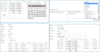
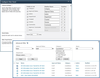
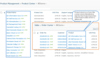
Rediscover the power of SharePoint filtering. FilterZen allows you to instantly apply better search and information drill-down to any content, List, Library or Web Part, using specialized, intelligent filters (background or interactive). With FilterZen you can dynamically filter Lists, Document Libraries, Data Views and other Web Parts on the fly, automatically or interactively, choosing from a wide range of specialized filtering mechanisms.
FilterZen's highly customizable Page Request (URL query string and more) Filters, User Filters, Date Filters, List Lookup Filters, Business Data Catalog (BDC) Filters, SQL Data Filters (for ADO.NET), Page Column Filters, Choice Filters and plain simple Text Filters get you started quickly and easily, are all smart about their current filtering context, share common useful settings and can be combined, pre- and post-filtered in a number of ways.
Maximize information value and minimize resource usage: on all SharePoint editions (including 2010 Foundation / Server, WSS 3.0 and MOSS 2007 Standard / Enterprise), create innumerable filtered Views on information and turn hours of menial customization work into minutes while saving your users large amounts of time that is no longer wasted sifting through irrelevant search results pages.
With FilterZen, creating new filtered views on data can now be as easy as setting up a new hyperlink. These simple and yet versatile building blocks empower you to give your SharePoint users more choices and faster access to relevant information, and lets you devise new, powerful solution design patterns.
FilterZen Features:
All SharePoint Editions - Works in all SharePoint editions and in all design modes. Use it with SharePoint 2010 Foundation (WSS 4.0), SharePoint 2010 Server, Windows SharePoint Services (WSS) 3.0 or Microsoft Office SharePoint Server (MOSS) 2007, Standard or Enterprise.
Absolute Infrastructure Integration - Utilizing Microsoft's own, fully supported and recommended, de-facto standard Web Part Connections protocol used by a great number of out-of-the-box and third-party components, FilterZen is fully compatible with both the browser-based Web Part Page Edit Mode and SharePoint Designer.
It's a Web Part, use it anywhere - All Web Part Pages - All List Views and Document Library Views and Forms - All Home pages - Search Results pages (in MOSS) - All pages and tabs in Document and Meeting Workspaces - All pages in Blog and Wiki web sites
Filter Everything
All SharePoint and Custom Lists, Document Libraries, Data Views and other Web Parts.
SharePoint, Third-Party or Custom Lists - Filter any columns in any of your Announcements, Contacts, Discussion Board, Links, Calendar, Tasks, Project Tasks, Issue Tracking, Survey or custom lists — whether on a Web Part page, a List Form page or even directly on a List View page.
SharePoint, Third-Party or Custom Libraries - Filter any columns in any of your Document Libraries, Form Libraries, Wiki Page Libraries, Slide Libraries or your own custom document libraries — whether on a Web Part page, a Library Form or View page.
XML / XSLT-based Data Views - Filter any columns in any of your SharePoint Designer-based or custom-coded XSLT business Data Views.
Everything Else - FilterZen integrates into the Web Part Connections infrastructure, just like the other, out-of-the-box SharePoint Filter Web Parts. Hence, whenever any given Web Part can receive filters via Connections, FilterZen can handle it.
Power-Filtering
Quick to set up, built-in diagnostics, flexible URL handling, and more...
Page Request Filters: Any URL is OK (really) - Grab multiple filter values dynamically from the Web Part Page request context: the URL query string, a single URL parameter, SharePoint-typical URL formats (think 'k'), your own custom URL path structures, posted form data, server-side variables, you name it.
List Lookup, BDC & SQL Data Filters: Mash it All Up - Grab filter values from any ADO.NET data source, Business Data Catalog (BDC) application, SharePoint List or Document Library, or have your users pick them on demand, sorted and pre-filtered by SQL query, View or custom CAML.
User Filters: Put Names to Faces - Filter based on the current user, other dynamic users, or let your visitors pick a user filter value on demand, optionally sorted and pre-filtered by View or custom CAML.
Date Filters: Take Your Time - Filter based on the current date or a pre-defined one, dynamically add or subtract time spans or let your users pick a data filter value on demand.
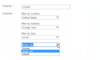
Even More Filters - Optionally Interactive - Convenient end-user interactive drop-down Choice filters, dynamic runtime Page Column filters and, naturally, the good old-fashioned, plain simple Text filters.
Across the Board: Powerful Capabilities - Temporarily disable filters - control empty value handling - fall-back filter values - pre-filter choices on other list data - post-filter: lock out certain values or all-but-some - override all Web Part or filter settings via the URL - suppress invalid filter names - dynamically generated (one-click) interactive filters.
A matter of seconds, not minutes - Roxority made the activity of creating a simple list or data view filter with FilterZen incredibly easy and fast to do. Step 1: connect the web part. Step 2: select the columns to be filtered. Step 3: go grab coffee.
Troubleshooting made easy - You know the feeling: things that Should Theoretically Work, don't. Thankfully, FilterZen's Debug Output mode and diagnostic, contextual info messages reveal which filters your setup translates to in a breeze. It's already On by default in Edit Mode.
The Upshot: FilterZen can help you unleash and harness entirely new SharePoint solution design patterns and new, powerful combinators.
FeatureFilterZen for SharePointSharePoint without FilterZen
Text FiltersSharePoint 2010 Foundation & Server
WSS & MOSSMOSS/Server Enterprise Edition only
Choice FiltersSharePoint 2010 Foundation & Server
WSS & MOSSMOSS/Server Enterprise Edition only
Date FiltersSharePoint 2010 Foundation & Server
WSS & MOSSMOSS/Server Enterprise Edition only
List Lookup FiltersSharePoint 2010 Foundation & Server
WSS & MOSS
Specify absolute, site collection-relative or web site-relative initial View URL, optionally remove duplicate values or titles, optionally specify CAML for pre-filtering and pre-sorting, optionally sort CAML-less by display column, display frequency, value column or value frequency (all ascending or descending), optionally strip internal ID;# prefixes.MOSS/Server Enterprise Edition only
Page Column FiltersSharePoint 2010 Foundation & Server,
WSS & MOSS
Optionally strip internal ID;# prefixes.MOSS/Server Enterprise Edition only
Page URL / Request FiltersSharePoint 2010 Foundation & Server,
WSS & MOSS:
URL query string parameters, URL path fragments, posted form data values, server-side variablesMOSS/Server Enterprise Edition: URL query string parameters only
User FiltersSharePoint 2010 Foundation & Server
WSS & MOSS
Optionally specify CAML for pre-filtering and pre-sorting, optionally sort CAML-less by display column, display frequency, value column or value frequency (all ascending or descending), optionally strip internal ID;# prefixes.MOSS/Server Enterprise Edition: current user only
SQL Data FiltersSharePoint 2010 Foundation & Server
WSS & MOSS
Any ADO.NET-compatible data source, including SQL Server 2000 or higher, Oracle 8.1 or higher, Access 2000 or higher, any ODBC or OLEDB database, full support for custom or third-party ADO.NET data source providersMOSS/Server Enterprise Edition: SQL Server 2005 Analysis Services cubes only
Binary Toggle (Yes/No Check Box) FiltersSharePoint 2010 Foundation & Server
WSS & MOSS
No
BDC FiltersMOSS Enterprise EditionMOSS Enterprise Edition
Business Data Item Builder Web PartFetches instance ID from any connected Web Part, or from Text Filters, Choice Filters, List Lookup Filters, Page Column Filters, Page Request Filters, User Filters, SQL Data Filters, or BDC Filters; sends entity instance or individual column values to BDC Web Parts or any other consumer Web Parts.Fetches instance ID only from URL query string parameter value, sends entity instance only to BDC Web Parts.
Send multiple filters from one Filter Web PartSharePoint 2010 Foundation & Server
WSS & MOSSNo
Select and send multiple values per filterSharePoint 2010 Foundation & Server
WSS & MOSS with full support for all filter typesMOSS/Server: Enterprise Edition only (partially)
Dynamically generate on-the-fly all interactive filter controls, optimally pre-configured for all filterable Columns of the connected List ViewSharePoint 2010 Foundation & Server
WSS & MOSSNo
Create with one click the right filter, optimally pre-configured for the selected filterable column of the connected List ViewSharePoint 2010 Foundation & Server
WSS & MOSSNo
Override most Web Part and Filter settings with URL parametersSharePoint 2010 Foundation & Server
WSS & MOSSNo
Remember last filter value used for each userSharePoint 2010 Foundation & Server
WSS & MOSSNo
Interactive filter controls caption label and CSS styles customizableSharePoint 2010 Foundation & Server
WSS & MOSS: fully supported and documentedMOSS/Server Enterprise Edition: only limited support, not documented
Built-in, high-resolution filter diagnostics and debug outputSharePoint 2010 Foundation & Server
WSS & MOSSNo
Filter name (internal Column name) finder toolSharePoint 2010 Foundation & Server
WSS & MOSS: all Filter typesNo
Enable and disable filters easilySharePoint 2010 Foundation & Server
WSS & MOSS: all Filter typesNo
Complete control over Empty, All and Default filter valueSharePoint 2010 Foundation & Server
WSS & MOSS: all Filter typesMOSS/Server: Enterprise Edition only
Fallback filter value to replace Empty filter valueSharePoint 2010 Foundation & Server
WSS & MOSS: all Filter typesNo
Filter value black-listing or white-listingSharePoint 2010 Foundation & Server
WSS & MOSS: all Filter typesNo
Pre-filter pickable choices according to List dataSharePoint 2010 Foundation & Server
WSS & MOSS: Choice, List Lookup, SQL Data, User and BDC FiltersNo
Cascading drop-down and multi-selection filters (ie. pickable choices in filter B are limited depending on user-picked choices for filter A)SharePoint 2010 Foundation & Server
WSS & MOSS: Choice, List Lookup, SQL Data, User and BDC FiltersNo
Rediscover the Power of SharePoint Filtering.
Evals & Downloads: Read the FilterZen help file, Read the FilterZen End User License Agreement (English), Read the FilterZen End User License Agreement (German)
Operating System for Deployment: Windows 7, Windows Server 2008, Windows Vista, Windows Server 2003
Architecture of Product: 32Bit, 64Bit
Product Type: Component, Add-In
Component Type: ASP.NET WebForms, Web Part, 100% Managed Code
Built Using: Visual C# .NET
Compatible Containers: Microsoft Visual Studio 2008, Microsoft Visual Basic 2008, Microsoft Visual C++ 2008, Microsoft Visual C# 2008, Microsoft Office 2010, Microsoft Office 2007, Microsoft Office 2003, Microsoft SQL Server 2008, Microsoft SQL Server 2005, Microsoft Internet Information Server 6.0, Microsoft SharePoint 2010, Microsoft SharePoint 2007, Microsoft Office SharePoint Server (MOSS), Microsoft Windows SharePoint Services, Microsoft Internet Explorer 8.0, Microsoft Internet Explorer 7.0, Microsoft Internet Explorer 6.0, .NET Framework 3.5, .NET Framework 3.0
Keywords: FilterZen Filter Zen filtering filters sharepoint wss moss filter webpart
Roxority
Document documents docs files filing storage manage manages management