Visualiza datos con diagramas interactivos
Convierte estructuras complejas como organigramas y flujos de trabajo en visualizaciones claras, dinámicas y fáciles de actualizar y comprender.
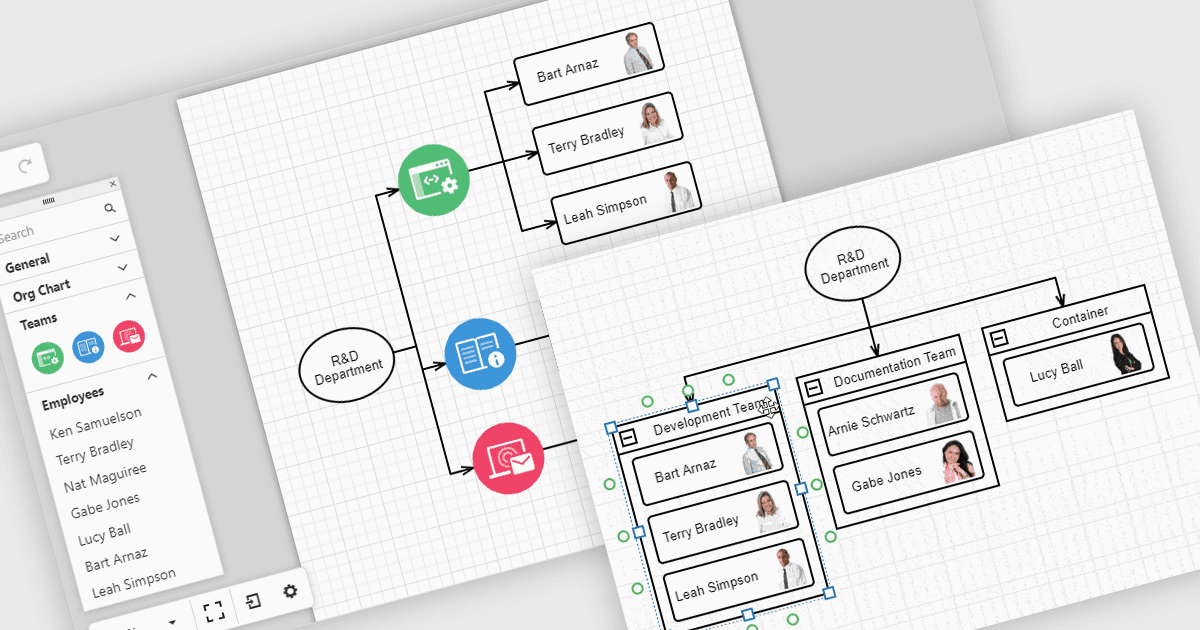
Los diagramas en las interfaces de las herramientas ayudan a convertir datos complejos en visualizaciones fáciles de entender con las que los equipos pueden interactuar. Por ejemplo, los organigramas muestran la estructura de una empresa y las líneas de reporte en un diseño que se puede actualizar automáticamente a partir de los datos de RR. HH. Estos diagramas se pueden expandir, contraer o reorganizar con herramientas de arrastrar y soltar, lo que facilita comprender las relaciones entre equipos y mantener la información al día. Los diagramas también se pueden usar para flujos de trabajo, árboles de decisión y mapas de red, proporcionando a los equipos una forma clara y flexible de presentar y gestionar información.
Varios conjuntos de UI de React ofrecen controles de diagramas, incluyendo:
- DevExtreme Complete de DevExpress te permite crear diagramas interactivos, incluidos organigramas, flujos de procesos y estructuras de red, con diseños responsivos.
- SmartClient de Isomorphic Software facilita el diagramado avanzado, con soporte para organigramas jerárquicos, árboles de decisión y visualizaciones de flujos de trabajo.
- Syncfusion Essential Studio Enterprise te permite crear diagramas completos con enlace de datos, diseños automáticos y edición interactiva para diversas aplicaciones empresariales.
Para un análisis en profundidad de funciones y precio, visita nuestra comparación de conjuntos de UI de React.