













Proveedor oficial
Como distribuidores oficiales y autorizados, le suministramos licencias legítimas directamente de más de 200 editores de software.
Ver todas nuestras marcas.

Image conversion is a vital capability in modern software applications, enabling seamless transformation between various image formats to meet diverse requirements. This functionality supports tasks such as resizing, compressing, and adjusting color depth, ensuring images are optimized for specific use cases. Whether preparing visuals for web or mobile platforms to enhance performance and load times, standardizing images for machine learning models to maintain dataset consistency, or providing flexibility in editing tools for saving images in different formats, image conversion streamlines workflows and enhances application versatility.
Several .NET imaging components offer conversion including:
Explore our range of .NET image conversion components.
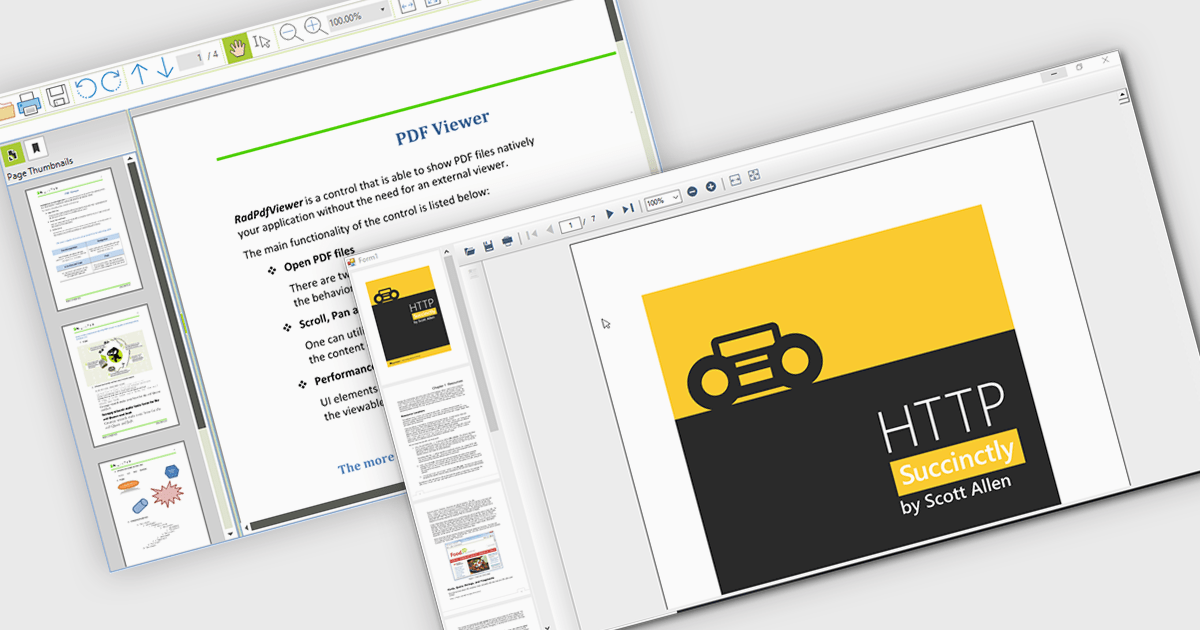
Thumbnail navigation empowers users to navigate PDF documents with greater speed and ease by offering a visual preview of individual pages in a compact thumbnail view. This feature significantly improves the user experience by presenting a clear overview of the document’s structure, allowing users to quickly locate and access specific pages. By minimizing the time and effort needed to find content, especially in lengthy documents, thumbnail navigation enhances productivity and streamlines document interaction.
Several WinForms PDF Viewers feature thumbnail navigation support, including:
For an in-depth analysis of features and price, visit our WinForms PDF Viewer comparison.

Microsoft has released .NET 9, the latest version of its popular development platform, featuring a suite of improvements aimed at boosting performance, developer productivity, and cross-platform flexibility. Key highlights include native AOT (Ahead of Time) compilation for faster startup times and reduced memory usage, enhanced container support for streamlined deployment on Docker and Kubernetes, and expanded AI capabilities with updated ML.NET tools and support for ONNX (Open Neural Network Exchange) models. These advancements make .NET 9 a powerful choice for cloud-native, AI-enhanced, and cross-platform applications.
C# 12 is included with new syntax features that simplify coding and reduce boilerplate, while ASP.NET Core and Blazor updates improve web development experiences. Blazor enhancements enable highly interactive web UIs with C#, while ASP.NET Core now offers more efficient middleware and better support for real-time applications. Updates to MAUI (Multi-platform App UI) extend capabilities for cross-platform development, giving developers more tools for creating mobile and desktop applications from a single codebase.
.NET 9 brings new AI capabilities that simplify the integration of machine learning into applications, with updated ML.NET tools and enhanced support for ONNX models, enabling developers to implement image recognition, natural language processing, and predictive analytics more easily. Improved workflows for model training and edge inferencing allow real-time AI processing on local devices, reducing latency. Coupled with the native AOT compilation, these enhancements make AI-driven .NET applications faster and more efficient, opening up streamlined possibilities for intelligent, responsive applications across platforms.
.NET 9 is a powerful upgrade that boosts app performance and deployment flexibility, especially for developers working with cloud, web, and cross-platform applications. Though not a Long Term Support release, it sets the stage for .NET 10, offering early access to features that will shape the framework's future.
View the official Microsoft blog for all the details, including a link to download .NET 9.

A checksum is a single digit or character added to the end of a barcode string that serves to verify the accuracy of the information encoded. It's calculated using a mathematical formula applied to the barcode data and is used to detect errors that may occur during data entry, scanning, or transmission. By recalculating and comparing the checksum during scanning, systems can identify whether the barcode was read accurately, enhancing data integrity and reliability. If the calculated checksum doesn't match the one encoded in the barcode, the scanner can identify and flag the error. This error-checking mechanism is useful for preventing potential issues such as incorrect product identification or inventory discrepancies. Using checksums increases the efficiency and accuracy of operations, particularly in environments with high-volume scanning, such as retail, logistics, and inventory management.
Several .NET barcode components include checksum support, such as:
Explore our range of .NET barcode components with checksum support.
Need help to find the right software license, upgrade or renewal? Call, Email, or Live Chat with our experts.

Spell checking controls are tools within software applications that automatically identify and correct spelling errors. They offer features like real-time error detection, context-aware suggestions, autocorrect, and customizable dictionaries for specialized terms. These tools enhance communication quality, reduce documentation errors, and improve the professionalism of written content. Spell checking controls are essential in word processors, content management systems, and any platform where clear, accurate text is crucial.
Several .NET spell checkers can highlight misspelled words with red underlines including:
Explore our range of .NET spell checker controls within Input and Validation Components.
Need help to find the right software license, upgrade or renewal? Call, Email, or Live Chat with our experts.
Tel: (888) 850 9911
Fax: +1 770 250 6199


