













Proveedor oficial
Como distribuidores oficiales y autorizados, le suministramos licencias legítimas directamente de más de 200 editores de software.
Ver todas nuestras marcas.
GroupDocs.Metadata for .NET is a powerful API that grants developers granular control over the hidden information within various document formats, like Word, Excel, PDFs, and even images and audio. It seamlessly enables reading, editing, and removal of metadata properties, empowering you to organize, categorize, and extract valuable insights from your file collection with ease. This metadata manipulation capability unlocks enhanced document searchability, automated classification, and streamlined information retrieval, boosting the efficiency and organization of your data ecosystem.
The GroupDocs.Metadata for .NET V24.3 release adds support several GIS formats including SHP, GEOJSON, TOPOJSON, GML, OSM, KML and GPX. This allows you to extract and analyze geospatial data embedded within these document formats such as property boundaries, transportation networks, or environmental features.
To see a full list of what's new in V24.3, see our release notes.
GroupDocs.Metadata for .NET is offered as Developer Small Business, Developer OEM, Site Small Business, and Site OEM licenses catering to a range of business needs. Licenses are perpetual, and include 1 year of support and maintenance. Subscription renewals are also available. See our GroupDocs.Metadata for .NET licensing page for full details.
GroupDocs.Metadata for .NET is available in the following products:
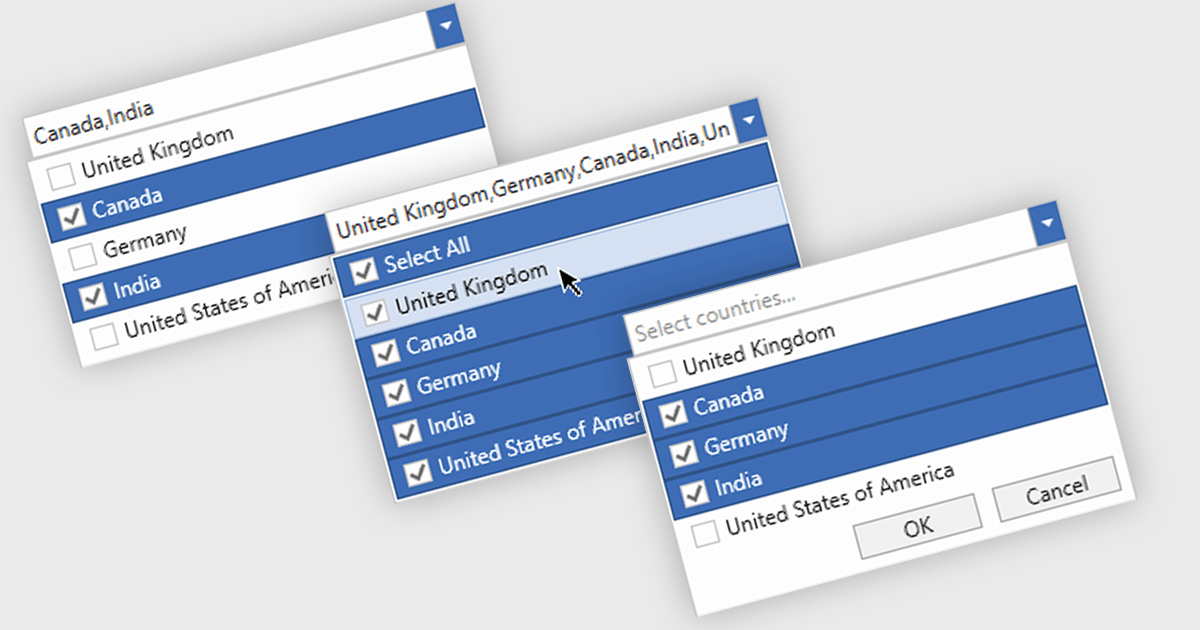
Checked combobox controls are data editor user interface elements that allow users to select multiple options from a dropdown list while visually indicating their choices through checkboxes. These controls provide developers with a convenient way to implement multi-select functionality within their applications, enhancing the user experience by offering intuitive selection methods. By integrating checked combobox controls, developers can streamline data entry processes, improve usability, and increase productivity within their software applications, ultimately leading to more efficient and user-friendly interfaces.
Many .NET WPF Data Editor collections contain checked combobox components including:
For an in-depth analysis of features and price, visit our comparison of .NET WPF Data Editors.
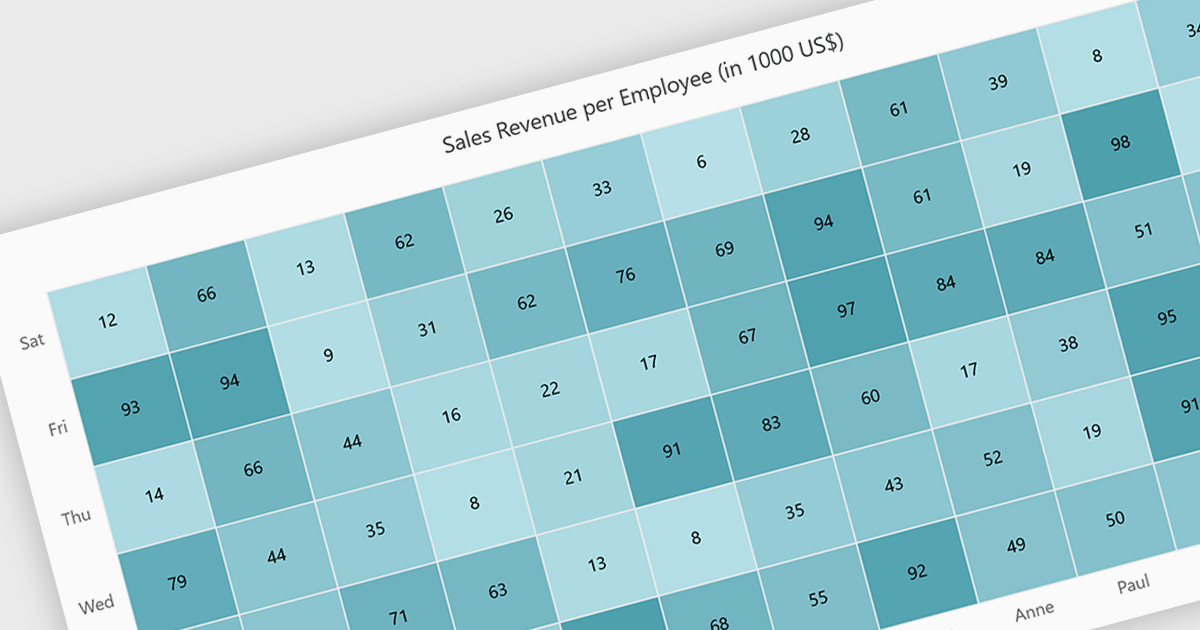
A heatmap is a data visualization tool that uses color intensity to represent magnitude within a dataset. This allows for quick identification of patterns and trends across two variables, depicted on the map's axes. Heatmaps are valuable for analyzing geographic data, user website interaction, and any other scenario where you need to visually grasp the distribution of data points.
Several Blazor chart controls offer Heatmaps including:
For an in-depth analysis of features and price, visit our Blazor chart controls comparison.
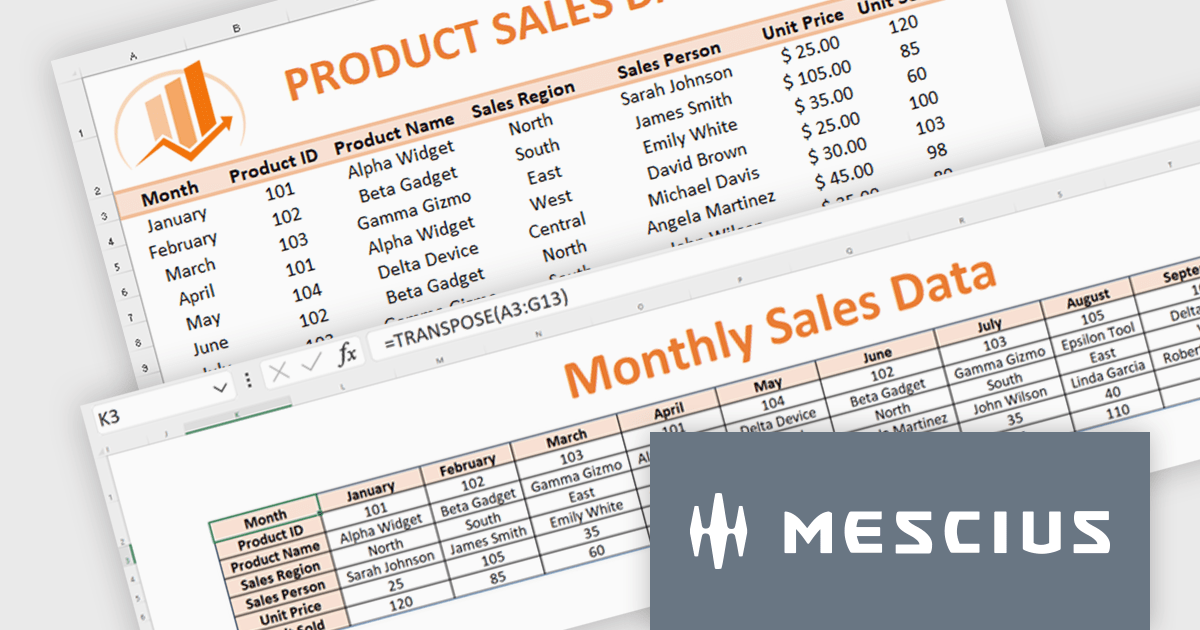
Document Solutions for Excel, .NET Edition (DsExcel, previously GcExcel) is a high-speed, small-footprint, server-side spreadsheet API that requires no dependencies on Excel. With full .NET support, you can generate, load, modify, and convert spreadsheets in .NET, .NET Framework, .NET Core, Mono, and Xamarin. Apps using the spreadsheet API can be deployed to cloud, Windows, Mac, or Linux. Its powerful calculation engine and breadth of features means you'll never have to compromise design or requirements. The interface-based API is modeled on Microsoft Excel's document object model which means you can import, calculate, query, generate, and export any spreadsheet scenario.
Formulas and functions play an important role in data analysis. Microsoft Excel provides a range of functions that simplify the extraction of key metrics during data analysis. In this pair of blog posts from MESCIUS, Software Engineer Prabhat Sharma demonstrates how to use DsExcel to implement Excel functions and other Excel-like functionalities.
Part 1 of the blog shows you how to drill into sales data and integrate the following functions:
Part 2 of the blog digs into monthly budget data to show you how to use:
Document Solutions for Excel is licensed per developer for either one distribution location or unlimited distribution locations. Licenses are perpetual, and include a one year subscription for all software releases (including hotfixes and major releases) plus Platinum Support. See our Document Solutions for Excel, .NET Edition licensing page for full details.
Learn more about Document Solutions for Excel, .NET Edition.

LEADTOOLS Document Suite is a comprehensive set of powerful document imaging SDKs designed to facilitate document processing and management tasks within software applications. It offers developers advanced capabilities for tasks such as OCR (Optical Character Recognition), barcode recognition, PDF manipulation, document conversion, annotation, and more. Leveraging this suite, developers can seamlessly integrate sophisticated document functionality into their software solutions, enabling efficient handling of various document formats and improving productivity in document-centric workflows.
The LEADTOOLS Document Suite SDK v23 update ushers in a new era of streamlined document management and enhanced productivity. The integration of the Excel API and Excel Web Editor empowers developers to seamlessly manipulate Microsoft Excel documents directly within their applications, regardless of platform. The Excel API offers programmatic control over Excel files, enabling efficient extraction, modification, and creation, while the Excel Web Editor fosters real-time collaborative editing within web applications. These powerful additions not only streamline document workflows but also equip developers with a comprehensive suite of Excel editing functionalities within the LEADTOOLS Document Suite ecosystem.
To see a full list of what's new in v23, see our release notes.
LEADTOOLS Document Suite SDK is licensed as Development Licenses, for developers to use the SDKs, and Deployment Licenses, for the right to distribute end user solutions. See our LEADTOOLS Document Suite SDK licensing page for full details.
Learn more on our LEADTOOLS Document Suite SDK product page.
Tel: (888) 850 9911
Fax: +1 770 250 6199


