













Proveedor oficial
Como distribuidores oficiales y autorizados, le suministramos licencias legítimas directamente de más de 200 editores de software.
Ver todas nuestras marcas.

IPWorks VoIP is a comprehensive library designed to simplify the integration of Voice over Internet Protocol (VoIP) capabilities into applications. It offers components that support common Session Initiation Protocol (SIP) and Interactive Voice Response (IVR) operations, enabling developers to create advanced Computer Telephony Integration (CTI) solutions. Key features include making and receiving calls, call recording and playback, text-to-speech functionality, conference call management, and both blind and attended call transfers. The library also supports creating custom IVR menus, facilitating automated call routing and customer self-service applications. With compatibility across various platforms and technologies, IPWorks VoIP provides a uniform and extensible design that streamlines the development of secure and efficient telephony applications.
IPWorks VoIP is licensed per developer and is available as a Perpetual License with a 12 month support and maintenance subscription. See our IPWorks VoIP licensing page for full details.
IPWorks VoIP is available to buy in the following products:
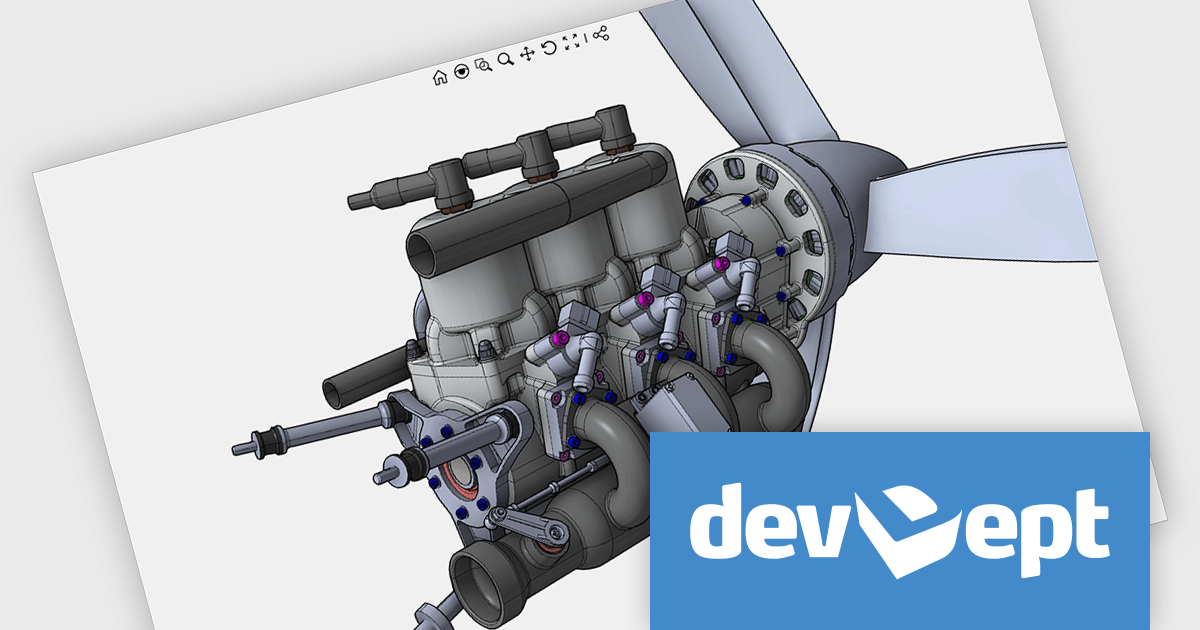
Eyeshot by devDept Software empowers you to integrate robust CAD functionalities into your .NET applications. Supporting both Windows Forms and WPF natively, it offers a comprehensive suite of tools accessible through the Visual Studio toolbox. These include design for 2D/3D geometry creation and editing, drawing for automatic 2D view generation, simulation for geometry validation, and manufacture for CNC toolpath generation and simulation.
The Eyeshot 2025 release introduces Assembly Mates, enabling developers to define geometric relationships between components in a 3D assembly. As each mate is added, it restricts specific degrees of freedom, guiding how parts can move or rotate relative to each other. This makes it possible to simulate and visualize mechanical behavior in real time, offering a clearer understanding of component interaction before finalizing design constraints. By integrating mates directly into the modeling workflow, Eyeshot now supports a more dynamic and precise assembly modeling experience for engineering and CAD applications.
To see a full list of what's new in version 2025, see our release notes.
Eyeshot is licensed per developer and is available as an annual license, with either Lite or Priority support. See our licensing pages for Eyeshot Pro, Eyeshot Ultimate, and Eyeshot Fem for full details.
Eyeshot is available to buy in the following products:
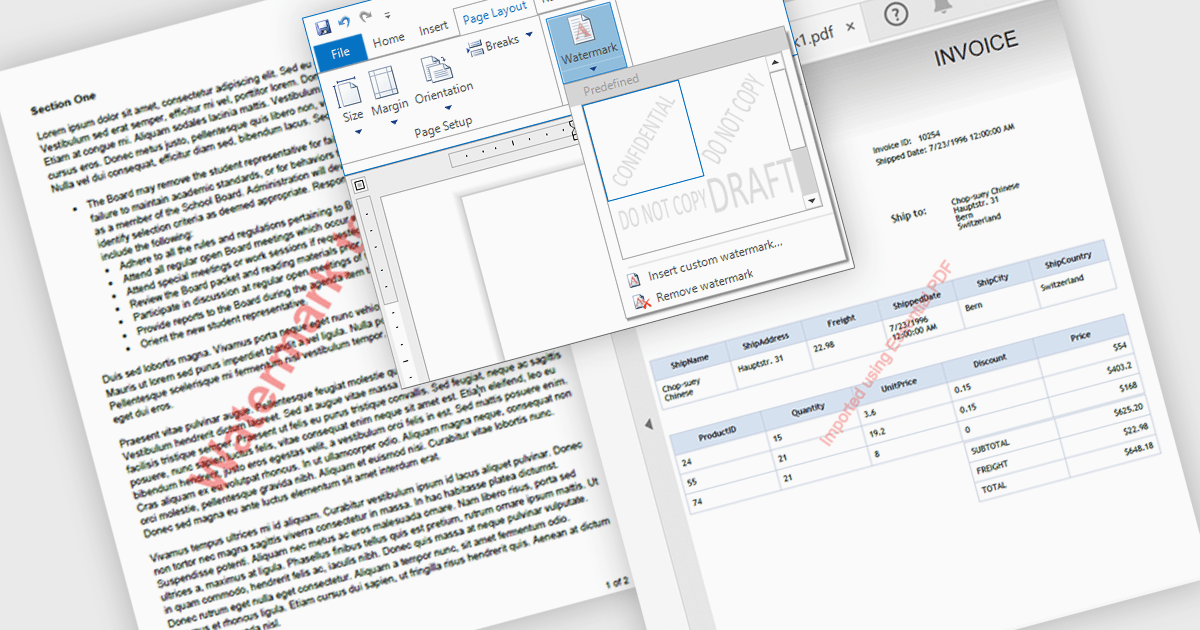
Watermarks in PDFs are semi-transparent text or image overlays that serve as a security and branding tool by marking documents with identifying information. They help protect intellectual property, prevent unauthorized distribution, and reinforce authenticity by displaying ownership, confidentiality, or document status (e.g., "Draft," "Confidential," or "Approved"). Watermarking also enhances professionalism by incorporating company logos or copyright notices. Common use cases include securing legal contracts, corporate reports, research papers, and sensitive business documents to ensure proper handling and compliance. By integrating customizable watermarking, organizations can maintain control over their digital documents while preserving readability and usability.
Several .NET WPF PDF components allow you to add watermarks, including:
For an in-depth analysis of features and price, visit our comparison of .NET WPF PDF components.

ActiveReports.NET helps you deliver beautiful reports with intuitive Visual Studio integrated report designers and rich controls. It provides code-based cross-platform reporting, easy-to-use designers, and a flexible API, enabling you to design and deliver powerful reports with intuitive, reliable, and user-friendly report designers and controls.
In this blog post, MESCIUS Product Manager Alec Gall shows you how to use ActiveReports to drill through from one report to another in your .NET application. Steps include:
Detailed source code is completed and there is even a video that you can watch as you go through the steps.
Read the complete blog and begin providing a seamless way to navigate between related datasets in your .NET applications.
ActiveReports.NET is licensed per developer and is available with or without a 12 month support and maintenance subscription. See our ActiveReports.NET licensing page for full details.
Learn more on our ActiveReports.NET product page.
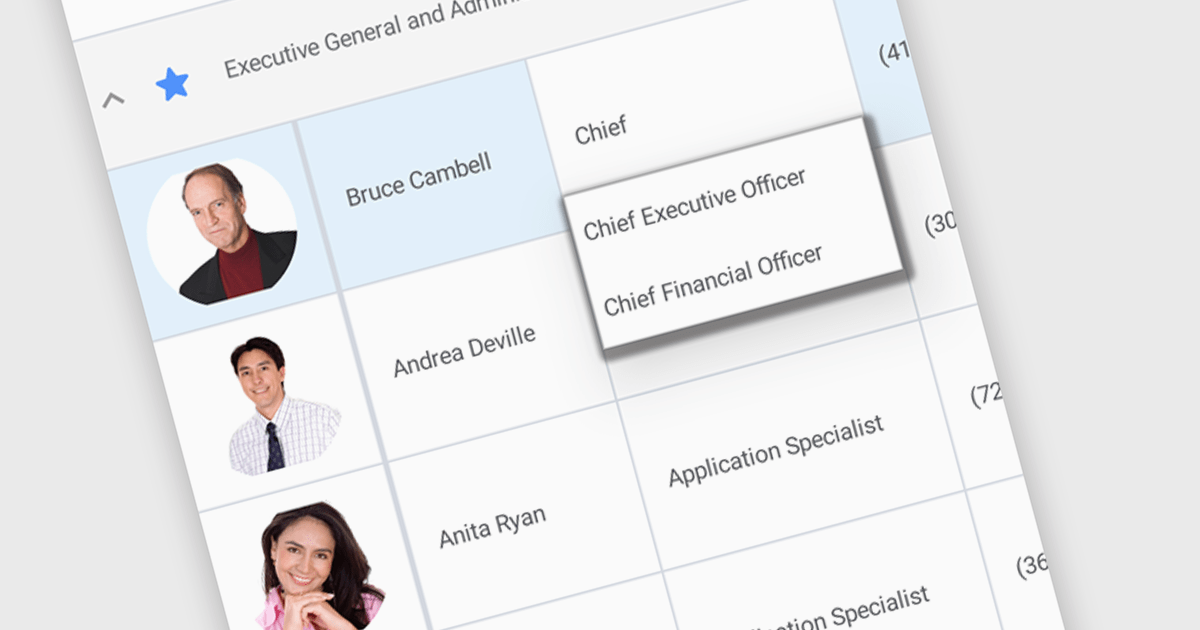
An AutoComplete cell type in a grid control facilitates efficient data entry by providing predictive suggestions as users type, drawing from a predefined data source to minimize errors and enhance user experience. This functionality, often implemented via lookup editors, custom cell editors, or event handling, streamlines data input by displaying a dropdown list of matching values, allowing for quick selection and reducing typing effort, ultimately contributing to faster and more accurate data management within the application.
Several .NET WinForms grid controls enable the AutoComplete cell type including:
For an in-depth analysis of features and price, visit our WinForms grid controls comparison.
Tel: (888) 850 9911
Fax: +1 770 250 6199


