













Proveedor oficial
Como distribuidores oficiales y autorizados, le suministramos licencias legítimas directamente de más de 200 editores de software.
Ver todas nuestras marcas.
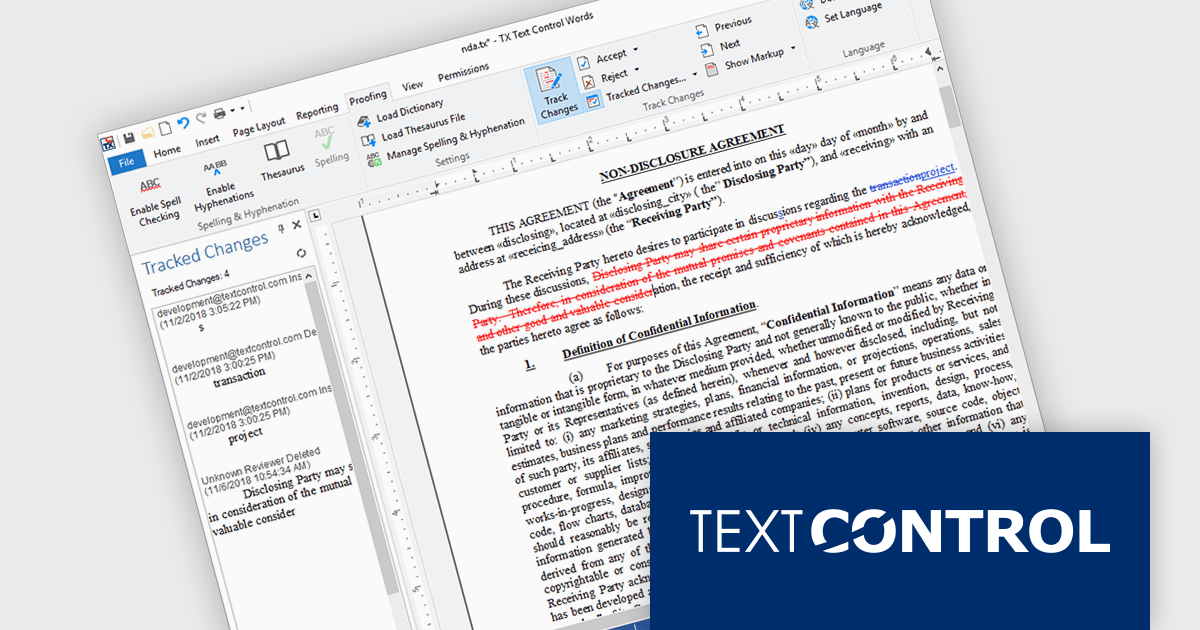
TX Text Control .NET Server for ASP.NET is a server-side component that equips your web applications with a powerful, Microsoft Word-compatible document editor. This allows you to develop applications that generate and edit various document formats (RTF, DOCX, PDF, etc.) on the fly, using data from databases or files. It also includes features like PDF generation and a browser-based editor with a familiar MS Word-inspired interface, ultimately enhancing the document processing capabilities of your web applications.
TX Text Control .NET Server for ASP.NET allows multiple authors to review and manage document edits. This feature is particularly useful in contexts like legal or healthcare, where it's important to keep a detailed record of changes. A sidebar shows each modification along with metadata such as the timestamp, change type, text position, content, highlight color, and author name. The functionality is fully accessible through the TX Text Control .NET Server API, giving developers control over how changes are processed and displayed.
TX Text Control .NET Server for ASP.NET is licensed per developer and is available as a Perpetual License with a 12 month support and maintenance subscription. Run time licenses are required for the deployment to production servers. See our TX Text Control .NET Server for ASP.NET licensing page for full details.
For more information, visit our TX Text Control .NET Server for ASP.NET product page.
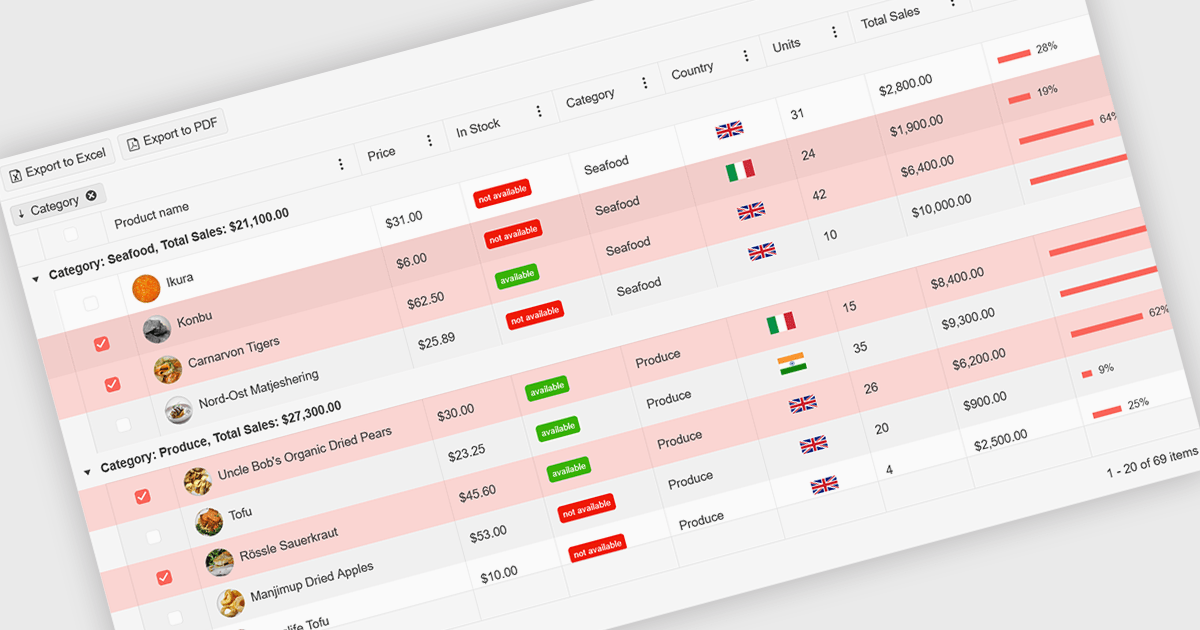
A ListBox is a user interface control that displays a collection of items, allowing users to select one or multiple entries. It supports seamless data binding, customizable item templates, and efficient performance with built-in scrolling and virtualization for large datasets. With keyboard, mouse, and accessibility support, it delivers an intuitive experience for all users. Common use cases include product catalogs, settings management, filtering datasets, and multi-item selection in forms or dashboards.
Here are some examples of ASP.NET MVC data editors collections that include a ListBox:
For an in-depth analysis of features and price, visit our comparison of ASP.NET MVC data editors.
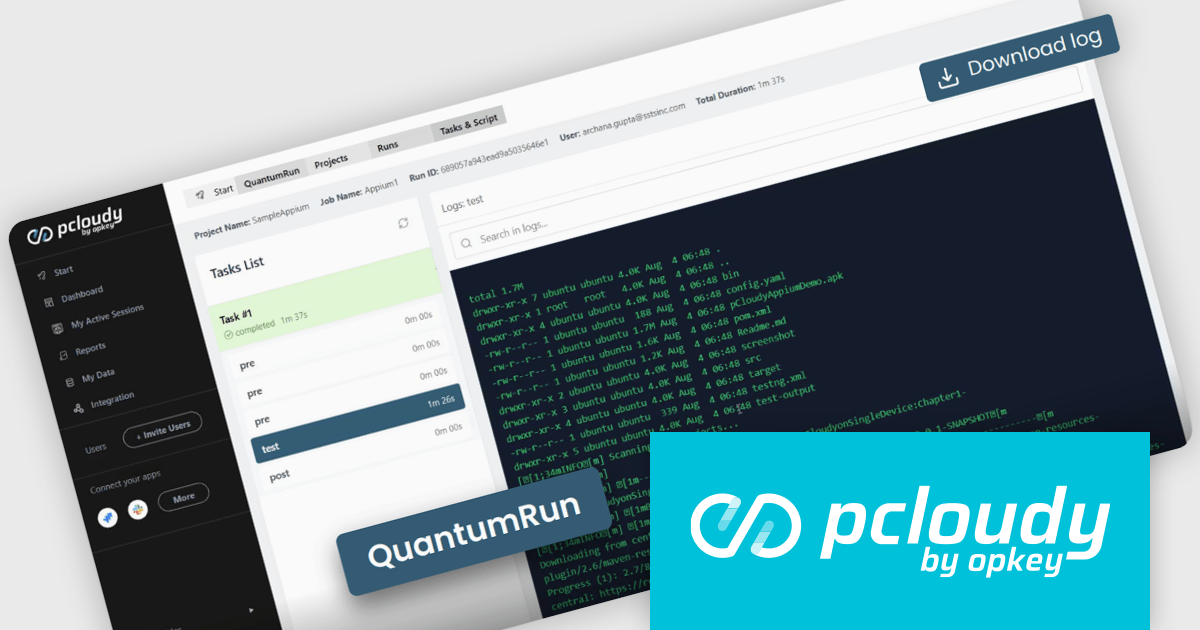
Pcloudy is a mobile app testing platform that provides access to a wide range of real devices hosted in the cloud. Designed to support both manual and automated testing, it enables developers and quality assurance teams to validate their apps across different devices, operating systems, and network conditions without needing a physical lab. Pcloudy integrates with popular tools like Appium, Jenkins, and various CI/CD pipelines, making it suitable for agile development environments. Its features include live device access, automated test execution, performance monitoring, and in-depth debugging tools such as logs, screen recordings, and screenshots.
The Pcloudy 7.6 update introduces QuantumRun, an AI-powered test orchestration engine designed to remove execution bottlenecks by automatically mapping tests to available infrastructure, optimizing scheduling, and running tests in parallel wherever possible. This ensures higher device utilization, reduces idle time, and eliminates the need for manual intervention in test execution workflows. For software developers, this means faster and more efficient test runs, shorter feedback cycles, and the ability to scale testing without adding operational complexity, ultimately improving productivity and release velocity.
To see a full list of what's new in 7.6, see our release notes.
Pcloudy is offered as a 1 Year Subscription, licensed per user, per parallel session. Licenses are available for Manual or Automated Testing, for Web or Mobile. See our Pcloudy licensing page for full details.
For more information, visit our Pcloudy product page.
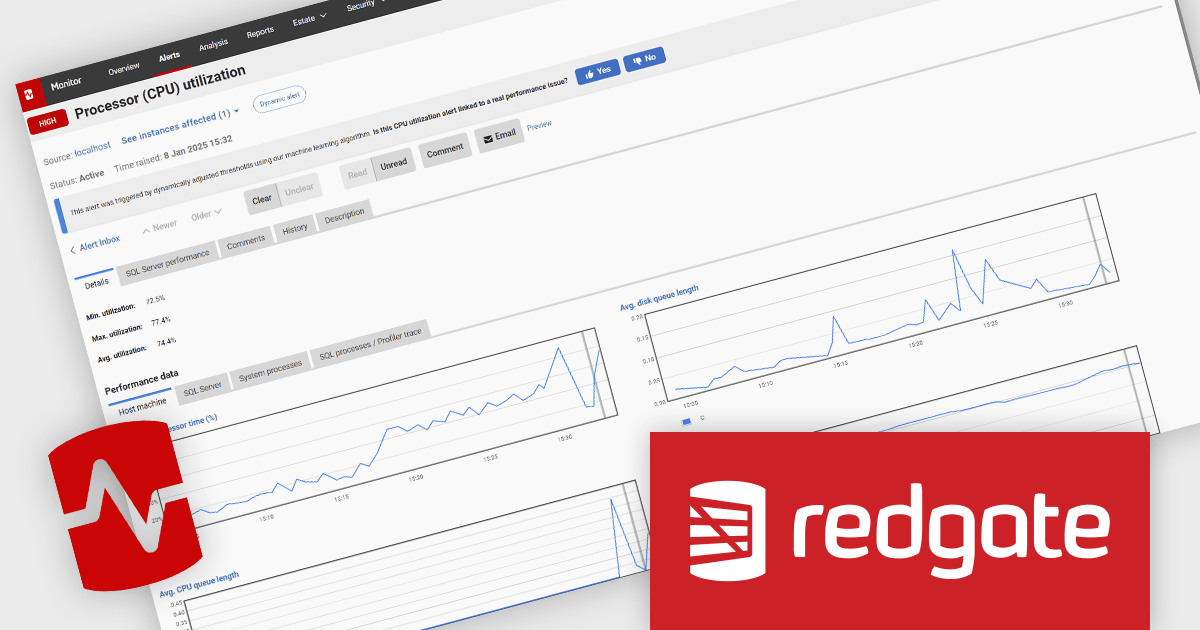
Redgate Monitor (formerly known as SQL Monitor) is a database monitoring tool that helps users quickly identify and fix performance problems on a variety of platforms, including SQL Server and PostgreSQL. It provides real-time monitoring, alerting, root cause analysis, and performance tuning recommendations. Redgate Monitor can be used by DBAs, developers, and operations teams to improve the performance of their databases.
Redgate Monitor uses Dynamic Alerting on Processor (CPU) utilization to automatically adjust alert thresholds based on historical usage patterns, ensuring that notifications are raised only when CPU behavior deviates significantly from expected norms. This approach reduces the need for manual threshold configuration, minimizes false positives from predictable workload spikes, and helps teams focus on diagnosing and resolving performance issues. By adapting to workload fluctuations and running all analysis locally to maintain data privacy, it supports more efficient, accurate, and scalable performance monitoring across diverse environments.
Redgate Monitor is licensed per server on an annual subscription basis. See our Redgate Monitor licensing page for full details.
For more information, visit our Redgate Monitor product page.
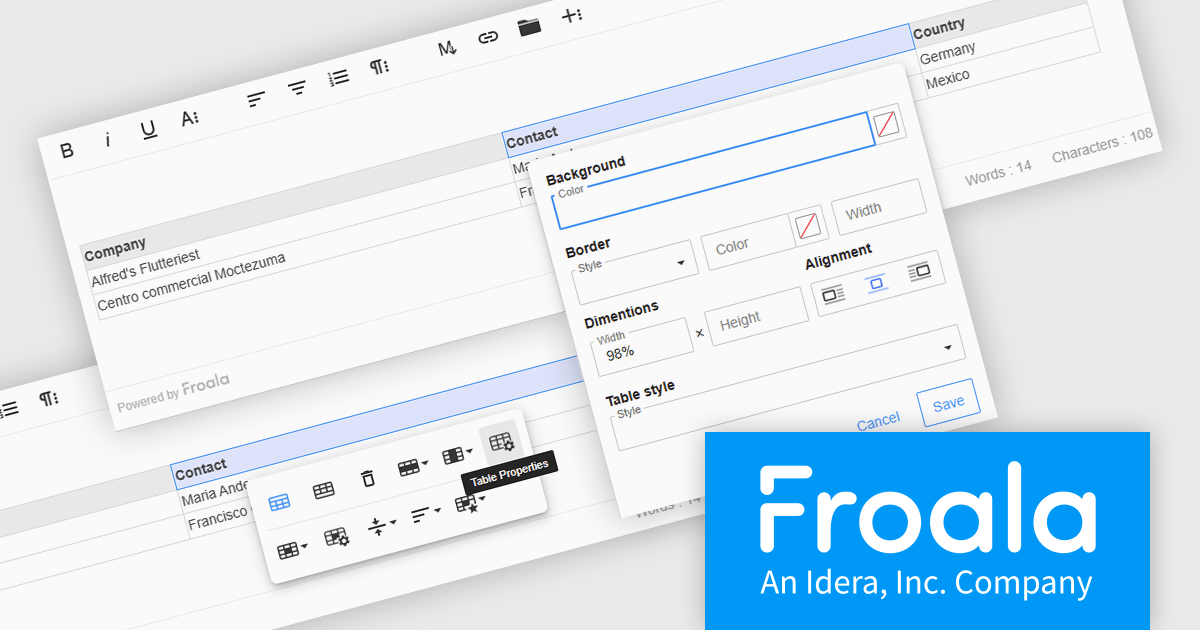
Froala Editor is a JavaScript-based WYSIWYG HTML editor that empowers developers to seamlessly integrate rich text editing functionalities into their applications. Despite its extensive feature set of over 100 options, Froala prioritizes user experience through a cleverly designed toolbar. Actions are categorized into four intuitive scopes, ensuring every feature is readily accessible while maintaining a clean and uncluttered interface. This balance of power and usability makes Froala Editor a versatile solution for a wide range of content creation scenarios.
The Froala Editor 4.6.0 update introduces a highly configurable Table Properties modal that brings detailed table customization into a single, accessible interface. Activated via the table toolbar, this modal lets users set background colors using a color picker that supports both RGB and hex values, applying changes uniformly across all cells. Table borders can now be precisely styled with user-defined color, thickness, and style options such as solid, dotted, dashed, and more. Users can also define table width and height in pixels or percentages, ensuring responsive layouts that adapt to various screen sizes. Alignment controls allow tables to be positioned left, center, or right within the content area. For enhanced readability, especially in data-intensive scenarios, alternating row colors can be toggled on or off to visually separate content. This update gives developers and content creators the granular control needed to create well-structured and visually consistent tables.
To see a full list of what's new in 4.6.0, see our release notes.
Froala Editor is licensed per product and domain. It is available as an annual or perpetual license with version upgrades and support. See our Froala Editor licensing page for full details.
For more information, visit our Froala Editor product page.
Tel: (888) 850 9911
Fax: +1 770 250 6199


