













Proveedor oficial
Como distribuidores oficiales y autorizados, le suministramos licencias legítimas directamente de más de 200 editores de software.
Ver todas nuestras marcas.

AimBetter is a comprehensive performance monitoring and optimization platform designed for database management systems (DBMS). It provides real-time diagnostics and analytics, allowing IT professionals to identify and resolve performance issues quickly and efficiently. By offering detailed insights into database operations, AimBetter enhances system stability, boosts performance, and reduces downtime. The platform supports various database environments and integrates seamlessly with existing infrastructure, ensuring continuous monitoring and proactive management. Its user-friendly interface and advanced alerting mechanisms enable prompt action on critical issues, thereby optimizing resource utilization and improving overall operational efficiency.
The new AimBetter November 2024 update introduces Single Sign-On (SSO) authentication, streamlining user access by enabling a single, secure login across all authorized applications, eliminating the need to manage multiple passwords. This update enhances security by centralizing authentication, reducing the risks associated with weak or reused passwords. Ideal for organizations with multiple systems and platforms, SSO simplifies the login process, saves time, and supports efficient user management for IT teams. This feature directly addresses customer needs for a more convenient, secure, and unified experience, making it easier than ever to access critical tools within AimBetter.
To see a full list of what's new in the November 2024 update, see our release notes.
AimBetter is licensed per instance/per year with different plans available dependent on the services you require. See our AimBetter licensing page for full details.
Learn more on our AimBetter product page.
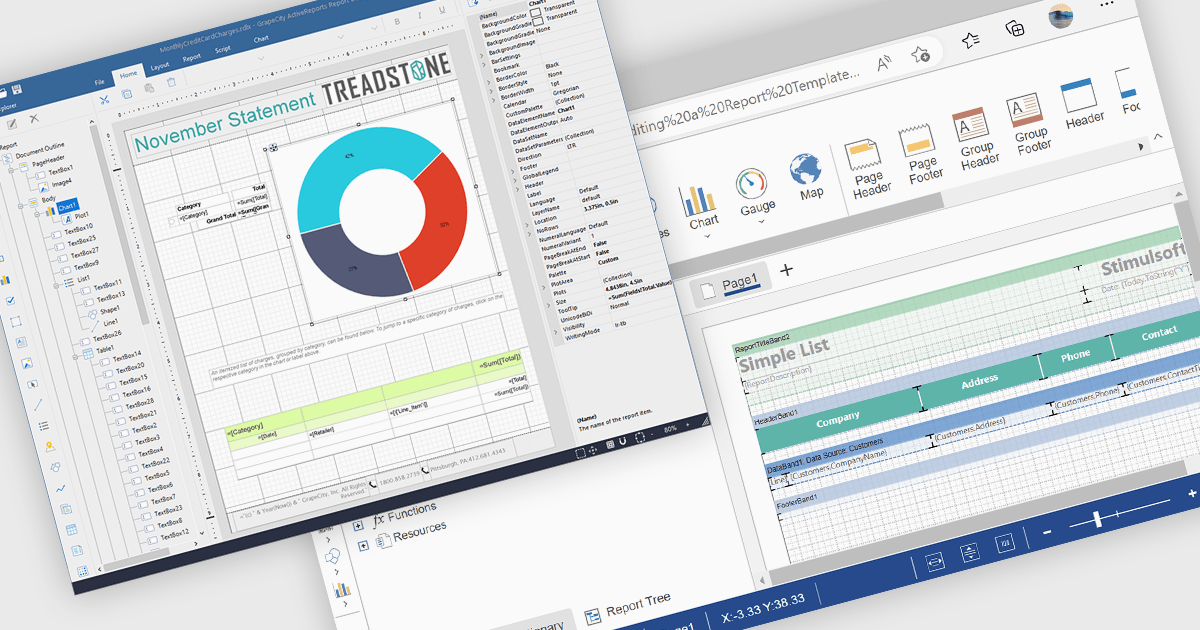
A Visual Report Designer in a reporting control enables users to create and customize data-rich reports through an intuitive, drag-and-drop interface. With ready-to-use templates, interactive elements, and direct data binding, it simplifies report creation while maintaining professional quality. Key benefits include real-time data updates, brand customization, and interactive filters, making it ideal for business intelligence tasks like financial dashboards, performance reports, and analytics summaries. This feature empowers teams to generate insights quickly and make data-driven decisions with ease.
Several Angular reporting controls offer visual report designer support including:
For an in-depth analysis of features and price, visit our Angular Reporting Controls comparison.
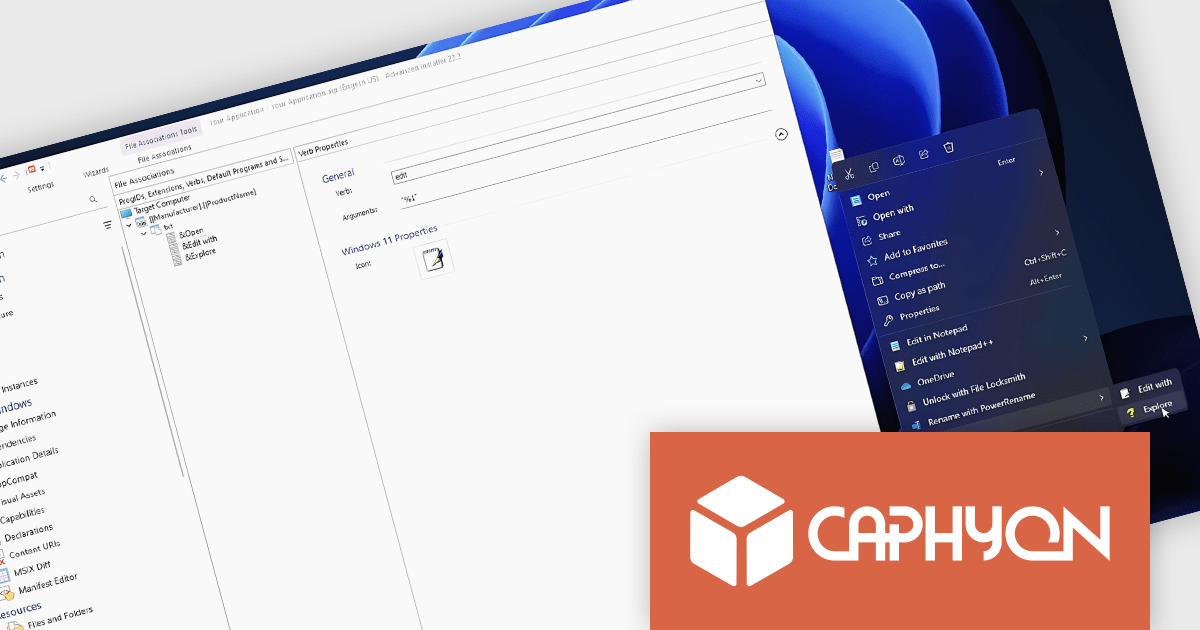
Advanced Installer by Caphyon is a powerful and versatile Windows installer authoring tool that enables developers and IT professionals to create professional-grade installation packages for their software applications. It offers a comprehensive set of features for building installers that are reliable, efficient, and compliant with industry standards.
The Advanced Installer V22.2 release includes a new nested context menu feature for file associations in MSI packages, making file type management simpler and improving navigation. This enhancement allows developers to organize file actions into submenus, reducing menu clutter and delivering a cleaner, more intuitive experience for users. Ideal for applications with multiple file types, this update provides quick access to relevant actions, supports flexible customization, and ensures a consistent user experience across installations.
To see a full list of what's new in version V22.2, see our release notes.
Advanced Installer is licensed per user and is available as an annual or perpetual license with 1 year support and maintenance. See our Advanced Installer licensing page for full details.
For more information, visit our Advanced Installer product pages:

Spell checking controls are tools within software applications that automatically identify and correct spelling errors. They offer features like real-time error detection, context-aware suggestions, autocorrect, and customizable dictionaries for specialized terms. These tools enhance communication quality, reduce documentation errors, and improve the professionalism of written content. Spell checking controls are essential in word processors, content management systems, and any platform where clear, accurate text is crucial.
Several .NET spell checkers can highlight misspelled words with red underlines including:
Explore our range of .NET spell checker controls within Input and Validation Components.
Need help to find the right software license, upgrade or renewal? Call, Email, or Live Chat with our experts.

Spread.NET by MESCIUS is a versatile spreadsheet component for .NET applications, enabling developers to integrate Excel-compatible functionalities into Windows Forms, WPF, ASP.NET, and Blazor. With features like advanced data visualization, pivot tables, conditional formatting, and customizable formulas, Spread.NET handles large data sets efficiently and allows seamless Excel import/export. This tool is ideal for applications needing robust data analytics and reporting, such as financial software and business intelligence solutions, enhancing user experience with a familiar spreadsheet interface.
In this blog post, MESCIUS Product Marketing Specialist Mackenzie Albitz shows you how to use Spread.NET to efficiently manage data within your applications when you encounter text that needs to be split into columns. Steps include:
Detailed sample code is included that you can use as a foundation for your applications.
Read the full blog to get started using this powerful capability of Spread.NET.
Spread.NET is licensed per developer and is available as a Perpetual License with a 12 month support and maintenance subscription. We can supply any Spread.NET license including new licenses, maintenance renewals, and upgrade licenses. See our Spread.NET licensing page for full details.
For more information, visit our Spread.NET product page.
Tel: (888) 850 9911
Fax: +1 770 250 6199


