Category News

Celebramos un año de colaboración con Optimajet

Marzo 25, 2026
ComponentSource y Optimajet colaboran desde hace un año para ayudar a los desarrolladores a crear, gestionar y renderizar formularios web complejos.

ComponentSource and Optimajet have built a strong partnership focused on helping developers create, manage, and render complex web forms. OptimaJet provides flexible, developer-friendly components designed to simplify business process management, enabling teams to build scalable, efficient applications while reducing development time and cost.

At the core of their offering is Optimajet FormEngine, which helps developers to rapidly design dynamic, customizable forms with minimal effort. It supports complex logic and data handling, and provides the flexibility needed to adapt forms to specific business requirements across a wide range of industries.

This collaboration enables ComponentSource to further differentiate its product portfolio by offering advanced form-building solutions that meet modern development demands. By distributing OptimaJet’s products globally, ComponentSource ensures developers worldwide can easily access, evaluate, and implement these tools, strengthening its position as a trusted source for high-quality development components.

Learn more about Optimajet.

Cree y edite objetos de tinta dentro de documentos DOCX

Marzo 25, 2026
Syncfusion Essential Studio Document SDK 2026 Volume 1 añade soporte para objetos de tinta para asegurar que los dibujos, anotaciones y entradas del stylus permanezcan claros.

Syncfusion Essential Studio Document SDK is a comprehensive set of libraries that enables developers to create, edit, and convert PDF, Word, Excel, and PowerPoint files across web, desktop, and mobile applications without Microsoft Office or Adobe dependencies. It offers high-fidelity rendering, reliable format conversion, and support for complex document elements, helping improve document processing, and ensure consistent output. The SDK is ideal for business applications, reporting tools, and document processes that require efficient and scalable document generation and management.

The Syncfusion Essential Studio Document SDK 2026 Volume 1 update introduces ink object support that enables developers to create, edit, and preserve drawings, annotations, and stylus inputs directly within .docx documents while maintaining fidelity during PDF and image conversions. This capability improves overall visual consistency for handwritten and freehand content, minimizes reliance on external processing tools, and ensures dependable cross format rendering, making it particularly beneficial for applications that require precise handling of user generated input such as educational platforms, design tools, digital note taking solutions, and collaborative document systems.

To see a full list of what’s new in Syncfusion Essential Studio Document SDK 2026 Volume 1, see our release notes.

Syncfusion Essential Studio Document SDK is licensed per developer on a one year timed subscription basis, with runtime royalty free redistribution included when the subscription is current, and includes one year of unlimited technical support and updates. See our Syncfusion Essential Studio Document SDK licensing page for full details.

Learn more on our Syncfusion Essential Studio Document SDK product page.

Habilite el acceso de plugins a las API de procesamiento de documentos

Marzo 24, 2026
Text Control DS Server 5.0 añade nuevos servicios de inyección de dependencias que permiten que los plugins funcionen directamente con funciones de procesamiento de documentos.

TX Text Control DS Server is a server-side document processing solution designed to integrate document generation, editing, and conversion capabilities into modern applications. Built for web, cloud, and service-based environments, it enables developers to programmatically create and manipulate rich-text documents such as DOCX, PDF, and HTML within their own systems. With APIs designed for integration into .NET applications and other backend services, it supports scenarios such as automated document generation, template-based reporting, and document workflows. By providing high-fidelity rendering and robust document processing on the server, it helps development teams incorporate powerful document functionality into enterprise applications without relying on client-side tools.

The DS Server 5.0 update introduces new Dependency Injection services for plugins, making it easier for developers to extend and integrate DS Server within enterprise applications. Using ASP.NET Core Dependency Injection, plugins can now access internal DS Server functionality through two new services. The IDocumentProcessingService provides programmatic access to document processing capabilities such as document conversion, mail merge processing, document manipulation, PDF form field extraction, and barcode generation. In addition, the IDocumentEditorSessionService enables plugins to interact with active Document Editor sessions, allowing developers to access and modify live documents, work with form fields, adjust formatting, or implement custom logic tied to editor activity. Together, these services provide a flexible way to build powerful extensions and integrate DS Server into complex systems and backend services.

To see a full list of what's new in version 5.0, see our release notes.

Text Control DS Server is licensed per server and is available as an Annual License that includes software updates. See our Text Control DS Server licensing page for full details.

For more information, visit our Text Control DS Server product page.

Cree aplicaciones nativas de Windows para dispositivos Arm

Marzo 24, 2026
RAD Studio 13.1 Florence añade un nuevo destino de compilador que permite que las bases de código existentes de Windows se ejecuten de forma nativa en hardware Arm.

RAD Studio by Embarcadero is an integrated development environment (IDE) used to build applications for various platforms. It allows programmers to create native apps for Windows, macOS, mobile devices (Android and iOS), and more using C++ or Delphi. RAD Studio is known for its rapid application development features and is targeted towards professional developers building data-rich and visually appealing applications.

The RAD Studio 13.1 Florence release introduces a native Windows on Arm target for the Delphi compiler, enabling developers to produce Arm64 binaries directly from their existing applications. This removes the dependency on Intel-based emulation, improving performance and compatibility on modern Arm-powered devices, including virtualized environments on Arm-based Macs.

To see a full list of what's new in version 13.1 Florence, see our release notes.

RAD Studio is licensed per Named, Network Named or Concurrent user and is available as a Perpetual License with an Update Subscription that includes support and free upgrades for 1 Year. See our RAD Studio licensing page for full details.

RAD Studio is available to buy in the following products:

Cree interfaces más rápido con componentes de React

Marzo 24, 2026
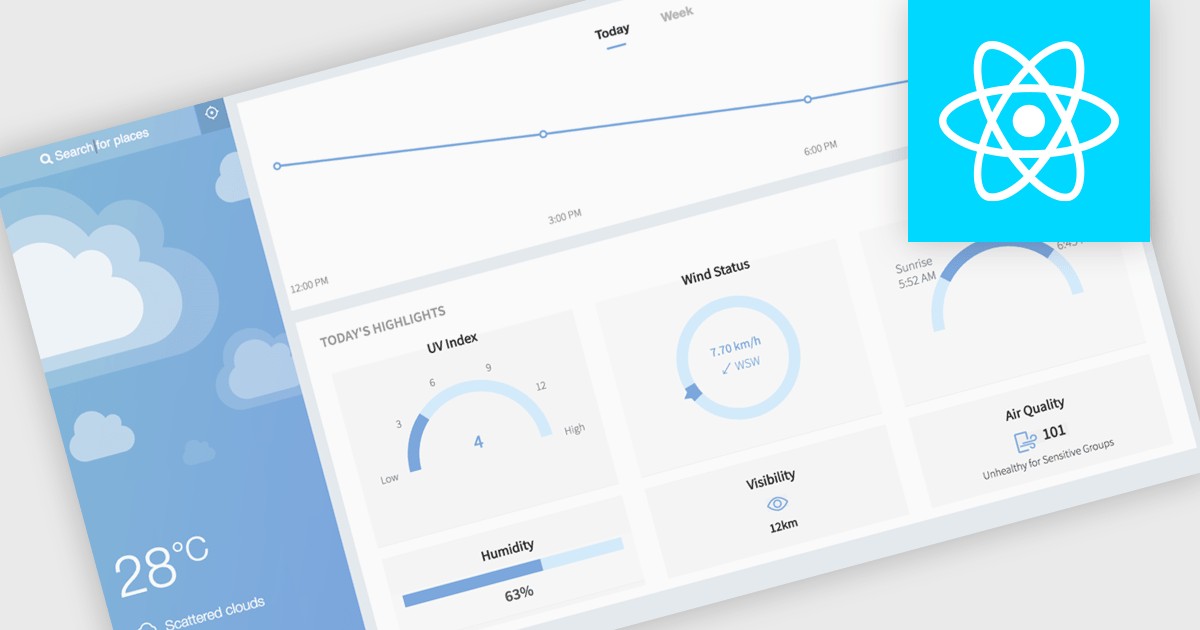
Permita a los desarrolladores usar componentes React preconstruidos para crear interfaces de usuario ricas y consistentes sin crear características complejas desde cero.

React components in UI suites provide prebuilt, reusable building blocks for creating modern, responsive web applications using the React framework. These components are designed to integrate effortlessly into React's declarative model, enabling developers to construct complex user interfaces while maintaining consistency, performance, and maintainability. By offering a comprehensive set of controls and visual elements, UI suites help accelerate development and reduce the effort required to implement advanced functionality from scratch.

Common controls include:

  • Chart components deliver interactive data visualizations that help users explore trends, comparisons, and patterns directly within the interface.
  • Data Grid components provide high-performance tabular data handling with features such as sorting, filtering, and virtualization for large datasets.
  • Gantt components enable timeline-based project visualization, supporting task dependencies and scheduling scenarios.
  • Layout components offer flexible containers and responsive design tools to structure application content effectively.
  • Map components support geographic data visualization with interactive layers and region-based insights.
  • Toolbar components provide quick access to actions and commands through customizable button groups.
  • Menu components enable structured navigation with hierarchical options and contextual actions.
  • Gauge components present key metrics through visual indicators such as radial or linear displays.
  • Scheduling components support calendar-based views for managing appointments, resources, and time-based events.

For an in-depth analysis of features and price, visit our React UI suites comparison.

Explore React Controls