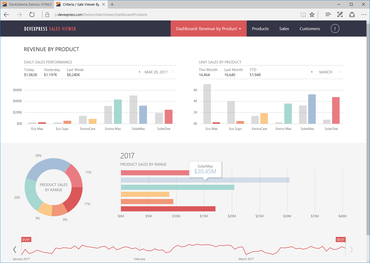
DevExtreme 18.2.5

Mejora los controles Data Grid, HTML Editor y Tree List.
Enero 25, 2019
Nueva versión

Correcciones

DevExtreme Tree List

  • A request is sent to the server if the collapse/expand button is clicked for a filtered TreeList
  • The refreshMode option does not stop data reloading when the parent node is collapsed/expanded after deleting a child node

DevExtreme Core

  • DevExtreme CLI ThemeBuilder does not use custom variables if the makeSwatch flag is disabled
  • ODataStore doesn't parse second fraction properly

DevExtreme Demos

  • DataGrid - Virtual Scrollbar won't stop scrolling when the mouse button is held down and the cursor is moved outside a browser window in IE

DevExtreme Html Editor

  • The value option cannot be changed if it was previously set and was not edited by a user
  • Toolbar buttons are not disabled if HtmlEditor is read-only

DevExtreme Scheduler

  • A script error occurs in a certain scenario after adding a recurring item and switching to the Week view
  • Editing a single appointment with recurrence rules raises an error
  • The "Cannot read property '$$phase' of null" error is thrown when DataGrid resides in the tab template of the appointment form

DevExtreme UI Widgets

  • NumberBox ignores reserved characters during formatting
  • Android Theme - Animation is executed twice in dxSelectBox with fieldTemplate on an attempt to select a new item  
  • ButtonGroup - An item remains focused after it is unselected
  • Calendar - Inconsistent behavior of the editor with the defined disabledDates callback and an undefined value
  • DataGrid - Lookup column displays a wrong value in batch editing mode when a custom filter is used
  • DateBox - Custom validation is not raised if a value is selected from the calendar
  • DateBox - Value modification is slow on using devextreme-intl library and when the useMaskBehavior option is enabled
  • DateBox changes its value using the mouse wheel
  • dxDateBox does not allow typing values with leading zeroes
  • dxList - The widget bound to CustomStore infinitely reloads data and fires the onSelectionChanged event when an item located not on the first page is selected on page load
  • dxSelectBox does not complete selection when a custom item has been created
  • dxTagBox does not work with grouped OData store when the showSelectionControls option is enabled
  • dxToolbar - A toolbar item disappears from the toolbar when another toolbar item with dxDropDownBox uses the showTitle option
  • dxTooltip - Popup element is not closed when moving the mouse pointer very quickly in IE
  • Filter Builder - View is scrolled if the context menu is too high
  • Filter Builder's valueChanged event is not raised after a condition/group is added
  • Material theme - Toolbar button size is incorrect when the button is placed in dxPopup
  • Popover - console error when set position.at option as objects with coordinate values
  • RadioGroup - The contentReady event is not raised when a data source is changed  
  • ResponsiveBox does not render items in the embedded dxForm in a small screen
  • ScrollView with RTL direction - The handle position isn't relative to the right side after the container width is changed
  • SelectBox - The previousValue parameter is not correct after changing a value for the first time
  • TabPanel - "No data to display" is always visible if new tabs are added and repaintChangesOnly is "true"
  • TagBox - Items, added programmatically when the drop-down element is opened, are not selected
  • TagBox - Selection logic does not work correctly when the GUID key type is used in ODataStore
  • TagBox creates duplicated tags when the acceptCustomValue option is set to true
  • The Dropdown button looks different in dxSelectBox and dxLookup in the material theme
  • TileView does not update a layout once the item field is changed

DevExtreme Data Grid

  • A custom command button click scrolls the iframe element where the grid is contained
  • A fixed column is displayed incorrectly if masterDetail is enabled
  • Adaptive detail rows are not expanded after scrolling to the next page if scrolling and rowRenderingMode are 'virtual'
  • An error occurs after data is grouped by a column of the datetime data type if the filter row is visible
  • An expanded area is highlighted when group nodes are expanded
  • Error "Cannot set property '_array' of undefined" if the datasource is changed and state storing is used
  • Fixed columns and always visible scrollbar cause rows to not align properly when scrolling to the bottom of the grid
  • Focus is not restored correctly if setCellValue is used in certain cases when the editing form is used
  • Focused row is always highlighted when the scroll mode is infinite
  • Group by truncates text when an underlying column value is integer but display value is text
  • Keyboard navigation for focused row elements operates incorrectly
  • Page size is not restored via the state storing feature if scrolling mode is virtual
  • The "Maximum call stack size exceeded" error occurs after sorting for multi-row headers
  • The expand button is not shown if showCheckBoxesMode and columnFixing are enabled
  • The expand/collapse button is highlighted when nodes are expanded and collapsed
  • The fixed column does not completely hide other column values
  • The navigateToRow method doesn't work with virtual scrolling
  • DataGrid does not correctly generate Column components in code at runtime if data is changed in React
  • Header Filter's alignment changes after resetting the headerFilter.visible option
  • Setting focusedRowIndex to -1 does not remove the focused row
  • The DataGrid shows empty rows after scrolling if the rowRenderingMode option is set to virtual and the rows have a big height

DevExtreme Data Visualization

  • Chart - The 'Cannot read property 'scheduleHiding' of null` exception is thrown after routing in React
DevExtreme

DevExtreme Complete

Conjunto de componentes JavaScript para desarrollo web ágil.

¿Alguna pregunta?

Chatee en vivo ahora mismo con nuestros especialistas en licencias de DevExpress.