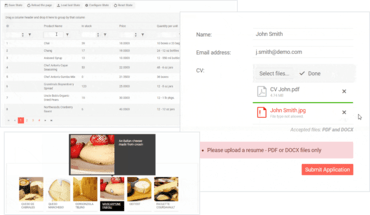
Telerik UI for Blazor v2.9.x

Añade los nuevos componentes Upload y Tooltip Blazor.
Marzo 19, 2020
Nueva versión

Características

  • Common
    • New Upload component.
    • New Tooltip component.
    • Compatibility with Blazor WebAssembly 3.2.0 Preview 2.
    • VS Code Template Wizard.
    • Add real data in the demos.
    • Allow developers to mock services that are using Telerik Components for unit testing by removing private un-mockable dependencies and services.
    • Allow enabling the IL Linker for Telerik UI for Blazor.
  • Grid
    • Persist State.
    • Improved layout of the PopUp edit form.
    • Ability to set Sortable for individual columns.
    • Grouping from code.
    • Ensure filter buttons are always visible and the inputs are responsive.
  • Scheduler
    • Allows Recurring appointments.

Correcciones

  • ComboBox
    • Setting Value to string.Empty in an event handler causes infinite loop.
    • You can focus and type in a disabled input (through Tab or label).
  • DateInput
    • Unexpected years validation behavior on keyboard input.
    • You can focus and type in a disabled input (through Tab or label).
  • DatePicker
    • Unexpected years validation behavior on keyboard input.
    • You can focus and type in a disabled input (through Tab or label).
  • DateTimePicker
    • Unexpected years validation behavior on keyboard input.
    • You can focus and type in a disabled input (through Tab or label).
  • DropDownList
    • ValueTemplate throws an exception when there is no Data.
    • DropdownList Async Datasource.
  • Grid
    • When hiding a grid from within its selection handler, you get a System.ArgumentOutOfRangeException: Index was out of range.
    • Hiding a grid column causes data columns to be misaligned with headers.
    • Removing grid column breaks visualization.
    • Clear filter icon is not shown for empty filter operators.
    • Clear filter button doesn't clear input values for NumericTextBox and Textbox.
    • Horizontal scroll causes vertical scroll when grid in VirtualScroll mode.
    • Grid column menu appears filtered state even when column is not filtered.
    • Filtering String field by IsEmpty/IsNotEmpty doesn't apply at all.
  • NumericTextBox
    • You can focus and type in a disabled input (through Tab or label).
  • TextBox
    • You can focus and type in a disabled input (through Tab or label).
New Blazor Upload and Tooltip Blazor components.

Telerik UI for Blazor

Desarrolle aplicaciones de alto rendimiento en la mitad del tiempo con esta colección de componentes de interfaz de usuario de Blazor verdaderamente nativos y totalmente personalizables.

¿Alguna pregunta?

Chatee en vivo ahora mismo con nuestros especialistas en licencias de Telerik.