Actualización de Mockplus Cloud

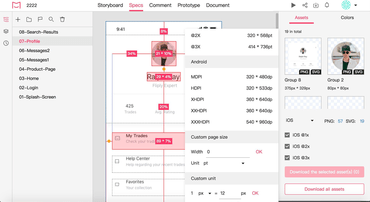
La nueva función de clic le ayuda a seleccionar cualquier capa.
Mayo 16, 2022
Nueva versión

Características

  • In Development mode you can now click through overlapped layers.
  • Preview links now require viewers to log in to view a project.
  • Newly added and updated design files are now highlighted in blue on the Project Tree.
  • Added support for filtering team activities by operators and categories.
  • Added support for selecting assets to quickly download them all at once.
  • Development mode added new setting to help users count borders when viewing measurements between layers.
  • Added support for resorting comment labels with drag-and-drop.
  • New hand tool lets you drag and move the canvas.
  • Improved the "Back" feature in Storyboard. By clicking "Back" in the upper left corner, you can now choose to go back to recently viewed projects or switch to another project in the current folder.
  • Improved team management interface.
  • Improved the preview link of RP prototype in Mockplus Cloud. It is now always up-to-date, without having to manually sync and share your preview link again as before.
  • Improved project member invitation. When a member is successfully added to a team, the member will now be automatically taken to that project.
  • Improved document commenting.
  • Improved user experience in Presentation mode. When an artboard cannot be fully shown, you can drag the canvas to view artboard content.
  • When a document is deleted, the next document will now be automatically shown and selected.
  • Improved the performance of an embed share link on a mobile device.
  • Improved popup design when creating new projects.
  • Improved project display on project homepage.

Figma plugin

  • Improved the interface design of the plugin.
Mockplus Cloud

Mockplus Cloud

Genere especificaciones y activos automáticamente y cree prototipos interactivos y animados.

¿Alguna pregunta?

Chatee en vivo ahora mismo con nuestros especialistas en licencias de Mockplus.