Interactive data grid for Microsoft LightSwitch

An enhanced replacement for the built-in LightSwitch data grid.
Marzo 27, 2012
Comunicado de prensa

ComponentOne FlexGrid for LightSwitch includes a complete FlexGrid screen template you can use when adding a new screen to your project. This screen is similar to the LightSwitch editable grid screen, but it uses FlexGrid. It’s as simple as selecting it and choosing a data source. Using FlexGrid, you will get a searchable, editable grid view. You can also easily replace instances of the built-in LightSwitch data grid with FlexGrid while preserving existing screen layout.

Features

  • FlexGrid Screen Template - FlexGrid includes a screen template that includes a properly configured instance of the C1FlexGrid control extension.
  • Edit Data in Spreadsheet or Form View - Users can choose to edit data directly in the grid or use the command bar to open detail dialogs to add or edit data.
  • Data Paging - Optionally show large data sets page-by-page rather than in one, long scrollable grid.
  • Search Engine - The FlexGrid screen template exposes the same search functionality found in the built-in LightSwitch data grid.
  • Runtime Sorting and Filtering - Allow users to instantly sort and filter data with intuitive on-screen controls.
  • Design-time Grouping - Specify grouped views in LightSwitch's property pane.
  • Outline Buttons for Collapsing Groups - Create hierarchical views of your data with outline buttons that users can collapse and expand.
  • True Excel Export for the Web - Users can export views to .xls, .csv, .html, or .txt files. This works for both desktop and Web deployments.
  • Conditional Formatting - Set formatting for cells that exceed a high or low value in any given column. This is commonly used to indicate values that need attention.
  • Cell Merging - FlexGrid enables cell merging at the grid and column levels.
  • Persistent User Views - Optionally restore the last view configured by the end-user before closing the application. This includes sorting and filtering operations as well as column sizing and reordering.
  • Excel-like Filtering - Allow your end-users to filter the grid view using convenient check boxes or by specifying conditional expressions.
  • Tooltips for Validation Errors - When modified field data is invalid, FlexGrid automatically shows a tooltip that explains what the error is.
  • Printing Support - Print professional quality reports with the click of a button.
  • Localized Interfaces - Deploy your application in 20 different languages without worrying about localization. Just set the Culture property in your LightSwitch project and FlexGrid will show the proper strings. Included languages: Arabic, Czech, Danish, Dutch, English (United States), Finnish, French, German, Greek, Hebrew, Italian, Japanese, Norwegian, Polish, Portuguese, Portuguese (Brazil), Russian, Slovak, Spanish and Swedish.
  • Cell Range Selection and Clipboard Support - Select multiple cells by clicking and dragging or shift-clicking. Use the keyboard shortcut CTRL+C to copy the selection to the clipboard.
  • Point-and-click Styling - Use convenient property pickers in LightSwitch to customize the appearance of rows, columns, headers and grid lines.

About ComponentOne

ComponentOne headquartered in Pittsburgh, Pennsylvania, is a leader in the Microsoft Visual Studio component industry. The company believes the key to successful implementation of business solutions is providing customers with a premier studio of innovative components and tools.
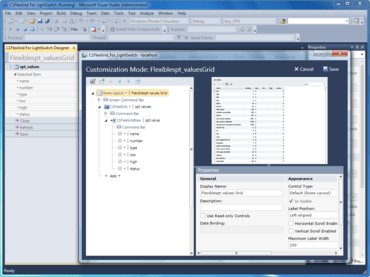
ComponentOne FlexGrid for LightSwitch screens in Visual Studio.

¿Alguna pregunta?

Chatee en vivo ahora mismo con nuestros especialistas en licencias de MESCIUS (formerly GrapeCity).
