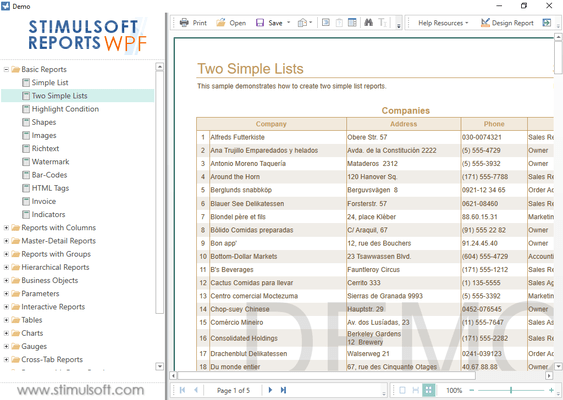
Lanzamientos de Stimulsoft Reports.WPF
Released: Jul 22, 2019
Actualizaciones en 2019.3.3
Características
- Toolbox redesigned: now Chart, Map, Gauge are placed in a separate category.
- Improved WPF themes: in some controls the system focus was overlayed on the content.
Released: Jun 19, 2019
Actualizaciones en 2019.3.2
Características
- CustomTextFormat now understands "(###)###-####" FormatStrings for string data types.
- HTML tags - 'p', 'ol', 'ul' now recognize style attributes.
Released: May 20, 2019
Actualizaciones en 2019.3.1
Características
- Updated viewer - Now you may view reports and dashboards, connect report collections from local and cloud storage, create a list of favorite reports and call the report designer to design or modify reports and dashboards.
- Embed all data - Starting with release 2019.3.1, you can easily embed all data sources into a report file. Each type of connection will be converted to a separate XML file and embedded in the report file as a resource.
- Saving a report with embedded data - In...
Released: Mar 23, 2019
Actualizaciones en 2019.2.3
Características
- Added async versions of the Print, Export, Render and Compile methods.
Released: Mar 13, 2019
Actualizaciones en 2019.2.2
Características
- Map: Improvements in grouping by country mode.
- GlobalizationEditor: Expanded the list of available cultures in Add New Culture window.
Correcciones
- The components in the viewer were not updated correctly, if you call to change the data in the displayed report and call the Render method.
Released: Feb 14, 2019
Actualizaciones en 2019.2.1
Características
- Pareto Chart - When designing reports, you now have the ability to create Pareto charts. This type of chart contains both bars and a line graph, where individual values are represented in descending order by bars, and the cumulative total is represented by the line.
- Abbreviations in formatting - You can now use abbreviated numbers with numeric and currency formatting in reports or dashboards. For example, for thousands of values you may use the abbreviation K, for millionths M...
Released: Dec 18, 2018
Actualizaciones en 2019.1.1
Características
- Added Vienna to the map of Austria.
- The following methods are now supported in the Interpretation mode - ToLongTimeString, ToLongDateString, ToShortTimeString, ToShortDateString for DateTime.
- The following functions now work in the Interpretation mode - Totals - CountAllLevels, CountAllLevelsOnlyChilds, CountOnlyChilds.
- The new StiOptions.Print.BarcodeAsBitmap=false.
- Added advanced DateTime formatting.
- New functions were added - StrToDateTime, StrToNullableDateTime and...
Released: Nov 19, 2018
Actualizaciones en 2018.3.5
Características
- Report checker now detects incorrect initialization values for variables.
Correcciones
- When saving a report and reopening it, the connected data was not overwritten into a new report.
- Problem with Shift-F5 shortkey in the designer when a report was closed.
Released: Oct 9, 2018
Actualizaciones en 2018.3.1
Características
- New Data Transformation tool - Use the Data Transformation tool to create a virtual data table. You can combine data tables from various sources, group, filter, sort, aggregate the data, change the type, replace values in columns and specify the range of rows in the new table. The converted data table can be used in reports and dashboards.
- Updated New Relation editor - In this new editor, the main and subordinate data sources are selected, as well as the data columns which will...
Released: Apr 9, 2018
Actualizaciones en 2018.2
Características
- Resource Panel in Viewer - Report resource documents (PDF, Word, Excel, etc.) and images can now be displayed in the viewer.
- Custom Fonts in Reports - 2018.2 adds the ability to use custom fonts in reports.
- New Style Editor - The style editor has been completely redesigned:
- Collections and styles are now displayed in a hierarchical form.
- Use drag and drop to change the collection for the style.
- Added filters and sorting styles.
- All styles used in a report are checked with markers...