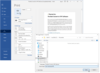
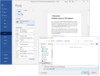
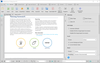
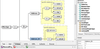
Screenshot Preview

Pcl2pdf for Unix (including Linux, OpenVMS) Server - Summary

by Visual Software - Product Type: Application

Summary

Pcl2pdf for Unix (including Linux, OpenVMS) Server by Visual Software

URLs: pcl2pdf-unix, pcl2pdf unix, pcl2pdfunix, visual-software, visual software, visualsoftware

Convert LaserJet PCL print files to PDF (Portable Document Format). Pcl2pdf for Unix (including Linux, OpenVMS) Server quickly converts HP PCL print files to concise, industry standard PDF. Documents can be viewed and printed using the Adobe(R) Acrobat(R) product range and distributed by web or e-mail. Pcl2pdf for Unix (including Linux, OpenVMS) Server produces PDF documents that are fully text searchable and ready for indexing. Data encryption, passwords and access permissions can be applied. Pcl2pdf is available for Windows PC, Windows Server and UNIX systems with command line converters.

Convert LaserJet PCL to PDF (Portable Document Format)

Now you can convert your LaserJet PCL print files to industry standard PDF (Portable Document Format). PDF documents can be viewed and printed using the Adobe® Acrobat® range of products. Distribute your print files around the Internet or your company intranet for easy viewing, searching and printing.

Pcl2pdf for Unix (including Linux, OpenVMS) Server quickly converts PCL print files to concise, industry standard PDF. This is not a raster based conversion. Use command line versions in batch and unattended operations. Fully configurable. Specify default printer "front panel" settings including page size and orientation. Pcl2pdf for Unix (including Linux, OpenVMS) Server automatically selects sensible defaults. Pcl2pdf can convert files of 100's and 1000's of pages.

Use Adobe® Acrobat® from Windows, Mac and Unix to view your print files, print to local printers (including non-PCL) and search for text. Pcl2pdf produces PDF documents that are fully text searchable word for word. Adobe® Acrobat® uses PostScript and TrueType fonts for display giving superb font rendering quality.

Adobe® Acrobat® includes ActiveX and NetScape plug-ins. By embedding links to PDF print files on your Web pages you can browse and print your files from within Internet Explorer and other browsers.

Pcl2pdf for Unix (including Linux, OpenVMS) Server

Pcl2pdf for Unix (including Linux, OpenVMS) Server includes command line executables for AIX, DG/UX, HP-UX, Interix, Linux, OpenVMS, SCO, Sun Solaris and TRU64. Additional platforms will be supported in due course. There are versions also available for AS/400, HP3000 and Tandem.

What's New in Pcl2pdf for Unix (including Linux, openVMS) Server V6.9

Implemented new “-TEMP” switch for user specified temporary file directory

Implemented new “-PC” switch for print copies, “-PS” and “-PE” for print range start and end and “-PM” for print preferences

Implemented “IBM DOS” style line and box drawing character support

Implemented 24-bit RGB PCL colour support, in conjunction with AXIAR Imaging, with opacity and transparency and within macros

Implemented new “-IFF” switch to supress blank page generation on form feed when no data on page

Implemented Euro character in HP 9N and 13U symbol sets

Implemented right and centre justified text printing using HP-GL/2 'LO' command

Implemented “white text” printing

Implemented PCL raster graphics “mode 5” adaptive compression

Implemented various “bug” fixes and PCL code enhancements

Improved PCL duplex paper handling support

Improved PCL “offset registration” support, including for 90 degree rotated portrait pages

Improved HP-GL/2 support

New AIX, HP-UX, Linux, OpenVMS, SCO, Solaris builds

Developed using Microsoft Visual Studio 2010

What's New in V6.0

Pcl2pdf v6.0 concentrates on 128 bit encryption support, power, performance and stability features.

Support for PDF 128 bit encryption - 128 bit encryption is used in many products, including PDF and web browsers, and is now considered to be the minimum acceptable level of encryption security required for serious, professional use. For PDF documents 128 bit encryption also provides more document related options with regard to permitting or disallowing certain form field fill-in and document content extraction operations. More power and control for the author to specify. Use the new Pcl2pdf V6.0 -EF:X switch to specify the maximum level of restriction

Support for custom page sizes using -CUSTOM -CPW:# and -CPH:# switches - For print files that do not use any PCL page size commands Pcl2pdf V6.0 can generate custom PDF page sizes using paper size values defined by the -CPW:# and -CPH:# switches. This new functionality is enabled by the -CUSTOM switch. Custom page sizes are useful for documents representing cheque or bank statements

Support for different PDF document file versions using -PDF:"..." switch - Previous versions of Pcl2pdf up to and including V5.5 generated PDF documents defined as version 1.2. Pcl2pdf V6.0 now defines the output PDF documents as version 1.4. Use this switch to specify a different PDF version to be written into the document output. Some third party readers and applications expect a given PDF document file version so using this switch can be helpful

Continued code fixes relating to:- Character spacing and kerning, top offset registration, unit of measure switching, shaded bitmapped soft fonts with PDF data compression and more

What's New in Pcl2pdf v5.5? Since v5.0...

Pcl2pdf v5.5 concentrates on power, performance and stability features.

Support for PDF initial view settings using -IV:".." switch

Pcl2pdf can apply settings to the output PDF document to control the initial appearance of the document in Adobe® Acrobat®. Such settings include hiding the menu, tool bar, scrolls bars, navigation controls, resizing the windows, displaying pages in columns, hiding or showing document outlines or thumbnails. Some options are mutually exclusive and not intended for use together. Ultimately their usage is dependent on the viewer's ability to implement them. There will be implementation differences between full and Reader® versions of Adobe® Acrobat® as well as documents embedded within browser windows.

Support for the pre-compilation of PCL forms overlay macros using -FX:".." switch

Pcl2pdf can now pre-compile PCL forms overlay macros at runtime into PDF "XObjects". For some PCL print files of the traditional form plus data report format this may provide significant conversion performance increases and reduction in output PDF file sizes. Such types of PCL print files typically include the background form once as a PCL macro and call it to be printed on each subsequent page. Up until V5.0 Pcl2pdf was forced to render the form on every page of the PDF document output. Now Pcl2pdf V5.5 can often generate a single PDF XObject for the form and then call it to be rendered by the viewer on each page of the output.

Significant power, performance and stability improvements

Temporary file usage has been significantly reduced during conversion increasing overall performance and also reliability

The former -R:# "RAM" buffer switch has been removed as the functionality provided has been replaced

The conversion performance for long PCL print files has been significantly improved. This should be noticeable on files of more than a few '000 pages.

PCL forms overlay macro pre-compilation implemented offering significant conversion performance increases and reduction in output PDF file sizes.

Internal memory leak fixed reducing and stabilising memory footprint on Windows servers. Resource usage reduced also.

Non-overlapped, synchronous processing added to the Pcl2pdf 32 bit Windows DLL and ActiveX OCX components providing additional stability for web server based installations

Support for piping in PCL print data from the stdin console added

Pcl2pdf can now accept PCL print data piped in from the stdin console. This can be particularly useful for Unix developers wishing to script the conversion process and avoid unnecessary temporary files. Example console command line usages are:-

C> type test.pcl | PCL2PDF con test.pdf –pages (Windows)

cat test.pcl | ./PCL2PDF con test.pdf –pages (Unix)

The pseudo filename "con" instructs Pcl2pdf to read the PCL print data from stdin instead of a disk based file. Note that Pcl2pdf cannot write the output PDF document data to stdout due to the highly structured and cross referenced nature of the PDF file format specification.

Support for non-overlapped, synchronous processing added to the Pcl2pdf 32 bit Windows DLL and ActiveX OCX components

Generally the Pcl2pdf 32 bit Windows DLL and ActiveX OCX components are not thread safe and so not recommended for use in multiple instance environments without careful implementation. The DLL itself is not multithreaded. A lock is now available though with the DLL to ensure no overlapped processing when conditions make this necessary, for example in web server based installations

This lock is implemented by way of a Windows "Mutex". This can force synchronous access to the PCL to PDF conversion routine. When enabled the DLL will wait a specified number of seconds if access is blocked (the convertor is already busy) returning codes 5 or 6 if access to the conversion routine cannot then be obtained. It is understood that the mutex will synchronise access across processes and threads, not just across threads within a single process

Note that by default the Pcl2pdf 32 bit Windows DLL and ActiveX OCX components will continue to function the same way as with Pcl2pdf V5.0; using no mutex or timeout

The Pcl2pdf ActiveX OCX control calls down to the DLL and a method is provided to enable this functionality. To enable the mutex you must additionally call the method UseMutexWithTimeout passing the timeout value (in milliseconds). This value corresponds to that used by the Windows WaitForSingleObject function. Calling the OCX UseMutexWithTimeout function enables the use of the mutex. Once called you cannot disable use of the mutex without instantiating the Pcl2pdf object again. Calling the method ResetDefaults subsequently will not affect it either.

An example Visual Basic usage is:-

Dim oPCl2PDF As Object

oPCl2PDF = CreateObject("PCL2PDFDEVLIB.Pcl2pdfDevLibCtrl.1")

oPCl2PDF.UseMutexWithTimeout(5000) ' 5 seconds timeout

Err = oPCl2PDF.ConvertPcl2Pdf(InPCL,outPDF)

If the Pcl2pdf mutex times out or fails ConvertPcl2Pdf will return 5 or 6, normally 5. You can check this return value from your application and decide what action to take.

Support for basic conversion timing information using -TIME switch - Information is provided in terms of pages converted per minute based on the elapsed clock and cpu time.

Basic support for the HP 11U PC-8 Danish/Norwegian, 19U Windows 3.1 Latin 1 symbol sets added.

The formerly undocumented -RUF command line switch has been removed as the functionality provided has been replaced.

Convert LaserJet PCL print files to PDF (Portable Document Format).

Pricing: Pcl2pdf for Unix (including Linux, OpenVMS) Server V6.9 Single Server License for 10 Users, Pcl2pdf for Unix (including Linux, OpenVMS) Server V6.9 Single Server License for 20 Users, Pcl2pdf for Unix (including Linux, OpenVMS) Server V6.9 Single Server License for 50 Users, Pcl2pdf for Unix (including Linux, OpenVMS) Server V6.9 Upgrade for customers who purchased Pcl2PDF for UNIX from July 1 2009 Single Server Upgrade License for 10 Users, Pcl2pdf for Unix (including Linux, OpenVMS) Server V6.9 Upgrade for customers who purchased Pcl2PDF for UNIX from July 1 2009 Single Server Upgrade License for 20 Users, Pcl2pdf for Unix (including Linux, OpenVMS) Server V6.9 Upgrade for customers who purchased Pcl2PDF for UNIX from July 1 2009 Single Server Upgrade License for 50 Users, Pcl2pdf for Unix (including Linux, OpenVMS) Server V6.9 Upgrade for customers who purchased Pcl2PDF for UNIX before July 1 2009 Single Server Upgrade License for 10 Users, Pcl2pdf for Unix (including Linux, OpenVMS) Server V6.9 Upgrade for customers who purchased Pcl2PDF for UNIX before July 1 2009 Single Server Upgrade License for 20 Users, Pcl2pdf for Unix (including Linux, OpenVMS) Server V6.9 Upgrade for customers who purchased Pcl2PDF for UNIX before July 1 2009 Single Server Upgrade License for 50 Users

Evals & Downloads: Browse the Pcl2pdf User Guide, Read the Pcl2pdf License Agreement, Download the Pcl2pdf for UNIX (including Linux, OpenVMS) Server V6.9 evaluation on to your computer - Output Displays Evaluation Label

Operating System for Deployment: UNIX System V Release 5, UNIX System V Release 4, Sun Solaris 10, Sun Solaris 9, Sun Solaris 8, Sun Solaris 7, HP-UX 11.x, HP-UX 10.x, HP-UX 9.x, IBM AIX 6.x, IBM AIX 5.x, IBM AIX 4.3.x, Linux Kernel V2.6.x, Linux Kernel V2.4.x, Red Hat Enterprise Linux 5.x, Red Hat Enterprise Linux 4.x, Red Hat Enterprise Linux 3.x, Red Hat Enterprise Linux 2.x, RedHat Linux 9.x, RedHat Linux 8.x, RedHat Linux 7.x, SUSE Linux 11, SUSE Linux 10.x, SUSE Linux 9.x, SUSE Linux 8.x, Ubuntu 10.x, Ubuntu 9.x, Ubuntu 8.x, OpenVMS 7.x

Architecture of Product: 32Bit, 64Bit

Product Type: Application

Compatible Containers: Microsoft Visual Studio 6.0, Microsoft Visual Studio 97, Microsoft Visual Basic 6.0, Microsoft Visual Basic 5.0, Microsoft Visual Basic 4.0, Microsoft Visual C++ 6.0, Microsoft Visual C++ 5.0, Microsoft Visual C++ 4.0, Microsoft Visual InterDev 6.0, Microsoft Internet Information Server 4.0, Microsoft Internet Information Server 3.0

Product Class: Component Development Tools

Keywords: Visual Software Pcl2pdf PCL 2 PDF Print & Preview Tools unix

xVisual Basic

pdf

Print Preview Printing previews prints

Part numbers: PC-505780-384881 505780-384881 PC-505780-384887 505780-384887 PC-505780-384886 505780-384886 PC-505780-384900 505780-384900 PC-505780-384901 505780-384901 PC-505780-384902 505780-384902 PC-505780-384903 505780-384903 PC-505780-384904 505780-384904 PC-505780-384905 505780-384905

Mfr. Part No: PCL2PDFUNIX-SERVER-10 PCL2PDFUNIX-SERVER-20 PCL2PDFUNIX-SERVER-50

Product Search

Enter search words:

Quick Links

Publisher

Primary Category

Related Products

Related Categories

Why buy from ComponentSource?

ComponentSource offers a unique global service, used by over 1,000,000 software developers worldwide.

More Info | About Us

Screenshot Gallery

Click for full screen preview

Screenshot of Pcl2pdf - for UNIX, Linux, OpenVMS - V6.9 Screenshot of Pcl2pdf - for UNIX, Linux, OpenVMS - V6.9 Screenshot of Pcl2pdf - for UNIX, Linux, OpenVMS - V6.9 Screenshot of Pcl2pdf - for UNIX, Linux, OpenVMS - V6.9 Screenshot of Pcl2pdf - for UNIX, Linux, OpenVMS - V6.9
Award Award