by Conquest Software Solutions - Product Type: Application
ClearSQL by Conquest Software Solutions
URLs: clearsql, conquest-software, conquest software, conquestsoftware
PL/SQL analyzer, formatter, diagrammer and editor. ClearSQL lets you edit, format and analyze your Oracle PL/SQL code, count metrics and enforce coding standards. ClearSQL is a full-blown code analyzer and editor for legacy code maintenance. It lets you analyze declarations, exceptions and the control flow, remove anomalies, fix and format your PL/SQL automatically and more. With ClearSQL you can flowchart your legacy code to discover logic, and visualize the conditional branches, loops and jumps, in order to see the visual patterns of your code. You can also generate call tree diagrams and CRUD matrices to discover data flows between subroutines and datasets to identify performance problems.
ClearSQL Features:
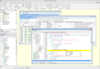
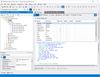
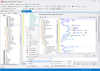
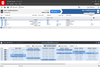
Analyze PL/SQL code - ClearSQL performs declaration analysis, DML analysis, cursor analysis, control flow analysis, procedure analysis, exception analysis and module analysis and displays the results in a Structure View, facilitating quick navigation through your code. Script Parser Status displays the status (New, OK, Error, Skipped and Modified) of the script and for the OK status, its attributes such as: Autofix, Code Review, CRUD1 matrix, Flowchart and Call Tree diagrams.
Automated code review - Catch bugs early in the development cycle and avoid common mistakes. Produce code that is easy to read, understand and maintain. The nearly 60 code review rules detect the misuse of GOTO, parameter declaration problems, unreferenced parameters, missing or misplaced RETURN, unlabeled END, etc.
Auto fix known PL/SQL problems - ClearSQL adds missing END and LOOP labels, defines IN parameters and re-parenthesizes complex operations.
Format your code automatically - Set margins and indentation. Insert blank lines. Apply standard casing to keywords and identifiers. Tidy up procedure headers. Align SQL statements.
Flowchart diagrams - ClearSQL takes a package or a stand-alone subroutine and makes a set of clickable flowchart diagrams that visualize the code execution path. Such diagrams show the conditional branches, loops and jumps, thereby helping to understand the opaque logic. The visual patterns help to find the points of possible code refactoring or module restructuring, and make the reasons for high values of Cyclomatic Complexity metrics obvious.
Call Tree diagrams - ClearSQL draws subroutine calls and called-by path of PL/SQL code in call tree diagrams. As PL/SQL is heavily coupled with data, the call tree diagram is enriched with data flows between subroutines and database tables due to DML statement execution. Clickable data flows show how subroutines get data from data objects (table, view) with SELECT INTO statements; how they put data back with INSERT or UPDATE statements and how they delete data with DELETE statements.
CRUD matrices - A CRUD (Create, Read, Update, Delete) matrix is the perfect aid to analyze the consistency of functional requirements and to identify performance problems. CRUD incorporates two matrix types: "Script Level" CRUD1 type matrix and "Project Level" CRUD2 type matrix to illustrate the relationships between processes and the data they use. Both CRUD matrix types are fully clickable.
Export and Import projects, project scripts and project diagrams - Export and import a project with its contents as a flat zipped file with an ability to send it by email for simplified sharing of multi-file projects between users. Export and import a single or multiple project scripts with a variety options into the file system as files. Export a single or multiple project flowcharts and call tree diagrams into image (GIF, PNG and JPEG), MS Visio Drawing "vdx" and HTML formats with the ability to keep the diagram tree structure in the target Windows folder.
Metrics - Determine the complexity of your system. Identify potential problem areas based on complexity, size and modularity. Available metrics: lines of code (LOC), effective LOC, logical statements LOC, comment lines, blank lines, physical lines, McCabe cyclomatic complexity v(G), number of input parameters, number of return points, interface complexity, functional complexity, Halstead Program Length, Vocabulary, Volume, Difficulty and Effort, and Maintainability Index.
Enforce coding standards - Improve readability and standardize code written by others. Enforce naming standards with regular expressions.
Project reports - Generate a detailed, easy to navigate and flexibly configured HTML report for a ClearSQL project including parser status, analysis information, flowchart and call tree diagrams, CRUD1 and CRUD2 type matrices.
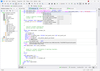
Code editor with syntax highlighting -The syntax-highlighting and code folding editor supports SQL and PL/SQL code and allows to create different versions of the same code. It provides power features such as code folding, code explorer, bookmarks, comment out and uncomment a block of code, auto completion and code templates.
More significant features
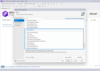
New Project Wizard creates ClearSQL projects based on files and db objects easily with a few clicks.
Project Tree Manager filters and sorts the project scripts by a variety of predefined filters and sorting rules; and also displays script properties and legend.
Built-in Version Control System manages multiple versions of scripts for easy change tracking and retrieval.
Pre-processor directives let you generate different versions of the same code and include/exclude debug code.
Syntax Checker verifies your PL/SQL syntax offline without executing it in Oracle.
Toolbar Customizer provides an easy to use GUI to customize the visibility and position of toolbar buttons.
Find in Project lets you search any text occurrence in scripts and project tree nodes.
Logs on to an Oracle database by using TNS, LDAP and Direct connections.
Online Support Desk communicates with Technical Support and keeps ClearSQL up-to-date with its auto-update feature.
The Command Line Kit allows users to create jobs and save them as a batch file to be accessed by a 3rd party program.
What’s new in ClearSQL 6?
Support for Oracle Forms & PL/SQL libraries versions 6 – 10 - Import Oracle forms and PL/SQL libraries into a ClearSQL project and analyze, format, fix and illustrate their PL/SQL code. Drill down the project tree to discover the content of forms & libraries such as Blocks, Program Units, Triggers as well as graphically shown canvases.
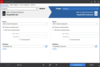
Discover Analysis summaries at ClearSQL project, folder and script levels - Select the project root node in the Project Tree and take a look at the Summary page to discover the most important analysis information shown graphically as pies, bars and grids at a project level. The Summary page layout is fully customizable and its contents can be easily exported to HTML or printed out.
Track and compare changes to the project content and analysis information - Each analysis creates a new “snapshot” storing a full picture of the project content and script analysis values in categories such as: a number of folders and scripts and their statuses (“OK”, “Error”, “Skipped”); a number of CRUD, Flowchart and Call Tree diagrams; a number of alerts such as errors, autofixes, etc.; a number of lines of code, comments and blank lines; etc. The “Analysis History” page displays analysis “snapshots” indicating the negative or positive direction of the value change. Select one or more categories to draw diagrams of changes to analysis values. Analysis history content can be easily exported to HTML or CSV formats.
Automated project and database analysis - Automate analysis of ClearSQL projects via its scheduled jobs, third party schedulers or the Windows Command Line. Create a job for analysis of an existing project or a selection of online database objects and schedule it either in ClearSQL by creating one or more integrated schedules or save the job as a batch file and schedule it in a third party scheduler. Each job is fully customizable in terms of analysis, GUI and Code Analyzer options and allows the generation of a ClearSQL report.
Analyzer View splits diagrams and analysis data at project and script levels - The Analyzer View pane is intended for displaying analysis information (code metrics, code review, autofixes, structure view), flowcharts, call-tree diagrams, CRUD matrices and analysis history and gives access to their features.
Active workspace - Active workspace enables the full blown customization of the position, size and visibility of ClearSQL GUI elements. Customize and save individually named workspaces for specific projects and easily switch between them. A single click resets the active workspace to default, if needed.
Other significant enhancements and improvements
Project Report Assistant includes the new optional "Summary" page at the project, folder and script levels
New easy to use tree-like page navigator displays the application, analysis, report, SQL*Plus, Oracle Forms, etc. options hierarchically, accelerating navigation between pages, simplifying the process of looking for options and gives the user a complete understanding of ClearSQL features and their settings
New ability to filter the Project Tree by Code Review group
The Structure View tree displays sub-items values summary at the top level
The Code Review tree displays values for the following categories: The function interface complexity exceeds the specified maximum; the function parameter complexity exceeds the specified maximum; the functional complexity metric exceeds the specified maximum; the eLOC within a function exceeds the specified maximum; and function comment percentage is less than the specified minimum
New Project and Import Wizard tools provide features to open and view the selected file in a linked external application
Reordered and resized Main status bar panels with optimized look & feel
"Delete project/script" feature changes its caption on the fly depending on project tree selection
The state of long running processes such as Project Analysis, Import Scripts/DB Objects, Create New Project, etc. displayed in the progress window is also shown in the Windows 7 Taskbar
A number of PL/SQL Analyzer and GUI bugs fixed
PL/SQL analyzer, formatter, diagrammer and editor.
Pricing: ClearSQL V6 1 User License, ClearSQL V6 2 User License, ClearSQL V6 3 User License, ClearSQL V6 5 User License, ClearSQL V6 8 User License, ClearSQL V6 10 User License, Annual Maintenance Support (AMS) for ClearSQL 1 User License - 1 Year Annual Maintenance Support (AMS), Annual Maintenance Support (AMS) for ClearSQL 2 User License - 1 Year Annual Maintenance Support (AMS), Annual Maintenance Support (AMS) for ClearSQL 3 User License - 1 Year Annual Maintenance Support (AMS), Annual Maintenance Support (AMS) for ClearSQL 5 User License - 1 Year Annual Maintenance Support (AMS), Annual Maintenance Support (AMS) for ClearSQL 8 User License - 1 Year Annual Maintenance Support (AMS), Annual Maintenance Support (AMS) for ClearSQL 10 User License - 1 Year Annual Maintenance Support (AMS), ClearSQL Command Line Kit (Requires ClearSQL License) 1 User License, ClearSQL Command Line Kit (Requires ClearSQL License) 2 User License, ClearSQL Command Line Kit (Requires ClearSQL License) 3 User License, ClearSQL Command Line Kit (Requires ClearSQL License) 5 User License, ClearSQL Command Line Kit (Requires ClearSQL License) 8 User License, ClearSQL Command Line Kit (Requires ClearSQL License) 10 User License, Annual Maintenance Support (AMS) for ClearSQL Command Line Kit 1 User License - 1 Year Annual Maintenance Support (AMS), Annual Maintenance Support (AMS) for ClearSQL Command Line Kit 2 User License - 1 Year Annual Maintenance Support (AMS), Annual Maintenance Support (AMS) for ClearSQL Command Line Kit 3 User License - 1 Year Annual Maintenance Support (AMS), Annual Maintenance Support (AMS) for ClearSQL Command Line Kit 5 User License - 1 Year Annual Maintenance Support (AMS), Annual Maintenance Support (AMS) for ClearSQL Command Line Kit 8 User License - 1 Year Annual Maintenance Support (AMS), Annual Maintenance Support (AMS) for ClearSQL Command Line Kit 10 User License - 1 Year Annual Maintenance Support (AMS)
Evals & Downloads: Read the ClearSQL help file, Read the Conquest Software Solutions License Agreement, Download the ClearSQL V6 evaluation on to your computer - Expires After 30 Days
Operating System for Deployment: Windows 7, Windows Server 2008, Windows Vista, Windows XP, Windows Server 2003
Architecture of Product: 32Bit
Product Type: Application
Compatible Containers: Oracle Database 9i, Oracle Database 10g, Oracle Database 11g
Keywords: ClearSQL
Conquest Software Solutions
SQL query language
Database DB Management
Syntax
Part numbers: PC-540582-416259 540582-416259 PC-540582-416260 540582-416260 PC-540582-416261 540582-416261 PC-540582-416262 540582-416262 PC-540582-416263 540582-416263 PC-540582-416264 540582-416264 PC-540582-416265 540582-416265 PC-540582-416266 540582-416266 PC-540582-416267 540582-416267 PC-540582-416268 540582-416268 PC-540582-416269 540582-416269 PC-540582-416270 540582-416270 PC-540582-420228 540582-420228 PC-540582-420229 540582-420229 PC-540582-420230 540582-420230 PC-540582-420231 540582-420231 PC-540582-420232 540582-420232 PC-540582-420233 540582-420233 PC-540582-420234 540582-420234 PC-540582-420235 540582-420235 PC-540582-420236 540582-420236 PC-540582-420237 540582-420237 PC-540582-420238 540582-420238 PC-540582-420239 540582-420239
Mfr. Part No: 327691001 32769-1007 32769103-2
Publisher
Primary Category
Related Products
Related Categories