About dbForge Studio for Oracle

Development environment for working with Oracle databases.

dbForge Studio for Oracle (formerly known as OraDeveloper Studio) is an all-in-one IDE that helps developers, analysts, and DBAs easily perform and automate nearly every task related to the development, management, and administration of Oracle databases. The Studio is a universal GUI-powered solution that enhances PL/SQL development, delivers visual tools for database design and data modeling, simplifies data management, streamlines recurring operations with databases, facilitates data analysis and reporting, and supports command-line automation to make your daily work with Oracle faster and easier.

dbForge Studio for Oracle Features

  • AI Assistant
    • Want to generate, optimize, and troubleshoot queries with minimum manual coding? The Studio's integrated AI Assistant has everything it takes to do the job for you.
      • Context-aware query generation
      • Conversion of natural language to SQL
      • Query optimization
      • SQL explanations
      • SQL troubleshooting
      • Error analysis and recommendations
      • AI chat
  • PL/SQL Coding Assistance
    • Write and format SQL twice as fast with a slew of variegated coding assistance tools available in the Studio.
      • Context-aware code completion in PL/SQL Editor
      • Code snippets
      • Quick information on schema objects
      • Document outline for navigation
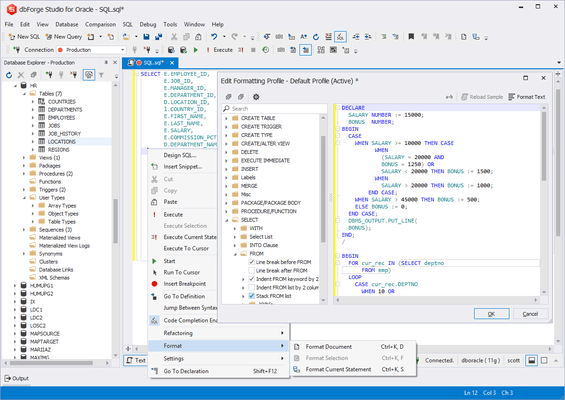
      • Smart PL/SQL Formatter
  • Database Projects
    • Get an alternative way of designing your databases with the Studio's handy database projects.
      • Create either an empty database project or with imported database objects
      • Manage SQL scripts and query files in the project
      • Deploy either an entire project or only the required changes to the server
  • Oracle Database Management
    • With dbForge Studio, you always have everything you might need to modify Oracle database structures, migrate data between servers, or analyze differences between databases.
      • Compare Oracle schemas and table data.
      • Synchronize Oracle databases.
      • Schedule regular synchronization tasks.
      • Generate comparison reports.
  • Data Generator
    • Populate your Oracle tables with thousands of rows of realistic test data. The Studio's integrated Data Generator supports the essential Oracle data types, includes 200+ meaningful generators with customizable settings, and allows generating data from the command line.
  • Documenter
    • Generate Oracle database documentation in a wink.
      • Generate documentation files in the HTML, PDF and Markdown formats.
      • Retrieve an overview of the database structure.
      • View inter-object and inter-database dependencies.
  • Visual Object Editors
    • Database objects are displayed as a tree in Database Explorer. To edit any object, you can call the corresponding visual editor from this window.
      • Manage tables from one window.
      • Browse schema objects.
      • Perform undo operations.
  • Oracle PL/SQL Debugger
    • The Debugger serves for the step-by-step execution of stored program units and SQL scripts. With its help, you can edit, compile, run, and debug PL/SQL code easily. You can set breakpoints, evaluate and modify variables in the Watches window, and analyze the currently active stack of your PL/SQL program calls in the Call Stack window.
  • Query Builder
    • Create complex queries visually without any coding whatsoever. Design SELECT statements with multiple tables, JOINs, and complex subqueries in a visual designer and get autogenerated SQL statements.
  • Query Profiler
    • Detect potential performance issues in your SQL queries. Analyze and optimize queries in the easiest possible way using the integrated Query Profiler.
      • Perform visual query profiling.
      • Compare profiling results.
      • Tune PL/SQL performance.
  • Schema Import/Export
    • Export full schema structures or selected schema objects. Copy database objects using intuitive schema export/import wizards.
      • Manage schema export projects.
      • Use Zip compression for export output files.
      • Automate recurring operations from the command line.
  • Database Administration
    • The Studio offers a suite of handy tools for database administration.
      • Manage user privileges.
      • Manage server sessions.
      • Monitor events.
  • Database Designer
    • Use database diagrams to create, analyze, reverse-engineer, print, and customize your Oracle databases.
      • View foreign key relations.
      • Display database objects with properties.
      • Execute stored routines.
  • Import/Export Data
    • dbForge Studio can export data to 14 popular formats and import it from 10 formats. The workflow is highly customizable and can be automated from the command line.
  • Analysis and Reporting
    • You can perform data analysis and reporting by means of creating data reports, aggregating data in pivot tables, and viewing master-detail relations. Comprehensive wizards will help you view data in charts and tables as well as adjust data layout, grouping, sorting, etc.
  • Find Object
    • The Find Object functionality provides you with a number of convenient features.
      • Find indexes in Oracle tables.
      • Find special characters in columns or strings.
      • Find invalid or locked objects.