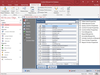
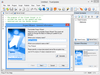
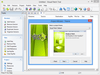
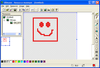
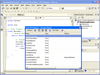
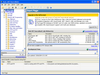
Deploy your applications and components via diskette, CD-ROM, LAN, or the Internet. Setup Factory offers developers a solution for creating flexible installation systems without needing to learn a proprietary scripting language. Setup Factory provides the customization and advanced control features that developers require, all from within the Setup Factory Visual Design Environment. You can even deploy your applications for Web servers. Setup Factory contains a scripting engine based upon the Lua programming language. Lua offers all the usual programming logic such as loops, functions, and arrays, plus much more. The handy action wizard makes it easy, even for someone with zero programming knowledge, to simply click to add actions. The script editor makes it easy for advanced users to edit code directly.
Include email functionality into your desktop, client/server, or Internet application. EasyMail Objects are a set of full featured COM objects for creating, sending, retrieving, displaying, editing and printing Internet e-mail. They were designed to allow you to quickly email enable your application because the EasyMail Objects handle all of the low-level details for you. Supported features include: SMTP, POP3, IMAP4, MIME, Base64, Uuencode, HTML, message printing, and much more.
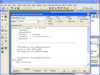
Speed development time by eliminating repetitive, tedious and time consuming steps from the hands-on part of the code development process. CodeAssist employs breakthrough, template driven technology to help developers create sophisticated data access routines, faster, more efficiently and more economically than ever before. With CodeAssist developers can produce robust, modifiable Visual Basic, HTML or SQL code. Infragistics CodeAssist was formerly called Sheridan CodeAssist.
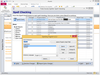
Create professional Help Systems and Manuals from HTML or Word. Whether you are converting from RoboHelp or creating new projects, Doc-To-Help empowers you to create HTML or Microsoft Word content and convert it to virtually every popular Help file format or printed documentation. Doc-To-Help Enterprise can produce help files in popular formats including HTML Help, Cross-Platform HTML-based Help, JavaHelp, WinHelp, Visual Studio .NET-style Help, and printed documentation. Since Doc-To-Help Enterprise uses a simple style markup to create Help systems, you have the freedom to use any editor. Doc-To-Help Enterprise supports Windows 7, Vista and the 2010 Microsoft Office System including seamless integration with Word 2010. Doc-To-Help Enterprise now offers integration with SharePoint which allows you to upload your content to a SharePoint library and take advantage of SharePoint’s management and workflow features. Doc-To-Help Enterprise also includes exclusive features such as one-click RoboHelp project conversions. Doc-To-Help for Enterprise includes updates and upgrades for 1 year. Platinum Support including 1 year of unlimited phone support also available.
Simplify and speed the process of creating help documents. Doc-To-Help for Word lets you to author content in Microsoft® Word to create online Help files and professional manuals. Produce these Help files in popular formats including HTML Help, Cross-Platform HTML-based Help, JavaHelp, WinHelp, Visual Studio .NET-style Help, and printed documentation. Since Doc-To-Help uses a simple style markup to create Help systems, you have the freedom to use any editor. Doc-To-Help for Word also includes features such as Documenter for .NET for automatic reference document creation and support for Windows 7, Vista and the 2010 Microsoft Office System including seamless integration with Word 2010. Doc-To-Help for Word includes updates and upgrades for 1 year. Platinum Support including 1 year of unlimited phone support also available.
Efficiently prepare reliable software packages for traditional and virtual deployment, offering a complete suite of automated MSI packaging, application virtualization, customization, testing, and management tools. AdminStudio provides enterprise IT teams with a single solution to repackage software applications to either tradition MSI or virtualization formats including Microsoft App-V, VMware ThinApp and Citrix XenApp. Proven in benchmark tests to decrease application preparation time up to 60%, and built upon InstallShield technology.
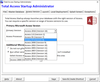
Reliable software packages prepared with automation and intelligence. With AdminStudio you can customize installations without having to edit Windows Installer database tables, or even write a single line of script. Developed specifically for System Administrators, Desktop Engineers and Corporate IT Project Teams, AdminStudio provides a wizard driven interface to navigate the repackaging process. Repackaging can be done with the standard default options or tailored to meet specific needs via detailed exclusion lists, the option to capture application or system-level changes, output preview, registry settings, and more.
Prepare reliable applications and patches for enterprise use. With AdminStudio you can customize installations without having to edit Windows Installer database tables, or even write a single line of script. Developed specifically for System Administrators, Desktop Engineers and Corporate IT Project Teams, AdminStudio provides a wizard driven interface to navigate the repackaging process. Repackaging can be done with the standard default options or tailored to meet specific needs via detailed exclusion lists, the option to capture application or system-level changes, output preview, registry settings, and more. Buy AdminStudio with Annual Maintenance to obtain updates and AdminStudio upgrades for one year.