













Proveedor oficial
Como distribuidores oficiales y autorizados, le suministramos licencias legítimas directamente de más de 200 editores de software.
Ver todas nuestras marcas.
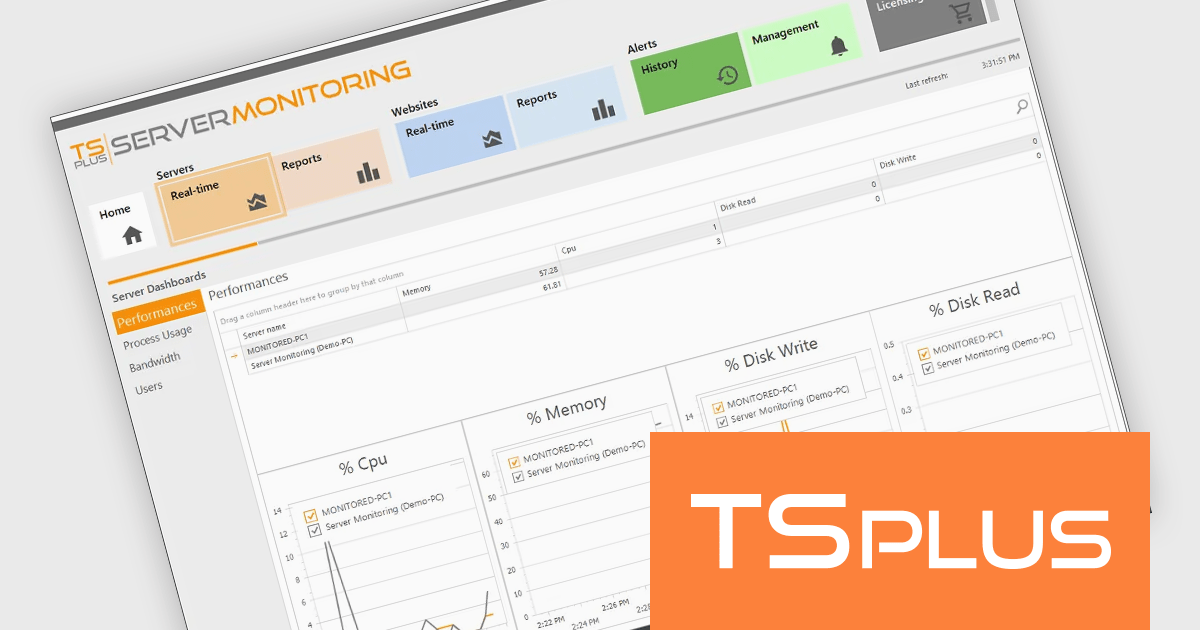
TSplus Server Monitoring is a powerful solution designed to provide real-time and historical insights into the performance of servers, websites, applications, and user activity. With features like real-time monitoring, performance tracking of key metrics such as CPU, memory, and disk usage, and detailed user analytics, it equips IT administrators with the tools needed to ensure smooth and efficient operations. By offering instant visibility into potential bottlenecks or issues, it enables proactive problem resolution and optimizes resource utilization. Ideal for remote work infrastructures, TSplus Server Monitoring supports distributed teams by ensuring reliable connectivity and uptime. Whether for troubleshooting, performance optimization, or capacity planning, it serves as an essential tool for maintaining seamless remote operations.
The TSplus Server Monitoring performance monitoring capabilities provide software developers with precise, real-time metrics on server CPU, memory usage, and disk operations. This improvement enables developers to identify performance bottlenecks and optimize resource allocation with greater efficiency. By delivering detailed, time-specific data insights, the update simplifies diagnosing system issues and helps maintain seamless application performance. This advancement supports developers in ensuring stability and reliability for remote work infrastructures, meeting the demands of modern, distributed teams.
TSplus Server Monitoring is licensed per server. Licenses are perpetual and include 1 year of updates and support. See our TSplus Server Monitoring licensing page for full details.
For more information, visit our TSplus Server Monitoring product page.
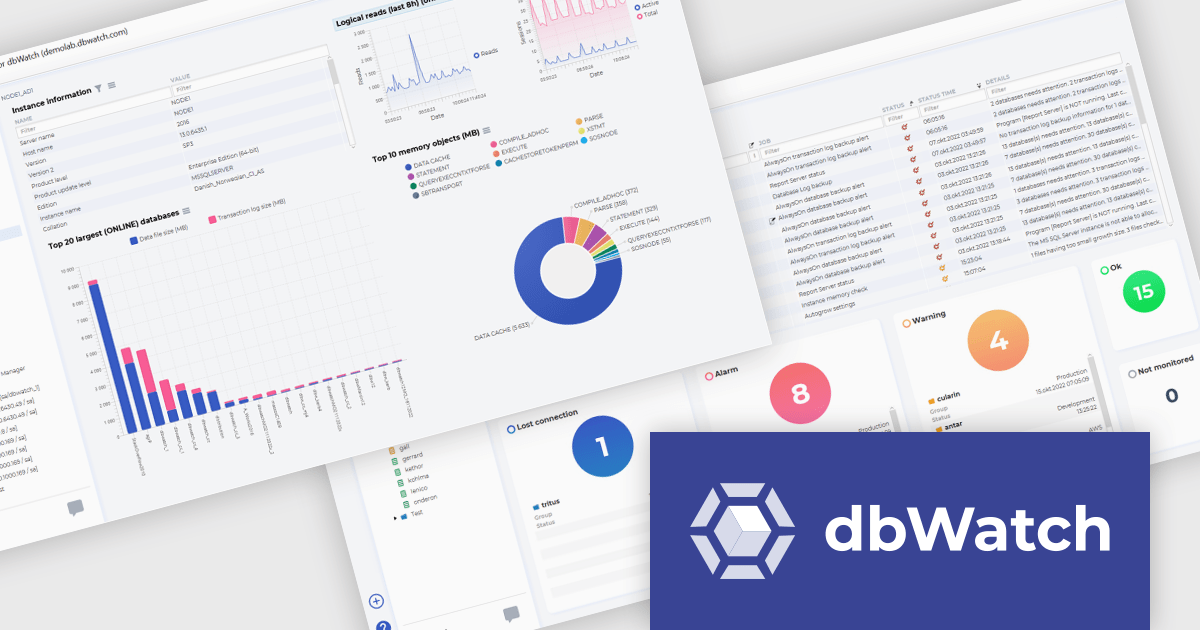
ComponentSource, a leading provider of software development tools, has announced a new partnership with dbWatch, a Windows-based data management and monitoring platform. This collaboration aims to enable database administrators (DBAs) and IT managers to easily manage large-scale database environments with greater efficiency and control.
dbWatch specializes in database monitoring and automation tools for professionals in IT and database administration. It provides scalable, user-friendly solutions that cater to organizations managing complex database ecosystems across multiple platforms. dbWatch products streamline database management and monitoring tasks, offering essential tools for professionals in industries relying on robust data infrastructure and performance optimization, such as finance, healthcare, and technology. dbWatch Control Center allows users to monitor, manage, and automate databases, ensuring high performance, security, compliance, and seamless scalability across platforms.
By partnering with dbWatch, ComponentSource expands its portfolio to include advanced database tools, offering its customers cutting-edge solutions for database scalability, security, and efficiency. This partnership also strengthens ComponentSource's position as a leading provider of software solutions, addressing the growing demand for streamlined database solutions in industries such as enterprise IT, telecommunications, and cloud computing.
dbWatch Control Center is licensed per instance and is offered as a 12 month subscription license. Licenses are available for MS SQL Server, Oracle, MySQL, PostgreSQL, MariaDB, and Sybase. For further information see our dbWatch Control Center licensing page.
For more information, visit our dbWatch publisher page.
Installation tools with publishing and deployment capabilities streamline the delivery and management of software applications across environments. These tools allow organizations to ensure consistent, efficient deployment processes, minimizing errors and boosting productivity. They often integrate with modern workflows such as cloud services, containerization, and continuous integration, allowing teams to automate and simplify complex deployment tasks while maintaining control and visibility over application updates and performance.
Common features include:
For an in-depth analysis of features and price, visit our installation tools comparison.
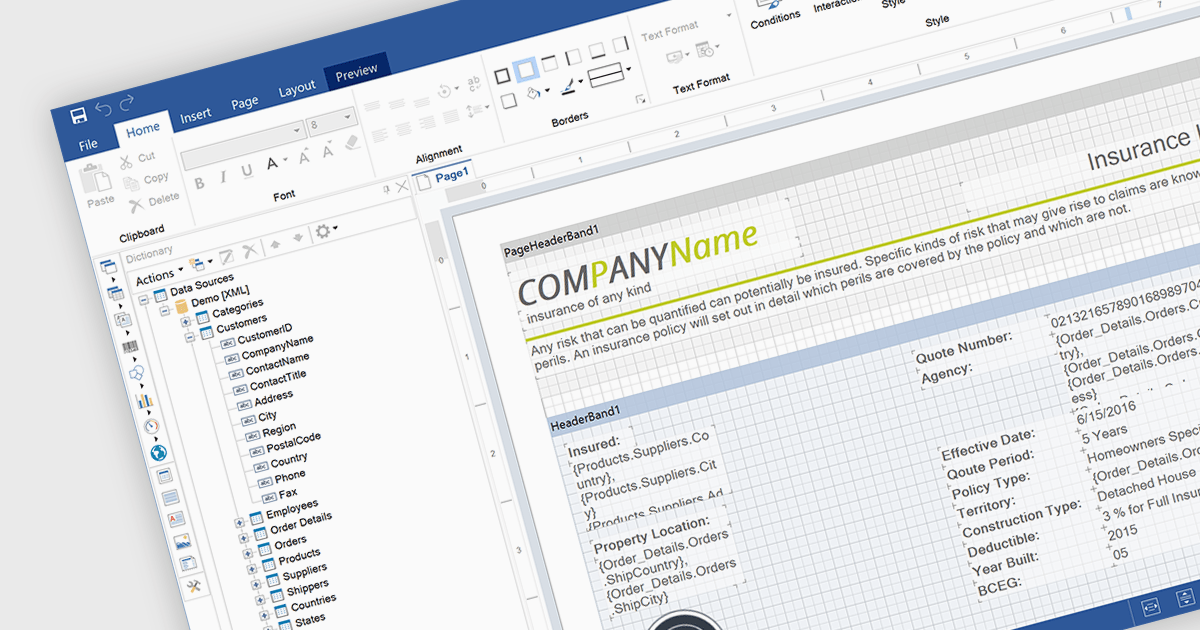
An end user report designer is a browser-based tool that allows non-technical users to create, edit, and customize reports directly within a web application, without needing to write code. It provides an intuitive interface for manipulating data fields, applying filters, formatting content, and configuring layouts, enabling efficient report creation that meets specific business needs. For developers, integrating such a designer reduces the overhead of building and maintaining custom reporting solutions, enhances user autonomy, and improves overall user satisfaction by empowering clients to adapt reports dynamically as their requirements evolve.
Several JavaScript Reporting controls offer an end user report designer including:
For an in-depth analysis of features and price, visit our comparison of JavaScript Reporting Controls.
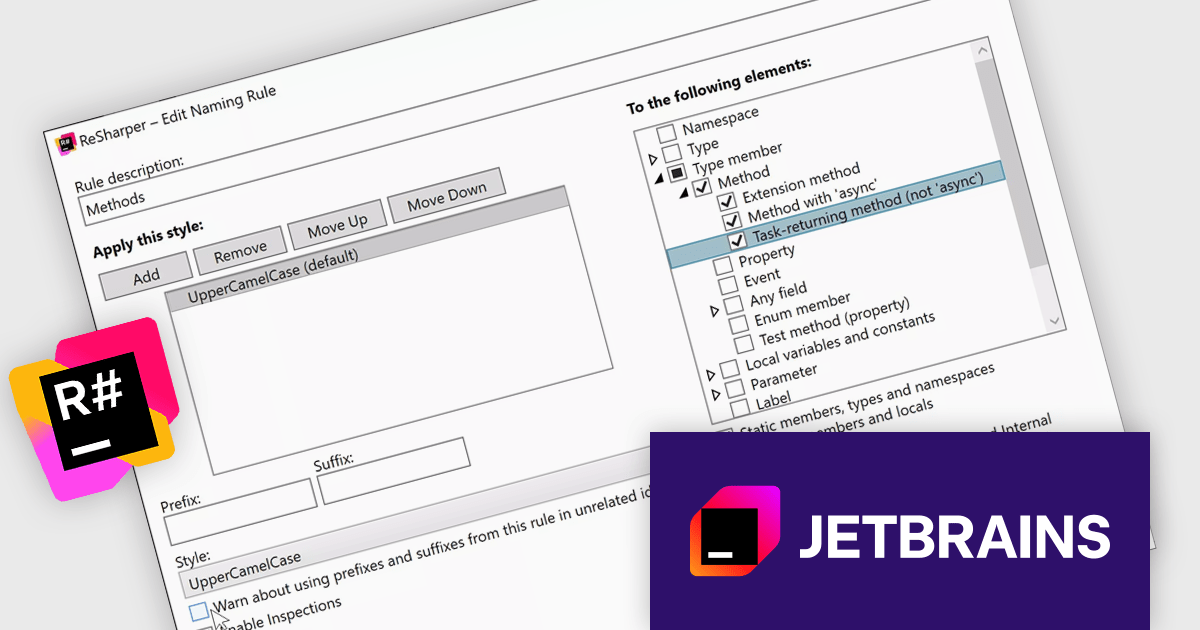
ReSharper is a productivity and code quality plugin for Visual Studio, developed by JetBrains. It helps .NET developers write cleaner, more efficient code. By analyzing code on-the-fly, ReSharper identifies potential errors and suggests fixes. It also automates code refactoring, allowing developers to safely restructure their codebase. These features improve developer productivity and maintainability of the code, making ReSharper a valuable tool for both individual developers and development teams.
The ReSharper 2024.3 release introduces enhanced naming style options, empowering developers to fine-tune naming conventions for improved code clarity and consistency. The update includes distinct rules for async and Task-returning local functions, as well as support for Task-returning methods without the async modifier. This is particularly beneficial for scenarios such as interface declarations, where async modifiers aren’t permitted but Task-like return types are used in implementation. By addressing these nuanced use cases, ReSharper ensures cleaner code that aligns seamlessly with modern development practices.
To see a full list of what's new in version 2024.3, see our release notes.
ReSharper is licensed per user, and is available as a commercial annual subscription license. We can supply new subscriptions, subscription renewals (including continuity discounts), lapsed renewals, and additional user licenses. See our ReSharper licensing page for full details.
ReSharper is available to buy in the following products:
Tel: (888) 850 9911
Fax: +1 770 250 6199


