













Proveedor oficial
Como distribuidores oficiales y autorizados, le suministramos licencias legítimas directamente de más de 200 editores de software.
Ver todas nuestras marcas.
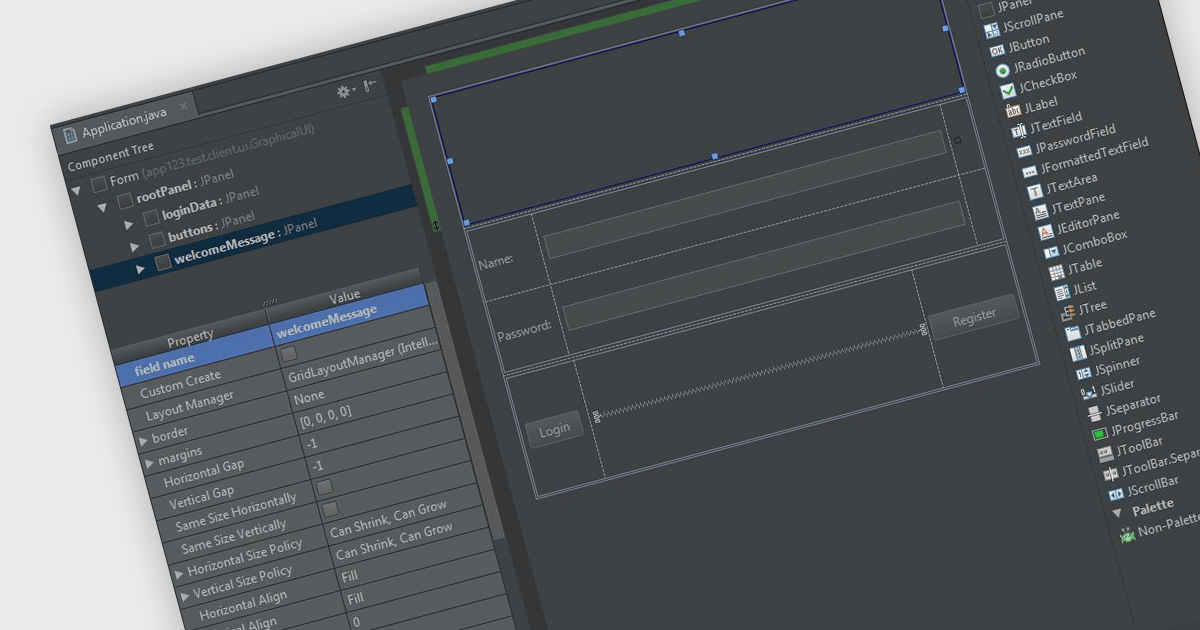
In integrated development environments (IDEs), the drag-and-drop interface provides a user-friendly graphical interface that simplifies the creation, modification, and configuration of applications. This feature enables developers to intuitively place objects such as buttons, text fields, pre-written code modules, and images onto the application's canvas or design surface by merely dragging items with a mouse. This method not only accelerates the development process, particularly in crafting user interfaces, but also reduces the likelihood of coding errors. By minimizing the need for direct code entry, it offers a streamlined and intuitive workflow that benefits both novice and seasoned developers alike.
Several integrated development environments offer a drag and drop interface, including:
For an in-depth analysis of features and price, visit our comparison of IDEs.
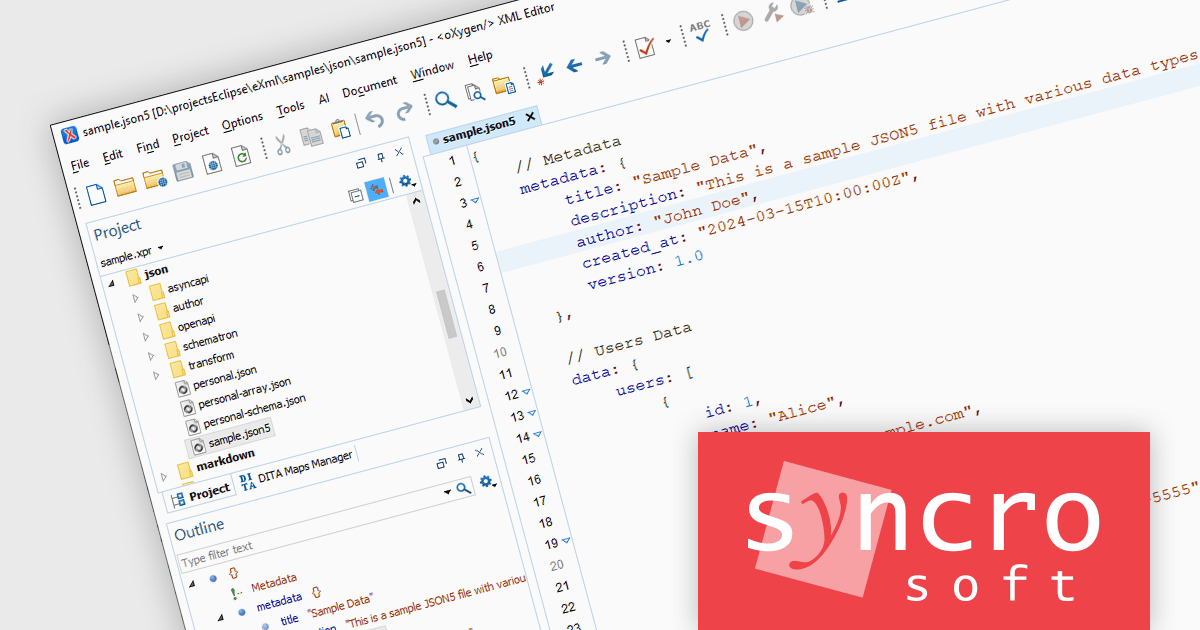
Oxygen JSON Editor is a specialized tool that simplifies working with JSON data. It provides multiple editing views: a text mode for familiar editing with features like content completion and validation, a grid mode for viewing JSON as nested tables for easy manipulation, and even an author mode that translates JSON into a visual XML structure. This flexibility, along with support for related formats like JSON Schema and YAML, makes Oxygen a powerful option for anyone who frequently edits or creates JSON data.
The Oxygen JSON Editor 26.1 release adds text editing support for JSON5 documents. JSON5 is an extension of the JSON data format designed for human readability. It incorporates features from JavaScript, like comments, unquoted keys for valid identifiers, and trailing commas, making it easier to write and maintain configuration files. Oxygen JSON Editor's outline view now provides syntax highlighting for JSON5 files, making it easier to read and understand. Validation support ensures that your JSON5 file is formatted correctly, preventing errors before they happen.
To see a full list of what's new in version 26.1, see our release notes.
Oxygen JSON Editor is licensed per Named user and is available as a Timed License subscription. See our Oxygen JSON Editor licensing page for full details.
For more information, visit our Oxygen JSON Editor product page.
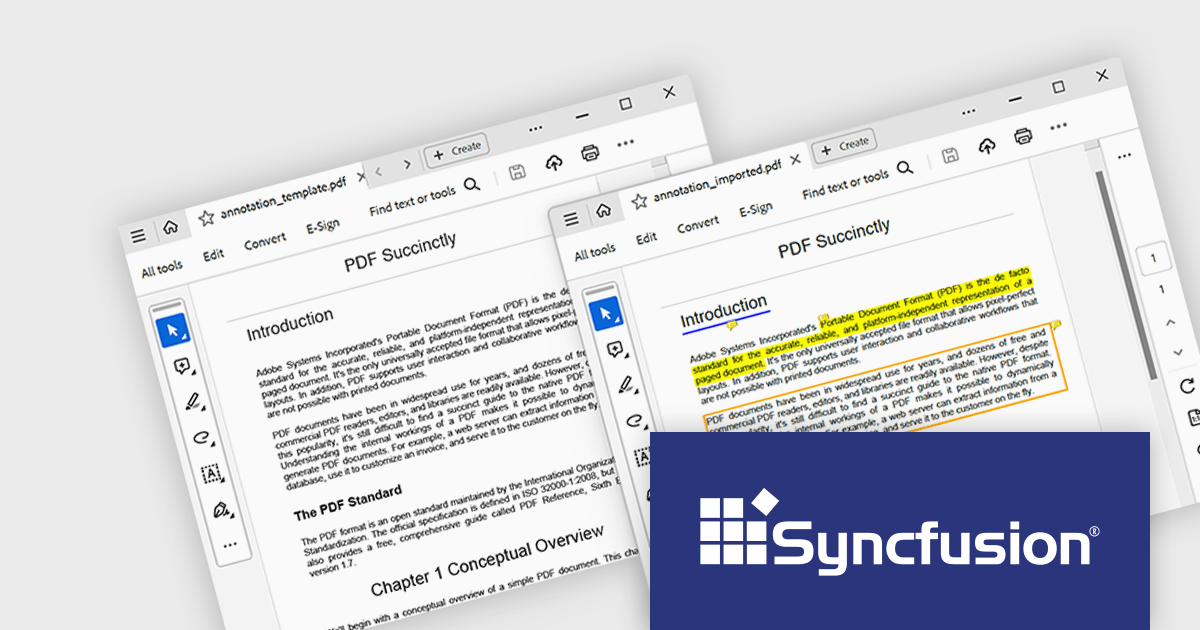
Syncfusion Essential Studio Flutter, available as part of Syncfusion Essential Studio Enterprise, is a powerful UI toolkit that enables you to build beautiful and performant mobile apps for Android and iOS using Flutter. It provides a rich suite of pre-built widgets for common design elements like charts, data grids, calendars, and PDF viewers. These widgets are highly customizable and allow you to quickly implement stunning visuals and advanced functionalities without spending time on repetitive coding.
The Syncfusion Essential Studio Flutter 2024 Volume 1 (25.1.35) release introduces support for importing and exporting PDF annotations. This enables users to collaborate seamlessly by sharing annotated PDFs and importing annotations from external sources, with support for formats such as XFDF, FDF, and JSON.
To see a full list of what's new in version 2024 Volume 1 (25.1.35), see our release notes.
Syncfusion Essential Studio Flutter is available as part of Syncfusion Essential Studio Enterprise which is licensed per developer starting with a Team License of up to five developers. It is available as a 12 Month Timed Subscription License which includes support and maintenance. See our Syncfusion Essential Studio Enterprise licensing page for full details.
For more information, visit our Syncfusion Essential Studio Flutter product page.

ComponentSource, the world's largest marketplace for software components, and AlterNET Software a leading supplier of .NET Windows Forms and WPF controls are pleased to celebrate their 3 year partnership, working together to deliver solutions to enhance developers' applications.
AlterNET Software, based in Sydney, Australia, develops tools specifically for the .NET framework. Its flagship product, AlterNET Studio, is a suite of component libraries that can be integrated into existing .NET applications. This allows users to extend those applications with functionalities like embedded scripting. Scripters can leverage languages like C#, Visual Basic, and Python to create custom actions within the application. AlterNET Studio also includes a built-in code editor and a graphical form designer, enabling on-the-fly code modifications and user interface creation directly within the host application.
By leveraging ComponentSource's global network and expertise in software distribution AlterNET Software has expanded its customer base worldwide. This partnership allows AlterNET Software to tap into ComponentSource's expertise in software licensing, subscription management, and customer support, freeing AlterNET Software's team to focus on product development and core business activities.
Learn more about AlterNET Software.
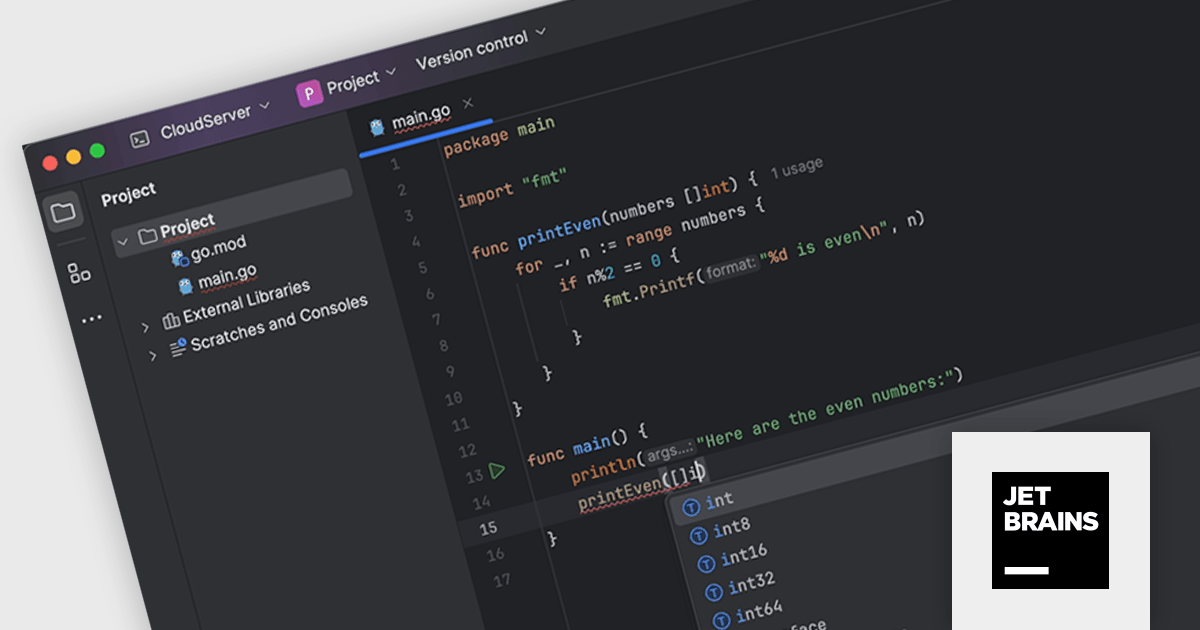
JetBrains GoLand is a dedicated integrated development environment (IDE) designed for Go programmers. It offers comprehensive features like intelligent code completion, advanced debugging tools, built-in testing frameworks, and code navigation aids for both individual and collaborative development. GoLand's focus on efficiency and productivity, along with its seamless integration with other JetBrains tools, makes it a powerful choice for professional Golang development.
The GoLand 2024.1 release significantly enhances the remote development experience. Working on code in the cloud now feels almost as smooth as working locally thanks to improvements in highlighting, code rendering, and overall responsiveness. Code completion and highlighting are now close to real-time, just like coding on a local machine. Additionally, managing remote projects is now streamlined: you can directly create, open, and manage them all within the GoLand IDE itself.
To see a full list of what's new in version 2024.1, see our release notes.
GoLand is licensed per user, and is available as a commercial annual subscription license. We can supply new subscriptions, subscription renewals (including continuity discounts), lapsed renewals, and additional user licenses. See our GoLand licensing page for full details.
For more information, visit our GoLand product page.
Tel: (888) 850 9911
Fax: +1 770 250 6199


