













Proveedor oficial
Como distribuidores oficiales y autorizados, le suministramos licencias legítimas directamente de más de 200 editores de software.
Ver todas nuestras marcas.
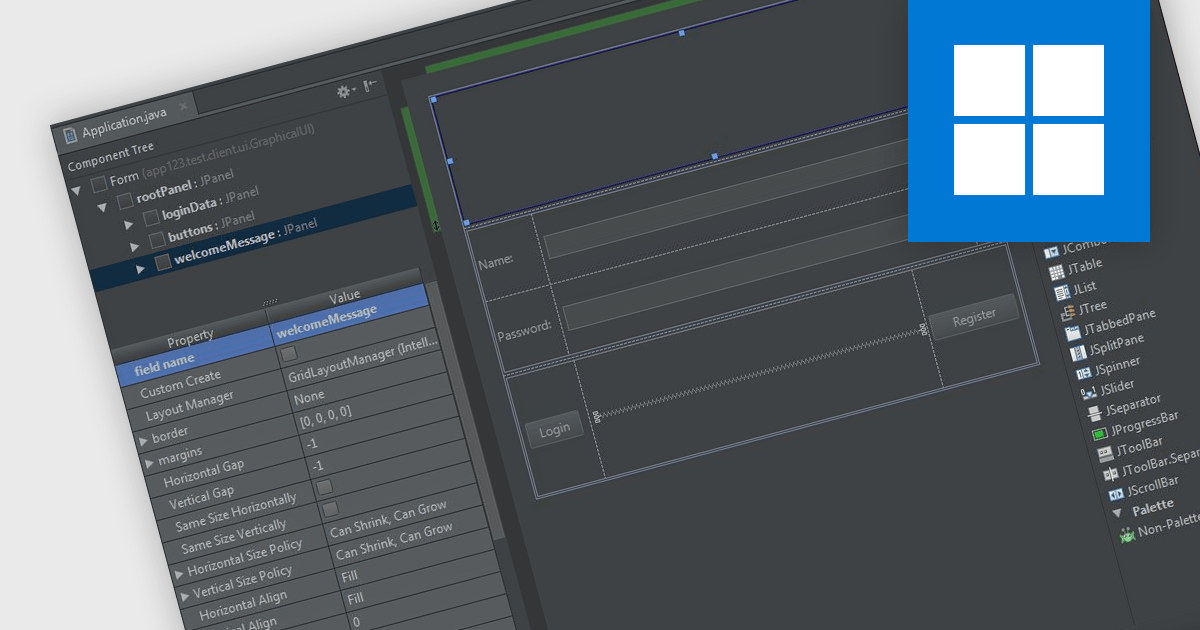
In integrated development environments (IDEs), the drag-and-drop interface provides a user-friendly graphical interface that simplifies the creation, modification, and configuration of applications. This feature enables developers to intuitively place objects such as buttons, text fields, pre-written code modules, and images onto the application's canvas or design surface by merely dragging items with a mouse. This method not only accelerates the development process, particularly in crafting user interfaces, but also reduces the likelihood of coding errors. By minimizing the need for direct code entry, it offers a streamlined and intuitive workflow that benefits both novice and seasoned developers alike.
Several integrated development environments offer a drag and drop interface, including:
For an in-depth analysis of features and price, visit our comparison of IDEs.
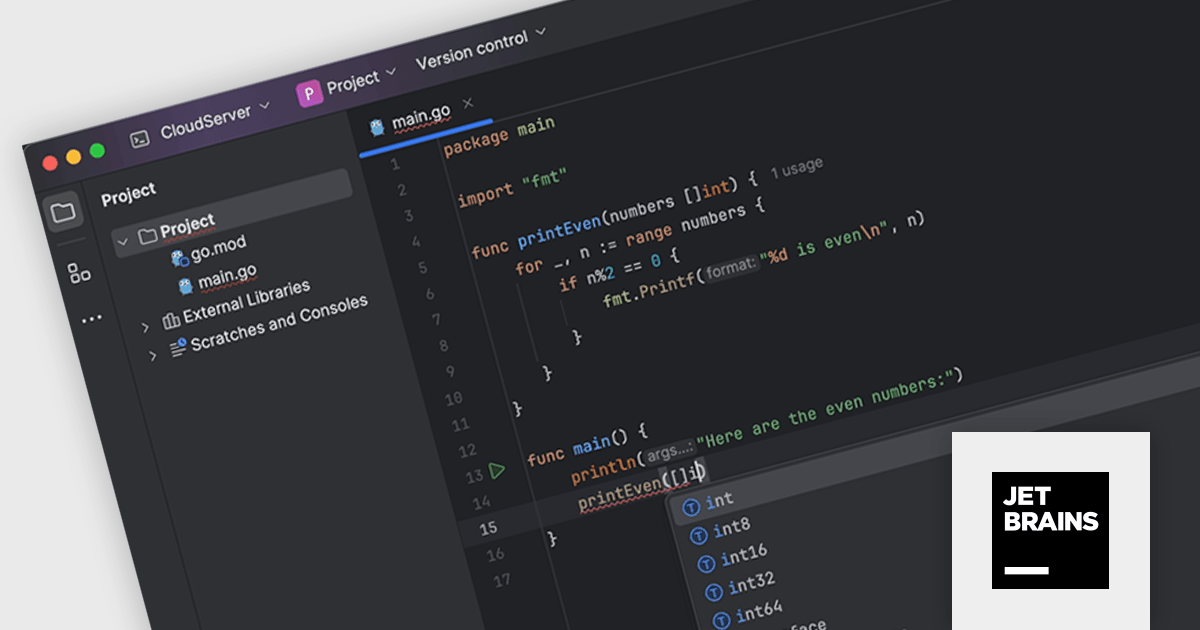
JetBrains GoLand is a dedicated integrated development environment (IDE) designed for Go programmers. It offers comprehensive features like intelligent code completion, advanced debugging tools, built-in testing frameworks, and code navigation aids for both individual and collaborative development. GoLand's focus on efficiency and productivity, along with its seamless integration with other JetBrains tools, makes it a powerful choice for professional Golang development.
The GoLand 2024.1 release significantly enhances the remote development experience. Working on code in the cloud now feels almost as smooth as working locally thanks to improvements in highlighting, code rendering, and overall responsiveness. Code completion and highlighting are now close to real-time, just like coding on a local machine. Additionally, managing remote projects is now streamlined: you can directly create, open, and manage them all within the GoLand IDE itself.
To see a full list of what's new in version 2024.1, see our release notes.
GoLand is licensed per user, and is available as a commercial annual subscription license. We can supply new subscriptions, subscription renewals (including continuity discounts), lapsed renewals, and additional user licenses. See our GoLand licensing page for full details.
For more information, visit our GoLand product page.
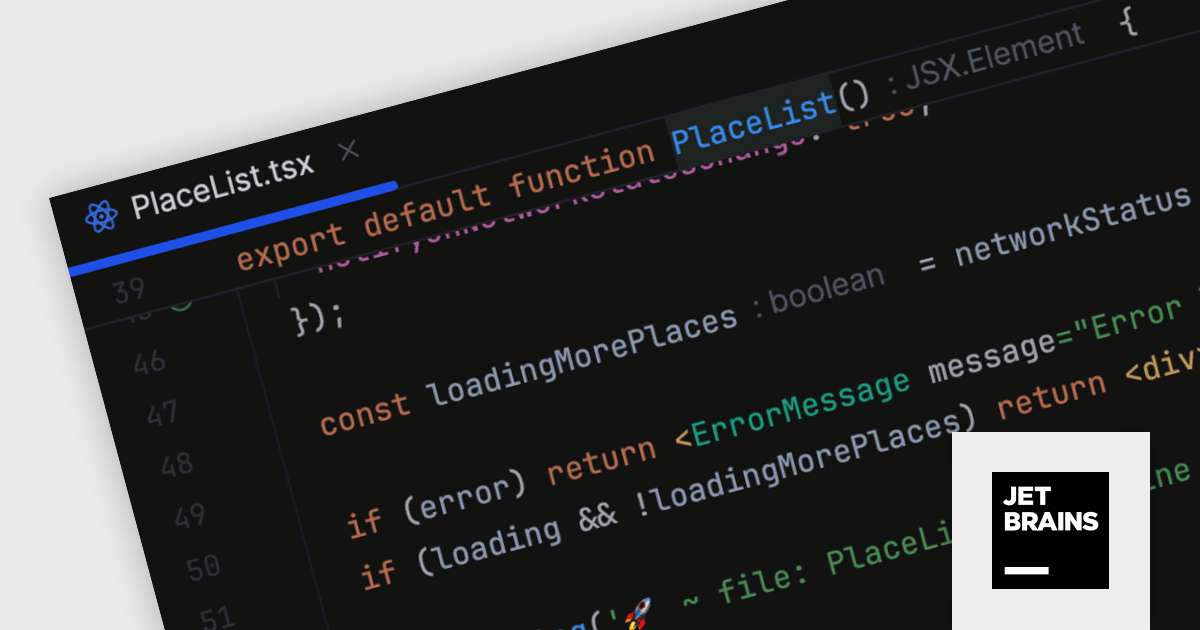
JetBrains WebStorm is a powerful and modern Integrated Development Environment (IDE) specifically designed for web development. It offers a feature-rich environment that supports popular web technologies like JavaScript, HTML, CSS, and Node.js. WebStorm helps you write cleaner, more efficient code with features like syntax highlighting, autocompletion, code refactoring, and built-in testing tools. It integrates seamlessly with various web frameworks and libraries, making it a versatile choice for both front-end and back-end development.
WebStorm 2024.1 introduces a new sticky lines feature to streamline navigation within large codebases. This functionality keeps essential structural elements, such as function and class declarations, constantly visible at the top of your editor viewport as you scroll. This ensures you always retain context and can effortlessly navigate through your code, improving overall development efficiency.
To see a full list of what's new in version 2024.1, see our release notes.
WebStorm is licensed per user, and is available as a commercial annual subscription license. We can supply new subscriptions, subscription renewals (including continuity discounts), lapsed renewals, and additional user licenses. See our WebStorm licensing page for full details.
For more information, visit our WebStorm product page.
IntelliJ IDEA is a feature-rich Java IDE that empowers developers with a comprehensive set of tools for intelligent coding assistance, effortless navigation and search, seamless refactorings, in-depth code analysis, comprehensive Web and Enterprise development support, robust unit testing capabilities, and streamlined team collaboration features.
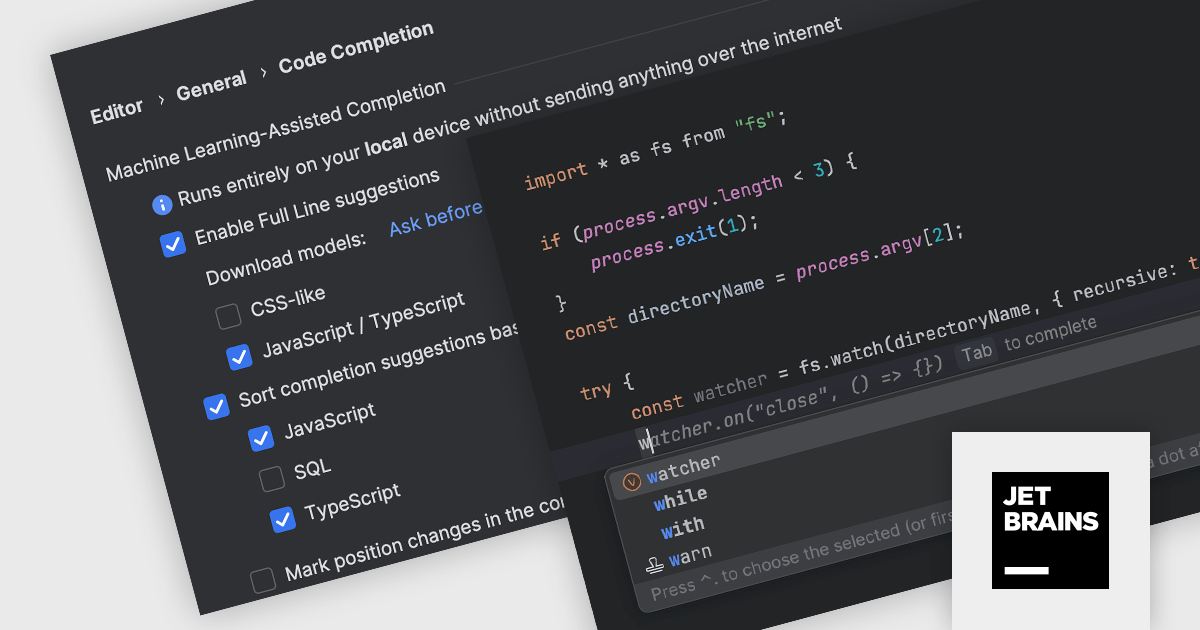
IntelliJ IDEA 2024.1 introduces full line code completion. This intelligent feature leverages machine learning models built right into the IDE. It analyzes your code contextually and suggests entire lines as you type, boosting your coding efficiency. These suggestions are powered by specialized models trained for specific languages and frameworks, all running locally on your device. This ensures your code privacy as there's no need for data transfer to external servers. Full line code completion is enabled by default for Java and Kotlin, and other languages are also supported. Unlike JetBrains Cloud-based AI Assistant, the local code completion is included with the standard IntelliJ IDEA subscription at no extra cost.
To see a full list of what's new in version 2024.1 see our release notes.
IntelliJ IDEA is licensed per user as a commercial annual subscription. We can supply New Subscriptions, Subscription Renewals, Lapsed Subscription Renewals, and Additional Developer Licenses. See our IntelliJ IDEA licensing page for full details.
For more information, visit our IntelliJ IDEA product page.

Plyxon by Allround Automations is a brand new, high-performance Oracle PL/SQL development tool designed to work on multiple operating systems. It is a native Oracle Client tool that is easy to install and does not require any additional third-party software. Plyxon is designed from the ground up with the developers in mind, by a team with 30+ years of Oracle experience.
Plyxon's features include a powerful PL/SQL editor with syntax highlighting, object descriptions, code assistant, code contents, hyperlink navigation, and macro library. It also offers an integrated debugger that supports step in, step over, step out, run until exception, breakpoints, view variables, and view call stack.
As a multi-threaded IDE, Plyxon allows you to work while SQL queries are executing, PL/SQL programs are executing, debug sessions are running, and so on. This means that the IDE will not hang if you make a programming error: you can break execution or save your work at any time.
Plyxon is licensed per named user. Support contracts are available, which entitle you to technical support via email for either one or three years depending on the option purchased. See our Plyxon licensing page for full details.
For more information, see our Plyxon product page.
Tel: (888) 850 9911
Fax: +1 770 250 6199


