
UltraEdit Core
Editor de texto y herramienta de comparación potentes y fiables.
Publicado por UltraEdit
Distribuido por ComponentSource desde 2013
Precios desde: $ 97.95 Versión: v2026.x NUEVO Actualizado: Jun 9, 2026  (17)
(17)
Editor de texto y herramienta de comparación potentes y fiables.
Publicado por UltraEdit
Distribuido por ComponentSource desde 2013
Precios desde: $ 97.95 Versión: v2026.x NUEVO Actualizado: Jun 9, 2026 (17)
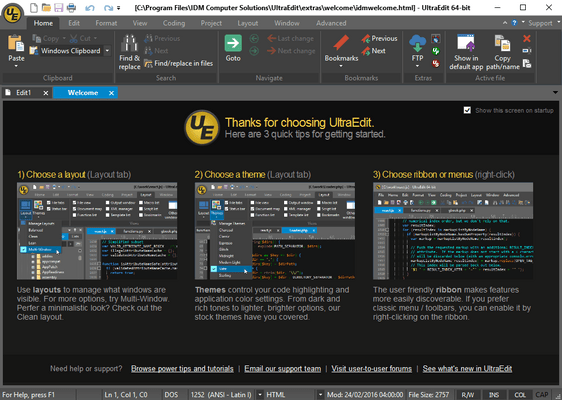
UltraEdit Core includes: UltraEdit (available for Windows, Mac, and Linux - all included in the license price) and UltraCompare.
UltraEdit Enterprise (formerly known as UltraEdit All Access) includes: UltraEdit, UltraCompare, UltraFTP, UEStudio and UltraFinder.
Editor de texto y herramienta de comparación potentes y fiables.
UltraEdit Core includes UltraEdit, a text, HEX, HTML, PHP, Java, JavaScript, Perl, and Programmer's editor and UltraCompare, a folder compare and file compare application. UltraEdit is specially designed for inputting and editing text and code, it supports configurable syntax highlighting and code structuring for most programming languages. With its clear layout and powerful project and workspace features, it can handle complex and sophisticated software-development projects. UltraEdit is flexible and easy to customize, handles files in excess of 4GB, and the modern user interface provides easy access to the most important options. UltraCompare is loaded with features to enable you to compare text files and folders, word documents, and even zip files and jar archives. UltraCompare includes text compare, binary file compare with the capability to merge differences between compared files.
What can UltraEdit do for you?
Multi-caret editing, multi-select and more
UltraEdit's text editing features make editing lists and columns an intuitive experience, not the exercise in tedium it used to be. With features like multi-caret editing, column/block editing and multi-select, it's a simple text editor when you want it to be, and a multi-cursor power editor when you need it to be.
Your editor, your way
The environment you work in is a personal thing. And with UltraEdit's deeply customizeable new menuing system, your perfect in-app menu awaits. The menu allows you to switch between a full ribbon, compact ribbon and menu/toolbar system, all with only the buttons you'd like.
File search, in or across files
Whether it's in the file you're working on or another file in your project, UltraEdit is going to help you find what you're looking for. Run a simple, standard search, or give us the lengthiest regular expression you've ever concocted. Powerful regex search coupled with detailed filters and search options at the ready when you need them add up to a truly powerful search experience.
Built-in FTP, SSH and more developer features
UltraEdit features an integrated FTP browser and supports syntax highlighting for hundreds of languages, with more always in the works. And with an integrated SSH/telnet client, scripting, custom tools, macros and Smart Templates, UltraEdit's ready for any coding session.
Edit large files, 4GB and beyond
Find yourself trying to edit large files? So do we. So we made sure UltraEdit would not only be up for the task, but excel where others fail. Need to run a find and replace on a massive data file? We're here for you – UltraEdit makes large file editing doable again.
What can UltraCompare do for you?
Compare text
Do you work with text files and ever lose your place or forget which is the most current file? Ever wished you could easily compare the differences between file versions?
Programming
If you are inspecting your file or code changes by hand you are losing precious time, accuracy and productivity. Compare and merge operations are the cornerstone of a differences tool, and we have placed many merge/post-merge features into UltraCompare so you can easily compare your differences and merge your selections with confidence and trust. Whether you are a lone developer or work as part of a team, how many times have you wanted to compare your text files or compare source code to modified versions, and merge your changes into the newer versions?
System Administration
We all know to make backups - but what happens when something goes wrong and you need to compare your legacy backup with your current backup? Ever needed to compare SQL files between two databases? That's where a compare/merge/sync tool can help.
Remote Files
Do you find yourself needing to compare FTP files? Use UltraCompare's integrated FTP/SFTP to download your text files from the remote server, perform compare/merge operations, then save your files back to the server.
Everyday use
How many times have all of us downloaded a software update or text file and wondered what's changed since the last release or version?
Tel: (888) 850 9911
Fax: +1 770 250 6199


