Intégrez des graphiques dans les applications de tableur JavaScript
Utilisez des contrôles de tableur JavaScript avec des fonctionnalités de graphiques intégrées pour analyser et présenter les données de manière visuellement attrayante.
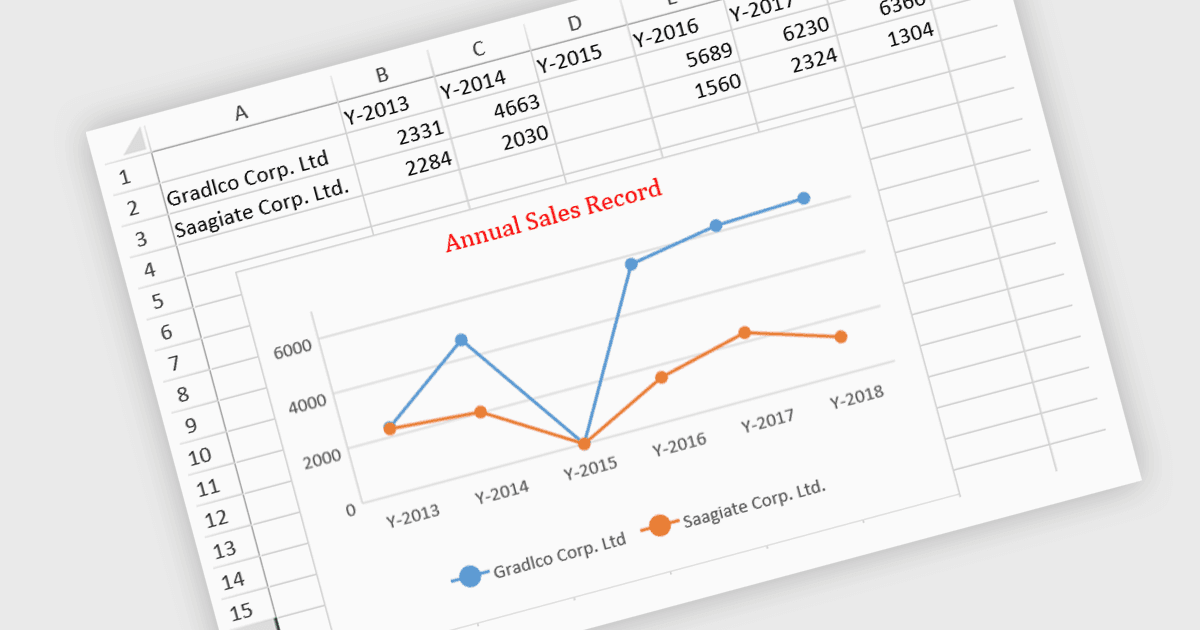
Les contrôles de tableur JavaScript avec des fonctionnalités de graphique intégrées permettent aux développeurs de visualiser les données directement dans des applications de tableur basées sur le web. Ces graphiques sont générés dynamiquement à partir des données présentes dans le tableur, offrant aux utilisateurs une manière plus intuitive d’analyser et d’interpréter des ensembles de données complexes. En intégrant des capacités de tracé, les développeurs peuvent proposer une visualisation des données en temps réel sans dépendre de bibliothèques externes, ce qui conduit à une expérience utilisateur plus efficace. Cette fonctionnalité améliore la prise de décision basée sur les données, renforce l’engagement des utilisateurs et réduit la complexité de la gestion d’ensembles de données complexes dans les applications web.
Plusieurs contrôles de tableur JavaScript proposent des graphiques, notamment :
- SpreadJS de MESCIUS vous permet d’intégrer de manière transparente des graphiques dynamiques dans les tableurs, afin de faciliter la visualisation et l’analyse avancées des données.
- Jspreadsheet Pro vous permet de créer des graphiques interactifs dans votre tableur, en simplifiant l’exploration des données et en améliorant l’interaction avec l’utilisateur.
- Infragistics Spreadsheet React (faisant partie d’Ignite UI by Infragistics) facilite la génération de graphiques en temps réel directement à partir des données du tableur pour une meilleure prise de décision.
- Syncfusion Spreadsheet JavaScript (faisant partie de Syncfusion Essential Studio Enterprise Edition) permet l’intégration de la visualisation sous forme de graphiques afin de représenter les données du tableur avec un minimum de code.
Pour une analyse approfondie des fonctionnalités et des tarifs, consultez notre comparaison des contrôles de tableur JavaScript.